

You are using an out of date browser. It may not display this or other websites correctly.
You should upgrade or use an alternative browser.
You should upgrade or use an alternative browser.
What is your favorite action?
- Thread starter monia13
- Start date
Actions are basically a recording of action steps done in Photoshop. So for example, if you had an action for saving for the web, once you hit play, the action might:
- Duplicate your image
- Resize it to 700x700
- Add a little sharpening
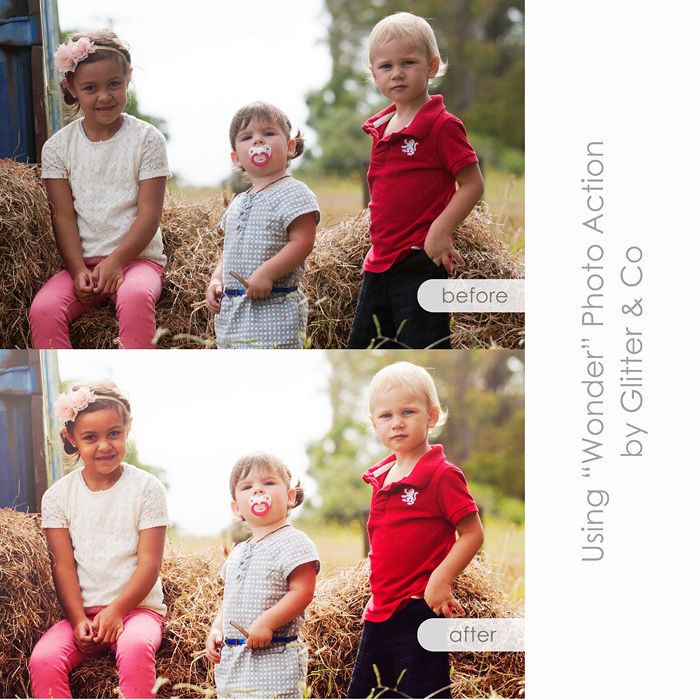
The purpose of actions is to save you time and effort by allowing you to do all of those steps with the push of one button rather than doing each step individually. You can also purchase actions designed by other people that might allow you to do something you don't know how to do or don't want to do. They've basically done all the work for you so all you have to do is hit play.
We've also got a tutorial here about recording your own actions which might give you some ideas as well: https://www.sweetshoppedesigns.com/...ur-own-actions-batch-processing-in-photoshop/
- Duplicate your image
- Resize it to 700x700
- Add a little sharpening
The purpose of actions is to save you time and effort by allowing you to do all of those steps with the push of one button rather than doing each step individually. You can also purchase actions designed by other people that might allow you to do something you don't know how to do or don't want to do. They've basically done all the work for you so all you have to do is hit play.
We've also got a tutorial here about recording your own actions which might give you some ideas as well: https://www.sweetshoppedesigns.com/...ur-own-actions-batch-processing-in-photoshop/

Valgal
New member
I use my own actions to speed up my scrapping process. I assign most of them to different function keys. So,
F12 is resize 50%
F11 is bring layer to front
F10 is rasterize layer
F9 is create clipping mask
F8 is 1/2 inch guide lines
F7 is flatten layers
It probably cuts my layout time by a quarter, if not more.
Other premade actions I like are Pioneer Woman's, Atomic Cupcake (I think she's out of business though. I purchased them FOREVER ago,) and Coffeeshop. You can Google them or if you need links let me know.
F12 is resize 50%
F11 is bring layer to front
F10 is rasterize layer
F9 is create clipping mask
F8 is 1/2 inch guide lines
F7 is flatten layers
It probably cuts my layout time by a quarter, if not more.
Other premade actions I like are Pioneer Woman's, Atomic Cupcake (I think she's out of business though. I purchased them FOREVER ago,) and Coffeeshop. You can Google them or if you need links let me know.

Valgal
New member
I never thought to make a keyboard shortcut for it like Valerie has -- that's genius!
Why, thank you



monia13
New member
can you create actions in PSE 11? I read the instructions https://www.sweetshoppedesigns.com/tu...-in-photoshop/ and I don't see the folder to create a new set