Text help!

skylers mom

New member
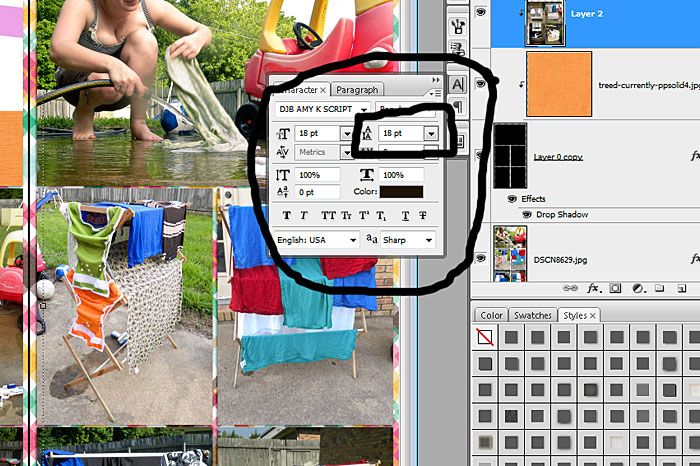
Hello everyone! I need help with journaling on my page. I started typing my journaling on my page and between words there is a big space! I have tried different fonts and gone into the paragraph setting to see if there is a way to fix it but I cant find it! Is there a way to shorten the space between words? I am using PSCS6. Thanks in advance for the help!
 
Here
Untitled-1_zpsef9b3b78.jpg
 
Is the actual spacing between words or between lines? Is your justification set on your paragraph setting?

This is what I was going to ask. It sounds to me like the paragraph might be force justified which will space out the words like that to fill the journaling area.
 
One more thing is that if I use the photoshop fonts it is fine! It is only when I use other downloaded fonts. Could it be that this is just the way some fonts are made?
 
If they were free fonts, then maybe, because sometimes free fonts aren't made very well and can get wonky. But if it's multiple fonts doing it, then I wouldn't think it was only that. Have you tried resetting the type tool and drawing a new text box?
 
Back
Top