

Not so happy with LO

digidreamgirl

New member
ok I just posted this in the gallery and I am so not happy with how it looks, My pictures are so blurry along with even the elements .... I am not sure if its because of how many pictures are on my LO or what but it saved so high that I had to set it at a 2 when saving my web img just to be able to upload. Anyone have any good advice when it comes to saving LO's for gallery use?


link - https://www.sweetshoppecommunity.com/gallery/showphoto.php?photo=78784&ppuser=1205
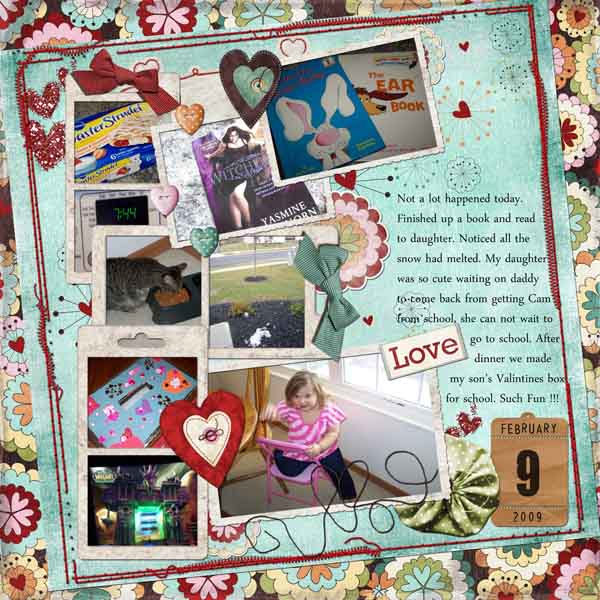

MyDayFeb9web.jpg
 
when I looked at my jpeg saved LO before when saving it at 600 by 600 it does have it set at 300dpi .. not sure if I ever paid attention to that or not but I will make sure from now on. I am going to go back to my psd LO and save it like I always do for jpeg and then do my web version and see how it works out in 72 dpi. Thanks ladies for the help :)
 
I hope I don't add confusion here, but I think this is an issue most people seem to misunderstand, and I think that only adds to confusion for people trying to understand the saving for web process.

dpi means absolutely nothing to web images. It only has meaning when you are printing (dots per inch... i.e. the bigger the number, the more dots per inch of printed page). What matters for a web image, or for viewing on your monitor in general, is the pixel dimensions. E.g. 600 pixels x 600 pixels or whatever your size might be.

You can save a 600x600 image at 72dpi or 1000dpi, and it's not going to make a lick of difference to how it appears on the web.

As to the problems with your image quality, I've found that sometimes when there's a lot of information in a layout, the quality has to be compressed a lot and it's really hard to get a 600x600 version below 150kb without the quality being too compromised. I find a lot of highly patterned papers cause this problem too, and I've had to save a couple of my layouts at 550x550 or even 500x500 in order to get it decent looking at less than 150kb.

Hope that helps! :)
 
Joan, I think I will have to do what you just posted because changing the dpi did nothing and that's something I never paid much attention to before when saving. Also I keep wondering if maybe when using so many pictures on a LO I should save those pictures at a lower setting too before putting them on my LO.

thanks again for all the advice ladies :)
 
Lots of times mine are like that, if they have a lot of embellies or photos. I don't change the photo resolution or anything else when I do the original LO though.

The file size is huge with a lot of photos/embellies, so if I save at 600x600, I can't keep the quality high. So I often save those at 500x500 so I can keep the quality higher. I would rather it be a bit smaller, but clearer. I hope that doesn't confuse you even more LOL!
 
I ALWAYS go with quality over size. I go as low at 400x400 sometimes to keep the quality at "high" in pse when I'm saving for web.

Your layout is awesome, btw!
 
I always use the "save for web" feature (I'm using PSE4 right now) and I never have any problems.

I have an action from Annie Manning to save for web, and it really does do an amazing job. When I went from XP to Vista though, that action won't run on PSE anymore. I can do her save 12x12 though, and then I resize that to 600x600 and choose "save for web". I'll be getting CS4 next week though, so I won't have to deal with my Vista not liking my PSE4!!!
 
Back
Top