New to our Community?

Thanks ladies for the welcome & help!

I'm probably overlooking it, but I'm trying to figure out how to post to the gallery... I've resized my image down so small it is horribly pixelated and it's still saying it's too large... I 'm clearly missing something obvious. What is the size limit for the gallery? Or can you host your image elsewhere, but get it to show up the in the gallery?

I'm having the same issue with my avatar, other people are much more clear than mine, but when I make it any higher resolution it won't upload.

I'm using photoshop CC 2021 on a Mac.

Thanks for any help you're able to give!

This is an older tutorial, but the basic ideas are the same.
https://www.sweetshoppedesigns.com/tutorials/index.php/2011/12/save-for-web/

When I finish my LO, I flatten it, save it as a jpeg, then resize to 700x700 at 72ppi and save for web. I usually keep my size under 250k.
 
I certainly don't know the "right" way or "easiest" way, but I take my flattened layout of 3600 x 3600 pixels, resize it for printing at 2400 x 2400 pixels. Then take that image and click on "save for web & device." In there, I change the image size to 700x700 and play with the "quality" number at top right until the jpeg size (right under the picture) show at 499K or below.

So, long story short, I believe the maximum allowed is 700x700 at 499kb.

Edited... I don't know if it's different with a MAC. And I have some ancient version of PhotoShop. CS5, I believe.
 
Last edited:
Thank you so much Lori... it was the "save for WEB" that I was missing, was just regular saving, but to those specifications and my file was way too big!
 
Howdy from the scenic piney woods of NE Texas!
I'm 'just' Patty Anne (as I'm known throughout digi-art land). I've been a shopper here forever - and a stalker of all the amazing talent.

I'd love to be able to leave love in the gallery - but it won't let me, the option to leave a comment isn't there... but others were able to leave love. I've got all this admiring love bottled up that I've got to let out! ;-) Can you help a girl out? I'd really appreciate it! And if not, just know I'm a fan, albeit a silenced one. ;-)

Wishing everyone a superfantabulously blessed & creative February!
just Patty Anne
 
Hello, I'm Yvonne aka mijo. I'm new here.

I have two problems: I can not give comments in the gallery and I can not edit my posts in the forum.
Thanks for help.
 
Hi Yvonne, Patty Anne & Danika! I just finished upgrading all of your accounts so you can jump into the fun! So happy to have you here. Let us know if you need anything <3
 
Just popping in to say that I've made 10 posts but still can't comment in the gallery so feel really bad as I've posted the link to my first layout in the forum to get some love and now I can't leave any love!

I am not hassling - I know that everybody has lives outside of the internet so please don't think I'm nagging - just don't want people thinking that I'm taking all the love and not giving it!
 
Just popping in to say that I've made 10 posts but still can't comment in the gallery so feel really bad as I've posted the link to my first layout in the forum to get some love and now I can't leave any love!

I am not hassling - I know that everybody has lives outside of the internet so please don't think I'm nagging - just don't want people thinking that I'm taking all the love and not giving it!


No worries! Welcome to SSD! I look forward to seeing you around and more of your pages in the gallery.
 
Hi Everyone!
I am new here, and trying to jump back in to Digital Scrapbooking after a VERY LONG hiatus. But, just like I am a wimp about jumping in the pool, I am SLOWLY dipping my toes in.

Thanks for letting me be a part of this community!
 
Hi Everyone!
I am new here, and trying to jump back in to Digital Scrapbooking after a VERY LONG hiatus. But, just like I am a wimp about jumping in the pool, I am SLOWLY dipping my toes in.

Thanks for letting me be a part of this community!

Hey! The main thing is that there is a desire. I'm new to scrapbooking, but in real life I work as a designer, I work at Corel Drow. I came to this forum to learn something new, to master a new approach.
 
Hi all, I came over from the shoppe looking for some information. I searched the forum looking to see if anyone was using their iPad to scrap and didn't find a post on it. Does anyone know if the kits can be used on an iPad?
 
Hi lynel, welcome to Sweet Shoppe. Not many people here use ipad to scrapbook, but yes, you can use the kits to scrapbook on your ipad using the Affinity app, if you're also using the project life app, you can also use the journal cards there. Here are some of the facebook groups that I belong to, which can help you a lot: App Scrappers - Affinity Photo, App Scrapers - Over And Above. Hope this helps :)
 
Hi all, I came over from the shoppe looking for some information. I searched the forum looking to see if anyone was using their iPad to scrap and didn't find a post on it. Does anyone know if the kits can be used on an iPad?

Welcome!! I know there are ladies who do use their iPads, but off the top of my head, I can't think of any names! I believe jpgs can be opened on an iPad, but I'm not sure about png files.
 
Hi Yvonne, Patty Anne & Danika! I just finished upgrading all of your accounts so you can jump into the fun! So happy to have you here. Let us know if you need anything <3

Thank you, Robin! I'm in, leaving love and sharing art. It only took me over 10 years of stalking to finally join in the forum and gallery. But I've been wearing out the shoppe on the regular! :p I'm looking forward to getting lots more inspiration!
 
Thanks so much for the response, I just wanted to make sure before I tried to import them over there. I have PS on my iPad and laptop so I was just curious how seamless it would be.
 
Hi all, I came over from the shoppe looking for some information. I searched the forum looking to see if anyone was using their iPad to scrap and didn't find a post on it. Does anyone know if the kits can be used on an iPad?

How convenient will it be to work on a tablet? I'm just so used to working at a computer that it's hard to imagine another workspace. Moreover, I recently moved from a laptop to a stationary computer and looking at my work on the big screen is a completely different story! I decided to take a gaming monitor, because their task is just color rendition and image detail. Chose the BenQ monitor for this review. For its affordable price, it received an excellent image quality.
 
How convenient will it be to work on a tablet?

I have an iPad Pro, I can wirelessly send the photos to it straight from my camera. All my editing stuff is on my iPad so for me it’s just convenient. Plus I like the idea of being able to journal in my own handwriting.

I actually haven’t used PS on a computer in a long time that I can’t remember what all the differences are. But there are differences in features.

I also haven’t scrapped in a long time :blink: and mainly wanted to get elements to use in my digi planner I use in GoodNotes. Which works btw I tried it out last night. :thumbup:
 
I have an iPad Pro, I can wirelessly send the photos to it straight from my camera. All my editing stuff is on my iPad so for me it’s just convenient. Plus I like the idea of being able to journal in my own handwriting.

I actually haven’t used PS on a computer in a long time that I can’t remember what all the differences are. But there are differences in features.

I also haven’t scrapped in a long time :blink: and mainly wanted to get elements to use in my digi planner I use in GoodNotes. Which works btw I tried it out last night. :thumbup:

I do not know all the functionality of the graphics editor on the iPad. If you have enough functionality, that's very good.
 
Looking for a 2021 graduation kit

Good morning designer ladies! I am in desperate need of a high school graduation kit that incorporates my daughter's high school colors: red, white and black. I live in Hawaii and her school's graduation attire is unique because they use white floral gowns and haku leis instead of your cap and gown. I am hoping for an elegant kit with realistic looking flower lei elements/ clusters I can use for borders or frames. I am really hoping one of your great designers is up for the challenge. Thanks in advance!
 
Good morning designer ladies! I am in desperate need of a high school graduation kit that incorporates my daughter's high school colors: red, white and black. I live in Hawaii and her school's graduation attire is unique because they use white floral gowns and haku leis instead of your cap and gown. I am hoping for an elegant kit with realistic looking flower lei elements/ clusters I can use for borders or frames. I am really hoping one of your great designers is up for the challenge. Thanks in advance!
Congrats on your daughter's graduation! Here are some ideas, but maybe if you post your question in its own thread, other people may see it and have more ideas.


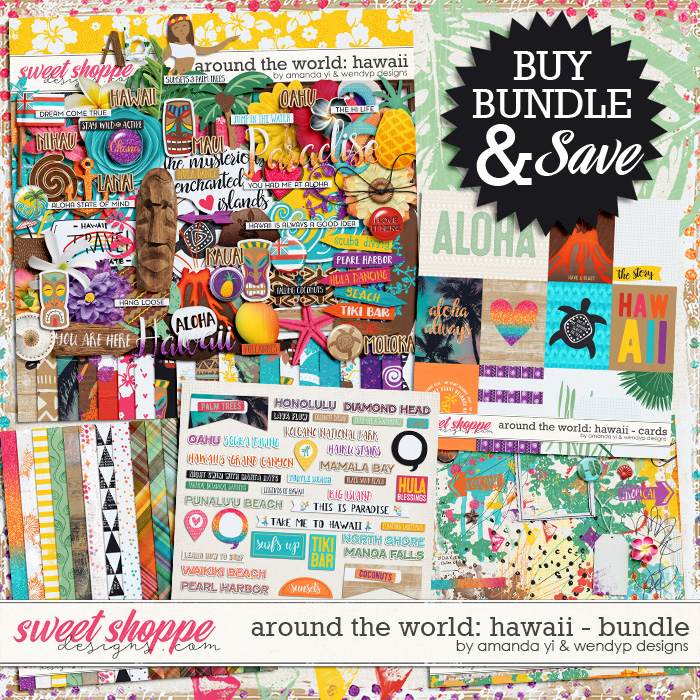
If you use the store's Search function, there are quite a few Hawaii-themed kits. I love the Around the World collections by Amanda Yi and WendyP; here's their HI bundle:

Not sure if this is the correct red?
 
Back
Top