New Member Tutorial - How to add your layout to the forum

Can not post my picture

Hi I am following your video and all I get is the URL address - no preview of the picture. I am using a mac. All the instructions work but the picture never posts. Please help
 
I am trying to post from my ipad - any suggestions on that? I figured out how to add to my gallery but cannot figure out how to post the actual page into a forum from there.
 
I've tried everything, watch the video, and I still can't get my layout loaded into the January 2020: Passport Inspiration Portal. I'm new, came to SSD as one of JoCee Designs CTM. HELP!
 
No matter what I did, my images would not show up...so I ended up having to upload my pages to flikr as well, so I could copy their share link and edit it before my images would show up.
 
No matter what I did, my images would not show up...so I ended up having to upload my pages to flikr as well, so I could copy their share link and edit it before my images would show up.

In your gallery, with the image open, right click on the image and select: copy image address.

url]


You will paste your link in the forum and make sure those
are on both sides of your link, like above, but no spaces. I just did the space so you could see what it would look like.

Then highlight that whole text and then go back to your image in your gallery and copy your web address for your layout (at the top) which is this:
https://www.sweetshoppecommunity.com/gallery/showphoto.php?photo=568902&title=cherish-life&cat=500

Come back to the forum and click on the blue icon with the gray link and paste that code in the box that pops up and hit ok. Then you should have your image linked back to your gallery and it should show. Let me know if that works.

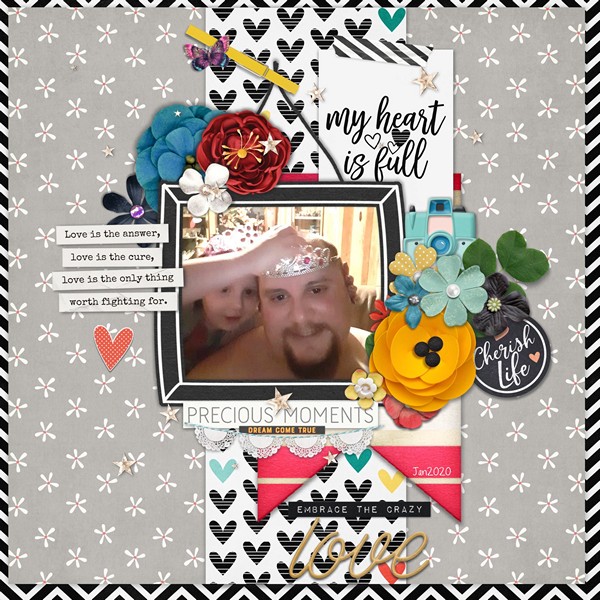
Doing all that will have it show like this in the forum:
 
OK, SO I AM ONLY USING CAPS SO THAT THIS WILL NOT JUST BLEND IN ;) I'M NOT SCREAMING, I PROMISE!! ♥

THE EASIEST WAY I HAVE FOUND, AFTER LOTS OF TRIAL AND ERROR, IS TO DO THE FOLLOWING:

1- RIGHT CLICK ON YOUR IMAGE AND 'COPY IMAGE ADDRESS'.
2- PASTE THAT INTO YOUR POST ON THE THREAD, AT THE BEGINNING OF THAT ADRESS LINK YOU WILL TYPE IN THE FOLLOWING:
- DON'T FORGET TO ADD THE / TO THE LAST ONE.
3- GO BACK TO YOUR LINKED IMAGE AND COPY THE URL LINK AT THE TOP
4- HIGHLIGHT YOUR ADDRESS IN YOUR POST, INCLUDING THE IMG PORTIONS YOU ADDED, AND CLICK ON THE GLOBE WITH THE PAPERCLIP.
5. PASTE THE URL ADDRESS INTO THE POP-UP AND SAVE.
YOUR IMAGE WILL BE IN THE POST.

I ALWAYS USE THE ADVANCED POSTING AND YOU CAN PREVIEW AS YOU GO, TO MAKE SURE IT IS THERE.

♥♥♥
 
Last edited:
OK, SO I AM ONLY USING CAPS SO THAT THIS WILL NOT JUST BLEND IN ;) I'M NOT SCREAMING, I PROMISE!! ♥

THE EASIEST WAY I HAVE FOUND, AFTER LOTS OF TRIAL AND ERROR, IS TO DO THE FOLLOWING:

1- RIGHT CLICK ON YOUR IMAGE AND 'COPY IMAGE ADDRESS'.
2- PASTE THAT INTO YOUR POST ON THE THREAD, AT THE BEGINNING OF THAT ADRESS LINK YOU WILL TYPE IN THE FOLLOWING:
- DON'T FORGET TO ADD THE / TO THE LAST ONE.
3- GO BACK TO YOUR IMAGE AND COPY THE URL LINK AT THE TOP
4- HIGHLIGHT YOUR ADDRESS IN YOUR POST, INCLUDING THE IMG PORTIONS YOU ADDED, AND CLICK ON THE GLOBE WITH THE PAPERCLIP.
5. PASTE THE URL ADDRESS INTO THE POP-UP AND SAVE.
YOUR IMAGE WILL BE IN THE POST.

I ALWAYS USE THE ADVANCED POSTING AND YOU CAN PREVIEW AS YOU GO, TO MAKE SURE IT IS THERE.

♥♥♥

Thank you so much for explaining this! This is how I do it as well.
 
Sorry for that! I guess YouTube changed the video to private for some reasons. I've changed it back to public. It should work now!

Thank you, I finally figured it out on my own. lol But now I am wondering if the reason I do not see an EDIT button is because I am new? I accidentally posted the same LO twice and want to delete one of them. I have gone from can't to too often. hahahaha!
 
Sorry for that! I guess YouTube changed the video to private for some reasons. I've changed it back to public. It should work now!

Thank you, I finally figured it out on my own. lol But now I am wondering if the reason I do not see an EDIT button is because I am new? I accidentally posted the same LO twice and want to delete one of them. I have gone from can't to too often. hahahaha!
 
Sorry for that! I guess YouTube changed the video to private for some reasons. I've changed it back to public. It should work now!

And please ignore my question about the |edit| button, I have it now. It must have been a newbie thing. Thanks for all your help!!
 
Newbie and I can post to the Gallary, I enter the information, but my credits do not show. This site is wonderful site and great for those that have mastered it, but certainly frustrating to a newbie. Could you please create a Newbie Thread that gives a little more guidance? This is coming off bad, but I am really frustrated!!
 
Hi Rhonda!

So sorry you're frustrated, it's never our intent. Our gallery is old and can be a bit persnickety! Try entering your credits with very few special characters. Letters and numbers for the most part. We've come to think it might be - or ~ that are the culprit or copying and pasting text vs typing it in directly.

Hope these tips help, but please let me know if you continue to have trouble!

We are so glad you're here!

R
 
Great to know. Is there also a video how to place a link from the store products to the layout in the gallery?
 
Great to know. Is there also a video how to place a link from the store products to the layout in the gallery?

I don't know about a video but this is what I have pasted in a file and use all the time for my layouts credits:

[ url = url address of the product]Name of that product and the designer goes here [/url]

Don't forget to leave no spaces in between the url code and links you paste inside. I had to add a few spaces so that it doesn't actually show as a linked text but rather normal text.

Hope this helps
 
I don't know about a video but this is what I have pasted in a file and use all the time for my layouts credits:

[ url = url address of the product]Name of that product and the designer goes here [/url]

Don't forget to leave no spaces in between the url code and links you paste inside. I had to add a few spaces so that it doesn't actually show as a linked text but rather normal text.

Hope this helps

Following what Nini has written, it looks like this for me:

BanNbmq.jpg


The blue is the title you copy from the store.
I wanted to link "Half Pack 352: Something to Say 8", so just before it I type the yellow bits, paste the store link (that's the pink part from the store url address bar) and a yellow bracket.
Then at the end of the title you type the yellow bits again.

Hope that makes sense. It's exactly what Nini said but with a visual of how it all looks together.
 
Last edited:
https://www.sweetshoppecommunity.com/forum/member.php?u=3099 or anyone?

Can you please tell me how I add a photo from my computer to a post?
Such as for the "Show Me Your Scrapspace".
TIA

Hi. I use the site IMGUR. I upload my picture there into a private album. They will then have a variety of links/codes to choose from. It's the BBCode of that image that I copy and then paste that code in the message here. When your message is posted, the code shows up as an image.

Some people use some other image hosting sites, but I don't recall what they are. I used to use Facebook but if you copy an image from there, it only shows up in messages elsewhere temporarily. Like a few days.
 
Answer to my question

Hi. I use the site IMGUR. I upload my picture there into a private album. They will then have a variety of links/codes to choose from. It's the BBCode of that image that I copy and then paste that code in the message here. When your message is posted, the code shows up as an image.

Some people use some other image hosting sites, but I don't recall what they are. I used to use Facebook but if you copy an image from there, it only shows up in messages elsewhere temporarily. Like a few days.

OK, thanks so much!!
 
Back
Top