LOs from scratch

craftytam

Sweet Shoppe SugarBabe
As I'm working on my LO for yesterday's birthday game, it got me wondering...

When you create a LO from scratch (without a template), do you create your own template first? For example, do you create squares (or whatever shape) and then clip things to them?

Or do you just wing it - adding papers & photos and then cropping them?

Or do you do something else?

Inquiring minds want to know ;)
 
Great question! I don't create a template for myself unless I have a specific idea and the photos need to be a certain size. I make probably half my pages without a template, and I just wing it. Sometimes I'll open a photo, resize it how I like, and then instead of cropping, I'll create a layer underneath, draw a rectangle, shadow that, and then clip my pic to it. For ellies, I just wing that too.

Occasionally if I really love my page, I'll save it and then turn it into a template quickly, but nothing fancy.
 
So glad I wasn’t the only one wondering! I started mine last night just by bringing pictures, papers and elements in. This is my first ‘from scratch’ page... I’m still getting the hang of it and use templates as my guides.

Great question! I don't create a template for myself unless I have a specific idea and the photos need to be a certain size. I make probably half my pages without a template, and I just wing it. Sometimes I'll open a photo, resize it how I like, and then instead of cropping, I'll create a layer underneath, draw a rectangle, shadow that, and then clip my pic to it. For ellies, I just wing that too.

Occasionally if I really love my page, I'll save it and then turn it into a template quickly, but nothing fancy.


Kelly: out of curiosity, why do you choose to make some of your pages without templates vs with?


Sent from my iPhone using Tapatalk
 
So glad I wasn’t the only one wondering! I started mine last night just by bringing pictures, papers and elements in. This is my first ‘from scratch’ page... I’m still getting the hang of it and use templates as my guides.

You can do it! Doing scraplifts are a great way to practice LOs without a template!
I've found that I feel much more comfortable at least creating blocks for the photos, and maybe papers as I'm scraplifting. Then add embellishments as they flow.
 
I make my own templates, usually. The whole process takes me so long that I love ready-made templates the most! I save all my own templates and use them again.
 
You can do it! Doing scraplifts are a great way to practice LOs without a template!

I've found that I feel much more comfortable at least creating blocks for the photos, and maybe papers as I'm scraplifting. Then add embellishments as they flow.


Thank you for the encouragement! I have to admit I was pleasantly surprised at the progress I made last night. Definitely a learning experience, but I’m loving preserving memories.


Sent from my iPhone using Tapatalk
 
Wing! Wing! Wing!

My original layouts are one background paper with a big photo+element+ journaling cluster on the page and paint behind it.

That's why I use templates because otherwise ALL OF MY PAGES would look like that.

My brain has zero ability to compose layout designs. ZERO.
 
I wing it also. That's why I'm with LeeAndra. My pages tend to look a like if I don't use a template.
 
Wing! Wing! Wing!

My original layouts are one background paper with a big photo+element+ journaling cluster on the page and paint behind it.

That's why I use templates because otherwise ALL OF MY PAGES would look like that.

My brain has zero ability to compose layout designs. ZERO.

haha that's me too!! And not only will they all look similar but they are also the ugliest I've made so why would I do that to myself?!
 
I usually start with the elements first and florals and making my clusters. Then I will add pic/journaling card and then add paper layers at the end to see where they would best fit. This is if I'm just purely doing it on my own. If I'm doing a scraplift of a paper layout, I usually do the paper layers first or imitate the cutout (using shapes) and then add the elements and pic.
 
Kelly: out of curiosity, why do you choose to make some of your pages without templates vs with?

Hmmm..I guess it usually just depends on if I'm feeling creative or not! I am usually a challenge scrapper, so sometimes the prompt will give me an idea in my head, and so in those cases it's just easier to create my own rather than try to find a template to match my idea. Lots of times I don't have an idea though, so that's when I pull out a template (I love templates!!)


Just a couple other thoughts reading through this thread....

One thing I do a LOT when I'm not super happy with my page after making it is to select all layers except the background layer, then ctrl+t to transform it. I will just scale the whole thing down or up, rotate it, and move it around the page until I see something eye catching. It helps me a lot to do this!

When I scraplift, I like to save the layout I'm lifting and open it in PS. I then place it on top of my background paper and reduce the opacity way down so I can just barely see the photo spots, main ellie spots, etc. Sometimes I'll rotate it.
 
Hmmm..I guess it usually just depends on if I'm feeling creative or not! I am usually a challenge scrapper, so sometimes the prompt will give me an idea in my head, and so in those cases it's just easier to create my own rather than try to find a template to match my idea. Lots of times I don't have an idea though, so that's when I pull out a template (I love templates!!)


Just a couple other thoughts reading through this thread....


One thing I do a LOT when I'm not super happy with my page after making it is to select all layers except the background layer, then ctrl+t to transform it. I will just scale the whole thing down or up, rotate it, and move it around the page until I see something eye catching. It helps me a lot to do this!


When I scraplift, I like to save the layout I'm lifting and open it in PS. I then place it on top of my background paper and reduce the opacity way down so I can just barely see the photo spots, main ellie spots, etc. Sometimes I'll rotate it.


Thank you for sharing Kelly! I’m still trying to find my way and what works best for me. What a great idea for scraplifting!


Sent from my iPhone using Tapatalk
 
The thought has never really occurred to me to make my own templates! I do use shapes though to clip the papers to. I usually start with those, then my photo(s). Then I go through and find all the elements I think I'll want to use and drag them all onto my layout at once. Then I start placing them, clustering, etc, and adding/deleting elements as I go. The psychology nerd in me finds it fascinating how we all work differently to achieve the same type of result!
 
I don't start with a template but I generally do start with a photo(s) in mind and then open up a kit that will coordinate with theme/color (although color isn't too important b/c I can recolor in PS as needed).

I generally wing it, although may have a bit of a design idea in my head. As I add to the page I move things around and often find that even if I had a design idea, it generally morphs into something else as I go along.
 
tenor.gif


No! I just keep adding everything I want, where I want!

giphy.gif


tenor.gif
 
I totally wing it! I have no ideas in my head whatsoever when I start a page. I have a photo and a kit and then I start dragging things on to the page from the kit and moving them around until I like what I see - so basically whatever elements, papers, etc are in a kit determine what direction my page takes!
 
Most of my pages (when I get a chance to scrap) are done from scratch and there really are no rules for me. I usually do not create a template first but I might make a few shapes I plan to clip my papers to.
 
The thought has never really occurred to me to make my own templates! I do use shapes though to clip the papers to. I usually start with those, then my photo(s). Then I go through and find all the elements I think I'll want to use and drag them all onto my layout at once. Then I start placing them, clustering, etc, and adding/deleting elements as I go. The psychology nerd in me finds it fascinating how we all work differently to achieve the same type of result!

This is so intriguing to me that you pull all your ellies onto the page at once!! What program do you use to do that? I use my "place" shortcut for every ellie and place them one at a time.
 
If I'm scraplifting sometimes I'll make a template based on the layout first. But, if I'm making a layout from total scratch, I wing it!
 
When making a layout from scratch, how do you add the textured edges on your papers... stamped/scalloped/torn, etc (anything but the basic straight edge)?


Sent from my iPhone using Tapatalk
 
I just wing the entire thing. I don't usually have an idea in mind when I start a page, I just start throwing stuff on a page until I get something that I like and can give me some direction.
 
When making a layout from scratch, how do you add the textured edges on your papers... stamped/scalloped/torn, etc (anything but the basic straight edge)?


Sent from my iPhone using Tapatalk

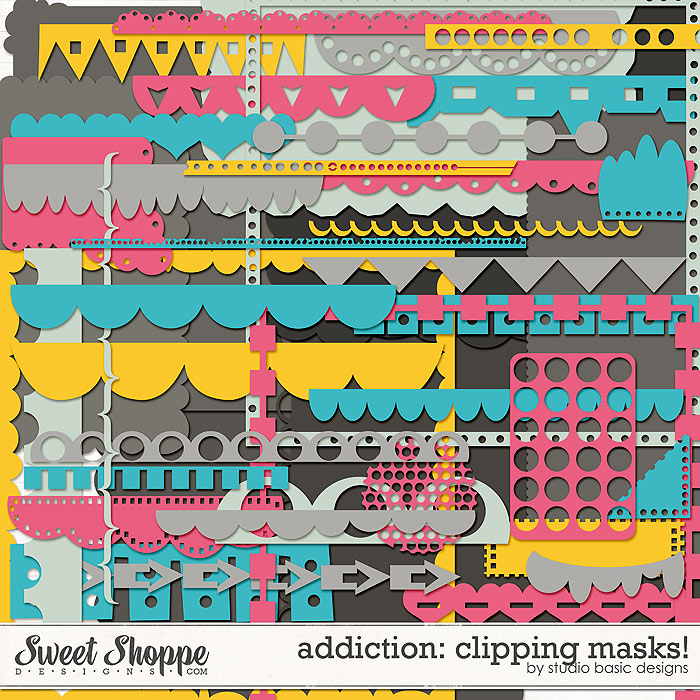
I find it easiest to use clipping masks or shapes and clip my papers/photos to them


One thing I do a LOT when I'm not super happy with my page after making it is to select all layers except the background layer, then ctrl+t to transform it. I will just scale the whole thing down or up, rotate it, and move it around the page until I see something eye catching. It helps me a lot to do this!

When I scraplift, I like to save the layout I'm lifting and open it in PS. I then place it on top of my background paper and reduce the opacity way down so I can just barely see the photo spots, main ellie spots, etc. Sometimes I'll rotate it.


This and This. I wondered if it was'cheating' doing the layering in PSE, but I don't feel so bad owning up to it now someone else has! I just do the paper and photo blocks, the embellishing I do at the end so I just place things where they fit with everything else.
 
This is so intriguing to me that you pull all your ellies onto the page at once!! What program do you use to do that? I use my "place" shortcut for every ellie and place them one at a time.


I do this too ... well I have PSE 11 which I believe is the last version of PSE to keep the photo bin. I won't upgrade until absolutely necessary because that photo bin is seriously the business - I open all embellies and they sit there for me to browse and just pull up onto the page where I want.
 
This and This. I wondered if it was'cheating' doing the layering in PSE, but I don't feel so bad owning up to it now someone else has! I just do the paper and photo blocks, the embellishing I do at the end so I just place things where they fit with everything else.

Haha! I think the main reason I place the page in there is because I don't have 2 screens, so it's frustrating to keep having to click back and forth to see the original layout. I'm like you as far as I mainly just use the page for the main layout of photos and big clusters or title. I really do my own thing once I have that part down.
 
This is so intriguing to me that you pull all your ellies onto the page at once!! What program do you use to do that? I use my "place" shortcut for every ellie and place them one at a time.

I use this free script in Photoshop:
http://www.avbros.com/english/collector/index.html

You just open everything you think you might want to use on your page, create a new document for your layout, then run the script. It loads everything into your layout document, then you can just turn off the visibility for each layer until your ready to use it.
 
I usually start with the elements first and florals and making my clusters. Then I will add pic/journaling card and then add paper layers at the end to see where they would best fit. This is if I'm just purely doing it on my own. If I'm doing a scraplift of a paper layout, I usually do the paper layers first or imitate the cutout (using shapes) and then add the elements and pic.

Wow... really??? I don't think I could start with the elements! That would really throw me. I feel like the papers & photos kind of anchor everything else.
It's so interesting to hear how everyone else does it!
 
One thing I do a LOT when I'm not super happy with my page after making it is to select all layers except the background layer, then ctrl+t to transform it. I will just scale the whole thing down or up, rotate it, and move it around the page until I see something eye catching. It helps me a lot to do this!

When I scraplift, I like to save the layout I'm lifting and open it in PS. I then place it on top of my background paper and reduce the opacity way down so I can just barely see the photo spots, main ellie spots, etc. Sometimes I'll rotate it.

Interesting ideas! I've never thought to do either.
 
The psychology nerd in me finds it fascinating how we all work differently to achieve the same type of result!
I was thinking the same thing, Kendall!! What works for one person may not work for someone else.

tenor.gif

Oh my goodness, Ru! You're so funny!!!

This is so intriguing to me that you pull all your ellies onto the page at once!! What program do you use to do that? I use my "place" shortcut for every ellie and place them one at a time.

What program are you using, Kelley?

I do this too ... well I have PSE 11 which I believe is the last version of PSE to keep the photo bin. I won't upgrade until absolutely necessary because that photo bin is seriously the business - I open all embellies and they sit there for me to browse and just pull up onto the page where I want.

I totally agree, Suzanne!! I love the bin in PSE!
 
When I scraplift, I like to save the layout I'm lifting and open it in PS. I then place it on top of my background paper and reduce the opacity way down so I can just barely see the photo spots, main ellie spots, etc. Sometimes I'll rotate it.

OMG! Why have I never thought of this??? Love it!
 
Back
Top