Introducing the Blog In A Box range!!

Zoe Pearn

New member
Hey everyone! :D

I am sooo super excited about these things! My new Blog In A Box range hit the store today, and they are just the perfect thing to jazz up your blog! I've been working for the last few weeks on these getting them just right! And I am hooked on them now too - LOL! There are only three to start with, but there'll be more coming soon, so keep your eyes peeled! :D

zpearn-bloomgrow-blog-preview-1.jpg


CLICK HERE to grab this one

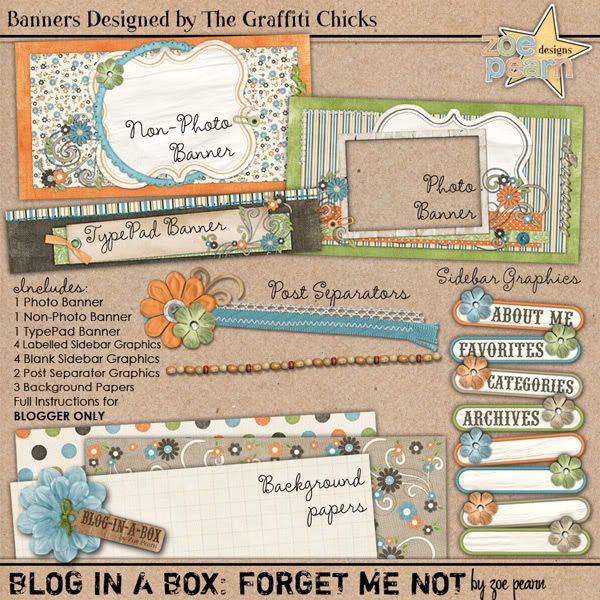
zpearn-forgetmenot-blog-preview-1.jpg


CLICK HERE to grab this one

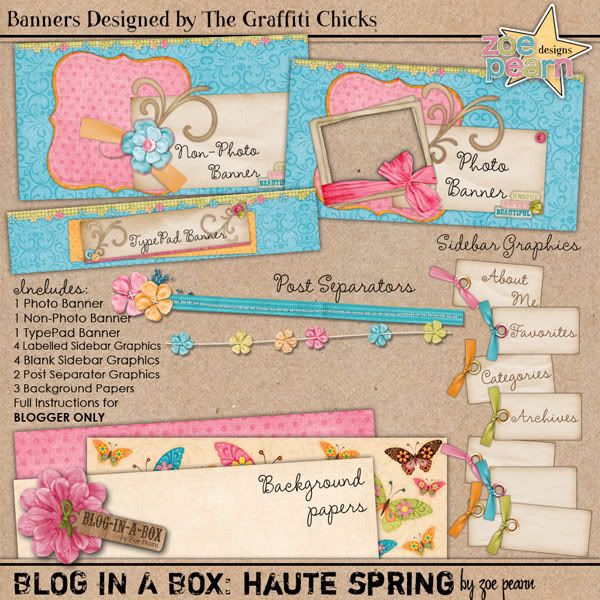
zpearn-hautespring-blog-preview-1.jpg


CLICK HERE to grab this one

The "Blog In A Box" line contains everything you need to bring your Blog to life, including Photo Headers, Non-Photo Headers, Sidebar Buttons (both labelled and plain for you to add your own headings), Backgrounds, plus Post-Separator Graphics. Everything is co-ordinated, right down to the text and link colours to make sure your blog will look absolutely perfect! Installation couldn't be easier - full, easy to follow instructions are included, PLUS the code for the page to make sure that everything will turn out perfectly!

The possibilities are endless with these packs - there are different headers, backgrounds and post-separator graphics included in the package. Click Here to see a full working demo of the Blog In A Box: Bloom & Grow Set in action, plus there's links to working demos of all the other ones too!

Plus, I'm offering a Blog Installation Service (Blogger Blogs only at this point) if you're having trouble installing, or just don't have the time!

zpearn-blog-installation-preview.jpg


CLICK HERE to purchase an installation package

Don't forget that all new products are 20% off today, including the Blog Installation package, so be quick! :D

Thanks so much for looking, and I hope you all have a fantastic weekend!
 
I just snatched up the "Bloom and Grow" one a little bit ago and am in the process of trying to get it up on my blog! What a fantastic idea this is Zoe!!!! I love it!! :thumbup:
 
Last edited:
This is sooooooo great. I got the Bloom and Grow one for now and will be trying (fingers crossed!!) to figure it out this evening! Thanks so much for doing this! :)
 
I just bought the "forget me not" one, and I installed it this afternoon. I LOVE it! Thanks so much!!
 
I just had a couple of quick questions are these graphics allowed to be recoloured? Say if I wanted the background to be purple instead of pink for example and can elements from the matching kit be used on them? I did look in the TOU that came with them but I still wasn't sure :o Sorry if I am being a pain. Hugs Crystal xx
 
I just had a couple of quick questions are these graphics allowed to be recoloured? Say if I wanted the background to be purple instead of pink for example and can elements from the matching kit be used on them? I did look in the TOU that came with them but I still wasn't sure :o Sorry if I am being a pain. Hugs Crystal xx

You're not being a pain at all! :D As long as your blog is for personal use, that would be totally fine! These are just a base to start your blog and you can feel free to change it up however you want! :D
 
It's just for moaning on :p and posting layouts Thanks for the super quick answer I appreciate it. Hugs Crystal xx
 
I installed it here, and it's really pretty but I must have done something wrong because my little search bar is gone, is there anyway to get that back? Would also love any tips on putting it back to a 3 column blog, can't get enough clutter on 2 :p Hugs Crystal xxx
 
Haha, I'm not sure how the sets would look on a three column blog... it might make all the sizing of the columns go out and you might need to start from scratch trying out different sizes for your page elements (ie sidebar and post-separator graphics, header might need to be bigger, etc). I wouldn't be able to help you out if it looks weird in that format because the template is designed for two column blogs, but feel free to try it out! Just don't forget to save your template before you make any drastic changes! :D


To get your Search Bar back, the only way is to have the little brown bar back at the top, and I just turned the visibility off in the template... it's easy to turn back on though!

Go to this bit of code:

#navbar-iframe {
height: 0px;
visibility: hidden;
display: none;
}

and change it to:

#navbar-iframe {
height: 40px;
visibility: on;
display: none;
}

I'm looking into the three column thing now for you ;)
 
Okay, for the three-column thing, it looks pretty complicated and you'd have to mess around a lot with the code, so I'm hesitant to advise you doing that unless you're really good with HTML... I honestly haven't tried to do it, so I can't really offer you any advice... The only thing I can think of would be to start afresh with a three column blog template like the Minima Three Column and try and locate the sections that you will need to change and just play around with it until it looks right... I made the template two columns, mainly because I prefer the look of the two columns, and because that seems to be the "norm", but you are free to play around with it. As I said, they're just a base to work with - the tutorial included is just a guide to making it look like the ones I'd set up with that code that was included, but you don't have to stick to that! I'd be interested to see how you go if you decide to give it a try! :D

There's an article HERE about how to add a third column... but you'd still have to change the page elements sizes to accommodate the change and I think it would bork the look of the blog. If you're really set on having it with three columns, maybe have a bit of a search around the web and see if there's any tutorials on it. :)
 
I'm happy just to know how to put the search bar back lol, I will get used to the uncluttered look i'm sure, thnks for the help though. Hugs Crystal xxx
 
I worked and worked on getting my blog together (and I'm pretty happy with the results) but now, THIS COMES OUT! OMG!

These are SO fabulous... I think I may have to break down and admit I can't do it all and get a blog in a box! :) I have no idea how to make the post separators or sidebar graphics (plus with school starting this week, it's back to work so I would have no time to fiddle with it anyway).

One question: Is there anyway to find out the font used with the kit or i it listed in the TOU? I want to get the Bloom and Grow one and would love for all the sidebar graphics to use the same font.

I LOVE the bloom and grow one...
 
Thanks Zoe! This is DEFINITELY on my wish list... waiting for sweet rewards!

So maybe it's a secret but I have to ask, do you have anymore Blog in a box sets planned?
 
Well, I just did the three to start with, and am definitely planning to have more in the future! :D If they prove to be popular, you can definitely expect to see more coming out soon...

If there's any kits in particular that you guys would like to see become blog sets - let me know! I'd love to do more of these things! :)
 
I am so sad!!! I don't know what is going on with mine, but it seems part of the code is missing??? There isn't a spot to insert the post divider or change my title?

Someone who has installed this -- please help me! :)
 
I am so sad!!! I don't know what is going on with mine, but it seems part of the code is missing??? There isn't a spot to insert the post divider or change my title?

Someone who has installed this -- please help me! :)


Are you using the code that came with the BIAB? If you are using that code you will see a red highlighted part where you put your URL for the divider. It will look like this (only I put your URL HERE where in the code will be an actual URL you are to replace):

.separator {
background-image: url("Your URL HERE for Divider");
backgroundepeat: no-repeat;
background-position: center center;
height: 100px;
padding: 0px;
}

 
I am using that code -- and I'm sorry - I do have the part for the divider, but that is where my code ends.

.separator {
background-image: url("INSERT IMAGE URL FOR POST SEPARATOR IMAGE HERE");
ackgroundepeat: no-repeat;
ackground-position: center center;
eight: 100px;
adding: 0px;

That's it -- and the instructions say there should be more???

I downloaded it twice, thinking that I just messed something up, but the 2nd d/l has the same code -- ending w/ the post divider.
 
Back
Top