

You are using an out of date browser. It may not display this or other websites correctly.
You should upgrade or use an alternative browser.
You should upgrade or use an alternative browser.
I have to know...
- Thread starter hollyxann
- Start date



MommaTrish
Well-known member
I imagine you just put the shape you're going for on the page and then add the elements to fill it...

ColleenSwerb
Brodo gettin her Swerb on
I'm not sure if you can group things in PSE, but if you have PS you can create a group in the layers palette for each color. That way instead of having 48930843902 layers, you can pick which colors to show (like if you want to shift an orange button, you open the orange layers and find it, instead of sifting through 48930280 layers).
Other than that, I would think it's just a big drag and drop sorta thing.
Other than that, I would think it's just a big drag and drop sorta thing.


nun69
New member
I'm not sure if you can group things in PSE, but if you have PS you can create a group in the layers palette for each color. That way instead of having 48930843902 layers, you can pick which colors to show (like if you want to shift an orange button, you open the orange layers and find it, instead of sifting through 48930280 layers).
Other than that, I would think it's just a big drag and drop sorta thing.
ohhhh can you explain this to me in a little more detail Col???? I want to try this too

MommaTrish
Well-known member
just push ctrl+g then name the folder that shows up in your layers the color you're using and drag all the elements for that color there. Then when you aren't working on the color you can hide the layers by clicking the little arrow thing (same as when you open or close a set of actions) and then use the eye thingy next to it to make all the layers in that group visible and invisible instead of clicking each individually.
(that make sense?)
(that make sense?)

Leila
New member
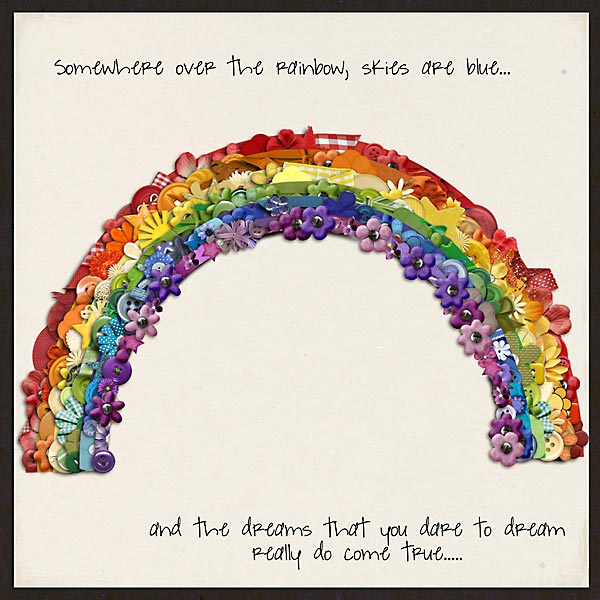
It's creative placement of elements. Seriously though, I started with a rainbow Heather had in one of her kits and used it as a guide for where to put my elements (I had to size it up quite a bit to fit it on the page the way it is.). Then I searched each color in Windows explorer to find the elements. I did group things like Col mentioned, but only while I was working. Once I was done putting things on the page, I ungrouped and fiddled with placement more so that some of the objects weren't hidden under other things and so I could work my shadows a bit more. After all that I would up with 216 layers: 144 are the actual elements, background and text...the remaining are all creative placement and shadowing.
It's not hard to do, it's just very time consuming. I spent more than four hours on it last night and another hour or two this morning. I sincerely doubt I'd ever attempt anything like it again, lol!!
It's not hard to do, it's just very time consuming. I spent more than four hours on it last night and another hour or two this morning. I sincerely doubt I'd ever attempt anything like it again, lol!!

isaacsmom
New member
How do you do this?
I want to know what is the best way to approach something like this? Tips, Tricks, Techniques...all of the above.
I am dying to do a layout like this but honestly I'm a bit intimidated.
Help me ladies.
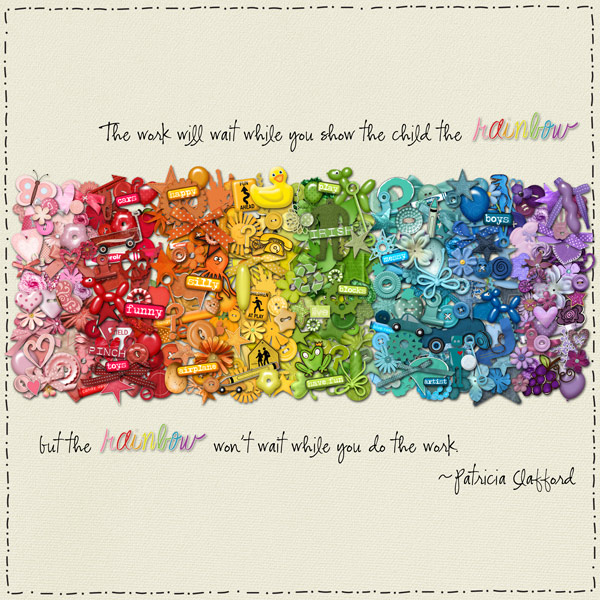
Ok...so this one is mine. I have to say when I made this, I created rectangles equal sized to use as a guide for where to put the elements, and then I just dragged and dropped all of the elements. It took me quite a while to do, but I love how it turned out in the end. My layout does have 439298181983 layers, but I didn't know how else to do it. I use PSE 8 and I don't know how to group things. So maybe someone else can chime in on how to do that. Oh, and I just went kit by kit and pulled into PSE anything and everything that I thought had the right colors. Everything I used is from SSD - my credit list is outrageously long. LOL!
I want to get this printed on canvas and hang in my house because I just love how it turned out.
I hope you give it a whirl because I think all of the layouts I have seen with the whole rainbow thing are just absolutely awesome!
hollyxann
New member
I think I saw a tutorial somewhere on how to open a bunch of elements in one layer but I don't remember where I saw it at.
Oh and are there any certain kits that are absolute MUST haves to make this any easier to do?
Maybe a designer could come up with a rainbow kit....just with some basics or to make this a bit easier.
Oh and are there any certain kits that are absolute MUST haves to make this any easier to do?
Maybe a designer could come up with a rainbow kit....just with some basics or to make this a bit easier.


NeverendingJen
Active member
I did the same for mine.Ok...so this one is mine. I have to say when I made this, I created rectangles equal sized to use as a guide for where to put the elements, and then I just dragged and dropped all of the elements. It took me quite a while to do, but I love how it turned out in the end. My layout does have 439298181983 layers, but I didn't know how else to do it. I use PSE 8 and I don't know how to group things. So maybe someone else can chime in on how to do that. Oh, and I just went kit by kit and pulled into PSE anything and everything that I thought had the right colors. Everything I used is from SSD - my credit list is outrageously long. LOL!
I want to get this printed on canvas and hang in my house because I just love how it turned out.

I was wondering how this was done. So I'm thinking about doing the following in PSE7:
Open two layouts. Layout 1 will have my shape and be the one submitted. I will copy the shape to layout 2. In layout 2, I'll be dragging my elements, or opening my elements using the "File>Process Multiple Files" command. Here I'll do my arrangements, layering, and shadowing. Then merge the elements into one layer. This will be the layer I will add to my first layout, the one that will be submitted.
For each successive color, I will start another layout with the shape.
I understand by using the "File>Process Multiple Files" command that the layers will have the designers original info and will make it easier to track which elements are actually used.
Hope this helps.
Open two layouts. Layout 1 will have my shape and be the one submitted. I will copy the shape to layout 2. In layout 2, I'll be dragging my elements, or opening my elements using the "File>Process Multiple Files" command. Here I'll do my arrangements, layering, and shadowing. Then merge the elements into one layer. This will be the layer I will add to my first layout, the one that will be submitted.
For each successive color, I will start another layout with the shape.
I understand by using the "File>Process Multiple Files" command that the layers will have the designers original info and will make it easier to track which elements are actually used.
Hope this helps.
How do you do this?

I want to know what is the best way to approach something like this? Tips, Tricks, Techniques...all of the above.
I am dying to do a layout like this but honestly I'm a bit intimidated.
Help me ladies.
Thanks for asking. I think I'm gonna try the wave one similar to this

Lyd
SugarBabe & Challenge Fairy
I haven't made one of these gorgeous layouts yet, but it's on my to-do list.
One thing that might help keep track of credits, etc.:
This script here will take all your open files and plop them into your layout document and make the layer name match the name of the file it came from. I use it all the time and I LOVE it! It's written for Photoshop CS and higher.
One thing that might help keep track of credits, etc.:
This script here will take all your open files and plop them into your layout document and make the layer name match the name of the file it came from. I use it all the time and I LOVE it! It's written for Photoshop CS and higher.
isaacsmom
New member
What I do to keep track of my credits is to just open a notepad document while I am working on the layout and as I pull in elements, I just type in the name of the kit/designer in my notepad document. Then when I go to post the layout, I just copy and paste out of this document to get all my credits correct. Makes it easier than trying to go back and look at the names of all the layers to see which kits I pulled from. I do this for a lot of my layouts, not just this rainbow one I did. Hope that helps!
Leila
New member
What I do to keep track of my credits is to just open a notepad document while I am working on the layout and as I pull in elements, I just type in the name of the kit/designer in my notepad document. Then when I go to post the layout, I just copy and paste out of this document to get all my credits correct. Makes it easier than trying to go back and look at the names of all the layers to see which kits I pulled from. I do this for a lot of my layouts, not just this rainbow one I did. Hope that helps!
Yeah, that.

I think I saw a tutorial somewhere on how to open a bunch of elements in one layer but I don't remember where I saw it at.
It was Krystal Hartley's blog, I think.
you. you are my new best friend. thank you for the link!!! i searched a very long time for a script like this for cs (yes, stuck in the dark ages) and never found this!!
This script here will take all your open files and plop them into your layout document and make the layer name match the name of the file it came from. I use it all the time and I LOVE it! It's written for Photoshop CS and higher.

LenaGardner
New member
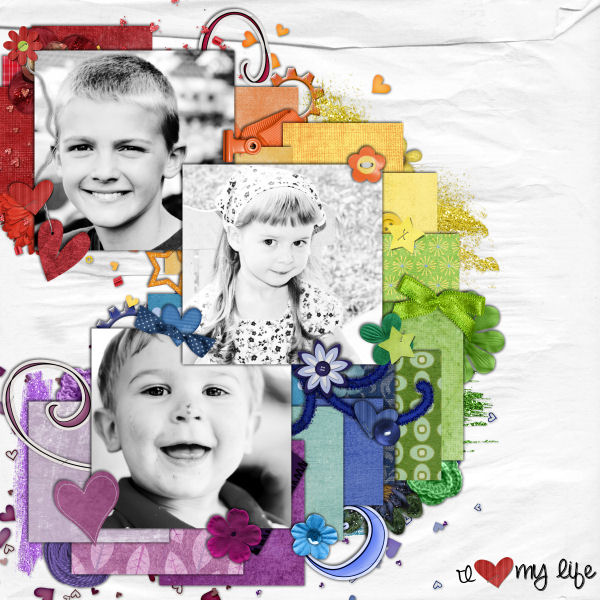
I made mine a little different, but I also made it 6 months ago before all of these lovely layouts were posted. I had to go 7 pages back in my gallery but I found it...mine is a little less structured so I made it just like any other layout, because I still wanted it to have a traditional layout feel with pictures and stuff...it hangs on my fridge

amystoffel
New member
the second one you posted is mine and i was really intimidated going into it! but it was really easy, it just took forever. i first just created my base shape, and then i made little marks where i wanted each new color to start. then i honestly just started randomly piling things on. i wish i had a more technical description, but it was pretty haphazard!
and i was really intimidated going into it! but it was really easy, it just took forever. i first just created my base shape, and then i made little marks where i wanted each new color to start. then i honestly just started randomly piling things on. i wish i had a more technical description, but it was pretty haphazard!