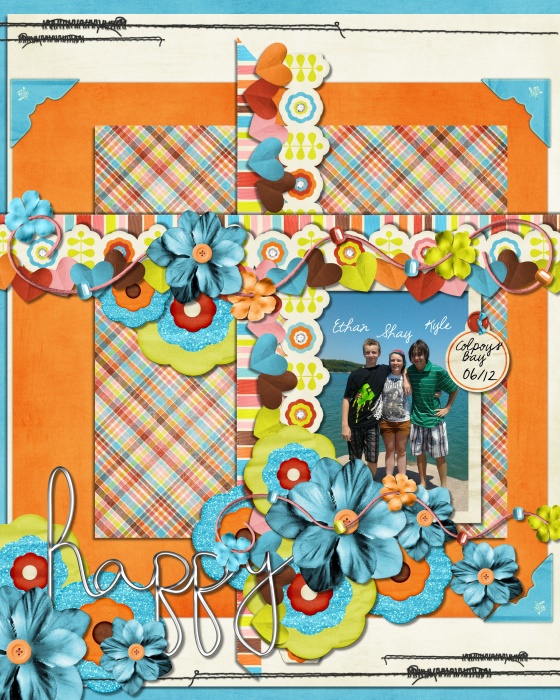
Gallery does NOT like me...

hollydolly70

New member
O.K. - I had posted a bit ago - about my pages being blurry here - . When I upload - my pages are at 195kb, no blur - then - they are reduced to about 64 after they hit the gallery .... no wonder they look like crap... does it have something to do with my scrap size - which is 8x10?? I just want to remove them all - .... they are only blurry here......

Sorry - but really frustrated :cursing::cursing:

Holly
 
I have no idea how to help you Holly. I run an action that I downloaded on line to prepare them for the web but the action is for 12x12.
 
This is my latest page - H-O-R-R-I-B-L-E....... :(

summer_friends.jpg
 
The longest side of your layout should be no more than 700 pixels. Maybe its having to resize because of the pixel dimensions?
 
Second attempt .
I went into my program and made a pre-set - I think it has worked - there is a noticeable improvement on the one below. My brain hurts - from trying to figure this out!!!!!!!!! :( :(

summer_friends.jpg
 
Last edited:
Flatten your image, then make sure your longest edge is 700 pixels and 72dpi. Run any sharpening action that you have and tweak it till you're happy. Or you can just do Filter>Sharpen> Smart Sharpen in photoshop. Then go File>Save for Web. Adjust the quality slider so the file size is under 250kb and save.

See how that goes.
 
Awesome page Holly! Longest side needs to be 700 px like Brook said, so hopefully your new preset will work for you :)

R
 
Flatten your image, then make sure your longest edge is 700 pixels and 72dpi. Run any sharpening action that you have and tweak it till you're happy. Or you can just do Filter>Sharpen> Smart Sharpen in photoshop. Then go File>Save for Web. Adjust the quality slider so the file size is under 250kb and save.

See how that goes.

I think I've figured it out - finally - I had to make a pre-set - long story.... LOL My program - PhotoImpact works a bit different than photoshop - but I believe this will now work!! :)

Holly
 
Back
Top