Curious... How do you shop / browse?

@angiekey girl you are so organized. if you peeked into my brain and the way it looks in there I fully believe you'd be traumatized :D
Kristin, I'm anal-retentive about my digital stash because so many other areas of my life are disorganized and out of control... everything in my sewing & digital art studio is crazy orderly because nobody else uses it and messes it up! :LOL:
 
@angiekey please please share your full list of keywords! I've been meaning to reorganize my stash but it's so overwhelming to start from scratch.
I'm happy to share, Stephanie! And you're absolutely right - it makes it so much easier when you're not starting from scratch. And to clarify, I only add detailed keywords to the preview images, not all the individual elements and papers in the kit. I tried keywording everything in the beginning, and it was a nightmare. I couldn't keep up with it.

In addition to the keywords in this text file, I also include ones for Store, Designer, Product Name (which is generally whatever they named the folder or zip file) and Kit name. So, for example:

SSD - Sweet Shoppe Designs
Sweet Doll Designs
sweetdoll_AThankfulHeart
kit - A Thankful Heart

Let me know if you have questions!
 

Attachments

I'm happy to share, Stephanie! And you're absolutely right - it makes it so much easier when you're not starting from scratch. And to clarify, I only add detailed keywords to the preview images, not all the individual elements and papers in the kit. I tried keywording everything in the beginning, and it was a nightmare. I couldn't keep up with it.

In addition to the keywords in this text file, I also include ones for Store, Designer, Product Name (which is generally whatever they named the folder or zip file) and Kit name. So, for example:

SSD - Sweet Shoppe Designs
Sweet Doll Designs
sweetdoll_AThankfulHeart
kit - A Thankful Heart

Let me know if you have questions!


Oh wow, this is amazing! When I had a more organized stash, I only added key words to the previews as well. I would keep a copy of all my preview in a separate folder so I could quickly search it. Tried to do with an alias folder to each kit but when I would reorganize or get a new computer things would go wonky.
 
This is one of the reasons why I ask my team to rename the pages with their names and the kit name; it's a great way to make it easier to search by kit name or by a team member. I think it really makes things much easier, and I'm looking forward to testing the keywords that Angie saved.☺️
 
I mostly try to shop new releases. I find it hard to search for stuff but I try to use advanced search. I find when I use a search term that might seem specific, I often get unrelated items. For example, I searched pocket templates and I got every item containing pocket cards as well. Impossible to find what I hoped for. I also searched recently photo strip frames and again, I got anything including photo I think. I also sometimes search specifics like gnomes, disney, wizards, or other sometimes fandom related and then everything unrelated to the subject also comes up. It's like if it loosely contains the "theme" then it comes up. I often search specific words or titles as well. I get better results but still sometimes get things that contain part of the words not all (even when I update the search to all words vs any/etc).

One other issue that's bigger for me, I am a browser. I often find things and add to my cart but then I am slow, so I might have things to do but not be done browsing, then I come back even just a few hours later and my cart is gone. I always sign in now thinking that might be it but nope... the cart deletes itself and you have to start over. I don't always though b/c it can be so much trouble. So now that I know that (after losing a 50 dollar cart one time), I try to add stuff I definitely might want to the wish list. That's a problem too. It's really hard to find anything on the wish list. It's a "forever scrolling down" kind of thing. With ADHD and a huge lack of attention sometimes, I can't always get there. I also rarely remember the title of what I need so it can become a bottomless pit.

With all that said, it's not a bad shopping experience. I love getting to redownload things if that comes up. I also love the shop tells me hey you crazy person you bought that already, don't buy it again, lol. Because so much gets lost even when I try to organize my files. Sometimes I will add something to the cart just to see if I bought it because it might be missing from my files. So tons of good things too about the shopping experience.

Disclaimer: I did not read the other replies. :)
 
I am also slightly embarrassed to admit that I just page through Cheryl's store when picking what template to use. I own them all but the store has better previews than my stash 😂
I just had to comment here because I have such an issue with knowing what everything is in my stash. For several years now though I am adding the kit preview to the folder view. I use a mac and it has a super easy file info option to go in and change the preview from the blue folder to any image of your choice. I am completely spoiled by this. It can be small though and hard to see and my aging eyes curse me often these days. But it helps. There was a way to do this in windows pc too but it's been years since I had a pc and it might have changed. I can at least see enough of the preview to know what I am looking for.
 
I mostly try to shop new releases. I find it hard to search for stuff but I try to use advanced search. I find when I use a search term that might seem specific, I often get unrelated items. For example, I searched pocket templates and I got every item containing pocket cards as well. Impossible to find what I hoped for. I also searched recently photo strip frames and again, I got anything including photo I think. I also sometimes search specifics like gnomes, disney, wizards, or other sometimes fandom related and then everything unrelated to the subject also comes up. It's like if it loosely contains the "theme" then it comes up. I often search specific words or titles as well. I get better results but still sometimes get things that contain part of the words not all (even when I update the search to all words vs any/etc).
Generally, when a search shows things unrelated to your query, it might be trying to show you related things. In that case, it might bring up results that contain part of your search term. This also happens on Google; the first options are always the closest to your search, and then they add things that might match, or maybe not, LOL.
 
Generally, when a search shows things unrelated to your query, it might be trying to show you related things. In that case, it might bring up results that contain part of your search term. This also happens on Google; the first options are always the closest to your search, and then they add things that might match, or maybe not, LOL.
Thanks I am familiar with how Google works and know how to work a search option. But this isn’t what is happening here. A lot of times there is zero relation to the search so I’ll change the terms to search the exact phrase but it still gives unrelated results. It’s not working as expected most of the time for me which is what I am trying to describe. I also don’t have time to filter through hundreds of results unrelated to my search or loosely related at best.
 
Thanks I am familiar with how Google works and know how to work a search option. But this isn’t what is happening here. A lot of times there is zero relation to the search so I’ll change the terms to search the exact phrase but it still gives unrelated results. It’s not working as expected most of the time for me which is what I am trying to describe. I also don’t have time to filter through hundreds of results unrelated to my search or loosely related at best.
Are you logged into the store when you search? I found that I have to be logged in to avoid all those unrelated searches showing.
 
Are you logged into the store when you search? I found that I have to be logged in to avoid all those unrelated searches showing.
Usually but not always. This should not matter though. Imagine a new customer coming to look for something and not being logged in being new obviously and having that kind of trouble. A search is a search logged in or not. It should produce results consistently. Jmho
 
I'm happy to share, Stephanie! And you're absolutely right - it makes it so much easier when you're not starting from scratch. And to clarify, I only add detailed keywords to the preview images, not all the individual elements and papers in the kit. I tried keywording everything in the beginning, and it was a nightmare. I couldn't keep up with it.

In addition to the keywords in this text file, I also include ones for Store, Designer, Product Name (which is generally whatever they named the folder or zip file) and Kit name. So, for example:

SSD - Sweet Shoppe Designs
Sweet Doll Designs
sweetdoll_AThankfulHeart
kit - A Thankful Heart

Let me know if you have questions!
I love a keyword/category too, I think the more the better, but Angie puts me to shame! LOL!
 
I love a keyword/category too, I think the more the better, but Angie puts me to shame! LOL!
you are meaning in your own personal organization right? because there are too many keywords added in our backend things will show up in searches way more than they likely need to for what people are after?
 
you are meaning in your own personal organization right? because there are too many keywords added in our backend things will show up in searches way more than they likely need to for what people are after?
Yes.

In the shop I like to just use categories, I rarely find what I'm looking for when I search by keyword, but that could also be user error. ;)
 
#1 - I've always saved items from the new releases that I love and want to my wish list for later shopping :)

#2 When I'm scrapping a page with particular photos, I know I'm generally a kit scrapper, so if it's a themed page, I seek a kit with similar colors or theme. I search using the themes, holiday, colors etc you've already set up in the store. If I don't find what I want with that, I search by specific words related to that theme. A lot of designers will detail by name what is in their kit, so I've found a kit that will work when there isn't one that is *specifically* what I was wanting in the first place.

#3 Sometimes I know that I saw something by a specific designer, so I'll search using the advanced search feature and find a word that I'm seeking, but plug in kit into the category and the designer too.
 
I nearly always search by key word. e.g. summer, outdoors, historical, etc. It's generally faster for me than looking through themes.
 
I have shopped the new releases every weekend for as long as I can remember. I pin the things I like and buy them when they are on sale, for the most part. However, when I'm doing a lot of scrapping, I can justify purchasing something as soon as it is released; I just don't normally scrap enough to feel like I can buy things just because they're pretty.

When I need to scrap something that I don't have a kit for, I use the search feature. I rarely use the premade categories.
 
@Robin Carlton - Honestly, for me, it's 99% about keywords.

I think your time and the designer's time would be best spent on making sure there's complete and accurate descriptions on their products, rather than dropping things into pre-defined categories. There have been times I've searched on a keyword and come up with a bunch of kits from the same designer that don't fit it, and I think what they've done is copied-and-pasted from a previous kit in their shoppe. And sometimes I search on a keyword and get like 3 results when I know there should be a couple pages worth.

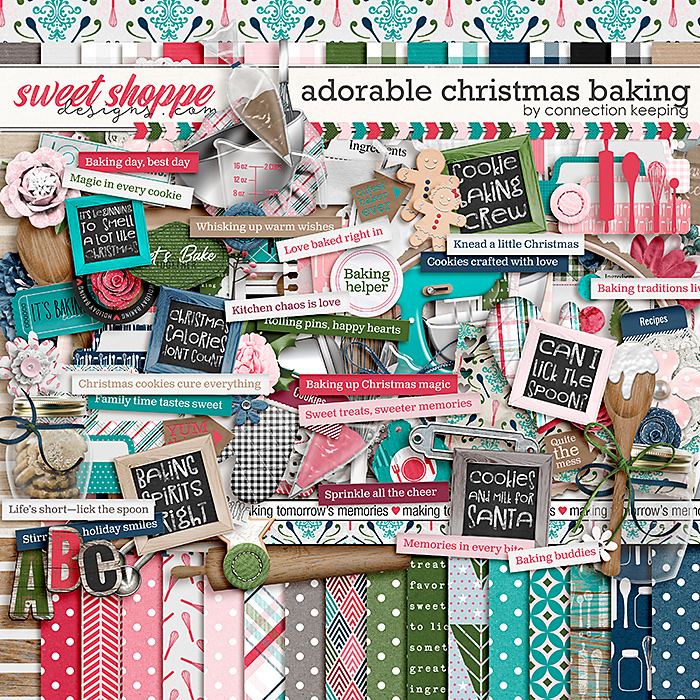
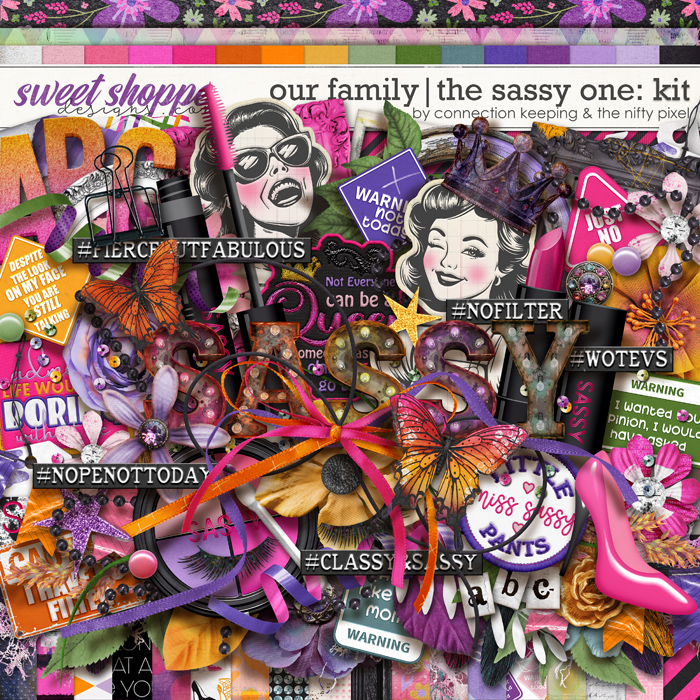
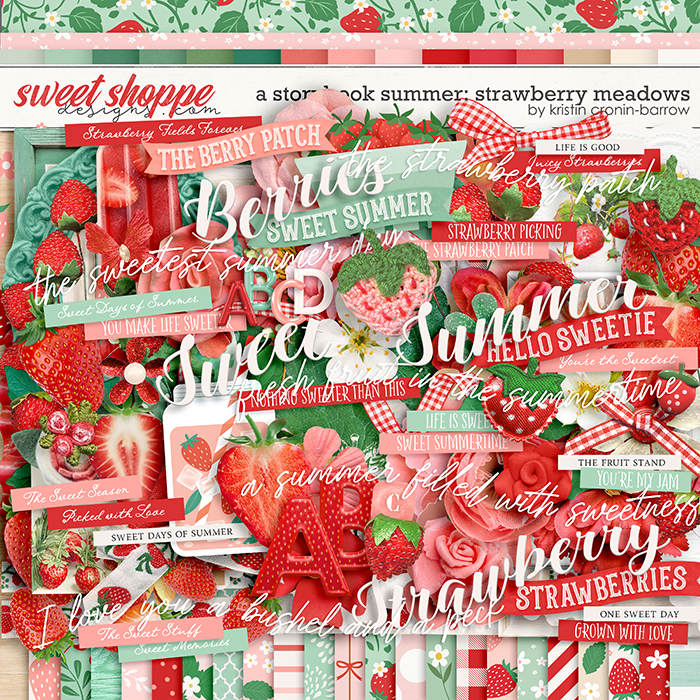
When I keyword the kits on my hard drive and search my own stash, I've found the greatest benefit from the color and theme keywords. For example here's how I've keyworded these:

Adorable Christmas Baking - White, Grey, Kraft, Black, DARK deep red, MEDIUM lime green, DARK hunter green, MEDIUM turquoise, DARK navy, LIGHT pink, MEDIUM hot pink, baking, Christmas, cookie, kitchen, wood


Our Family: The Sassy One - White, Black, MEDIUM orange, LIGHT sage green, Lavender, MEDIUM purple, LIGHT pink, MEDIUM hot pink, butterfly, girl, humor or sarcasm, sassy, shoe, teenager, tween, woman


A Storybook Summer: Strawberry Meadows - White, Black, MEDIUM orange red, LIGHT mint green, MEDIUM kelly green, chalk or chalkboard, gingham, strawberry, summer


The colors are really handy for me because as I add each one to narrow down my results, I can get to exactly what I need. For example, if my photos have a blue-red in them, and I need white for my neutrals instead of cream, and I also want a light turquoise, I add them all to my search and get results like this - they may also include other colors, but I can quickly narrow it down to the ones I want.

View attachment 680417

I don't think you have to get so detailed as to list out every single element that's in a kit (though that doesn't hurt, especially if someone is looking for a specific singular element). I think, instead, if you can get keywords added in a basic set of categories, you'd improve the usability of the search tool significantly. Here's what I use in my own personal system - I've found that as I've developed these categories and keywords over the years, it becomes quicker and quicker to keyword my previews. Perhaps if you developed a list for the shoppe, the designers could copy and paste quickly and come up with their description keywords - or have the Babes do it for them as they post each week. (And of course I wouldn't make the suggestion if I wasn't willing to help!)

Color
  • basic neutrals (white, grey, black)
  • neutral browns (cream, kraft, brown)
  • reds (orange red, blue red, deep red, maroon)
  • oranges (coral, peach, orange, dark orange)
  • yellows (light yellow, yellow gold, deep yellow, mustard yellow, yellow-green)
  • greens (mint green, sage green, lime green, kelly green, moss green, grass green, hunter green, army olive green)
  • aquas (light aqua, turquoise, teal)
  • blues (light blue, royal blue, navy, deep blue)
  • purples (lavender, purple, dark purple, periwinkle)
  • pinks (light pink, hot pink, dark pink, magenta)
  • metallics (clear, gold, silver, copper, rose gold)

Themes
  • animals (bat, bear, bee, bird, bugs, bunny, butterfly, etc.)
  • country or continent (america, australia, bahamas, canada, caribbean, china, etc.)
  • day of week
  • edibles (apple, baking, banana, beer, blueberry, breakfast, etc.)
  • emotional or mental (activism, adulting, adversity, affirrmations, aging, anger, anxiety, etc.)
  • faith (baptism, believe or belief, bible, blessing, christian, jewish, muslim, buddhist, cross, nativity, pray or prayer, worship)
  • growing things (acorn, bluebonnets, cactus, cherry blossoms, clover, daffodil, daisy, etc.)
  • health (allergy or allergies, autism, brain, cancer, COVID, diabetes, etc.)
  • hobby (art, books or reading, drama theatre or plays, games and gaming, music or rock, scrapbooking, sewing, etc)
  • holiday event or celebration (4th of july, advent, anniversary, birthday, celebrate, Chinese New Year, Christmas, Cinco de Mayo, etc.)
  • month
  • movie book or tv show (aladdin, alice in wonderland, avengers, barbie, batman, beauty and the beast, etc.)
  • people (adult, air force, alien, angel, army, baby, boy, brother, child or kid, clown, cowboy or cowgirl, dad or father, etc.)
  • places (amusement park or disney, backyard, beach or tropical, carnival, castle, circus or fair, college, etc)
  • season (autumn or fall, spring, summer, winter)
  • shape (abc, ampersand, arrows, candle, chevron or zigzag, circle, diamond, fleurs de lis, hearts, etc)
  • sports (archery, axe throwing, band or marching band, baseball, basketball, bowling, competition, cornhole, etc.)
  • state (alabama, alaska, arizona, etc.)
  • tech (camera film, cassette tape, computer or laptop, disc or cd, electronic game, emoticon or emoji, instagram, etc)
  • texture or pattern (animal print, antique, bandanna, bokeh, brick, burnt, camoflauge, canvas or burlap, cardboard or chipboard, etc)
  • things (anchor, award or ribbon, backpack, ball pit, balloon, basket, beads, beard, bell, bomb, bounce house, etc.)
  • transportation (airplane, auto car or driving, bike or bicycle, boat or ship, boating or canoeing, camper or rv, etc)
  • travel (camping, cruise, explore, hotel, map, passport, road trip, etc)
  • weather (aurora borealis, cloud, cold, heat or hot, moonlight, nights or nighttime, rain, rainbow, etc)
  • years or eras (1940s, 1950s, 1960s, 1970s, 1980s, 2023, 2024, 2025, 2026)
  • projects (all about me, day in the life, month in review, year in review, project 365, etc)
I can provide my full list of keywords if it would be a good starting point. (This is probably way more detail than you wanted in a reply here ... sorry! LOL)


I used to have a similar system but I was terrible about keeping things up to date. Now with amount of kits I’ve amassed, I think it would be impossible.

I’m so jelly that you’re able to keep things organized like this!!!
 
I'm happy to share, Stephanie! And you're absolutely right - it makes it so much easier when you're not starting from scratch. And to clarify, I only add detailed keywords to the preview images, not all the individual elements and papers in the kit. I tried keywording everything in the beginning, and it was a nightmare. I couldn't keep up with it.

In addition to the keywords in this text file, I also include ones for Store, Designer, Product Name (which is generally whatever they named the folder or zip file) and Kit name. So, for example:

SSD - Sweet Shoppe Designs
Sweet Doll Designs
sweetdoll_AThankfulHeart
kit - A Thankful Heart

Let me know if you have questions!
Thank you for sharing this @angiekey
 
New relases, sales, and keywords are my go-to's
I don't often use themes, but when I do, I tend to use them in combination with keywords in advanced search mode. So I'm a BIG fan of advanced search,....

NEVER take that away!
 
I usually push the search button and sort by date or product. Yes, very much... Time consuming and inefficient but I feel like things get missed if I use the theme function. One thing i would like is search by color but I'm sure that's not an easy thing to implement
 
I don't use the themes because it's either too many options (for him is over 600 items!) and many don't really apply like A little birdie told me templates or a month in review kit. Or, the theme is missing items - hobbies has 19 kits, and is missing a lot of the "Happy Hobbies".

So, I shop from my wishlist, which I add to when I see New Releases. I'll also use google to search sweetshoppe because it will bring up layouts with the titles as well as the kits.
 
I don't use the themes because it's either too many options (for him is over 600 items!) and many don't really apply like A little birdie told me templates or a month in review kit. Or, the theme is missing items - hobbies has 19 kits, and is missing a lot of the "Happy Hobbies".

So, I shop from my wishlist, which I add to when I see New Releases. I'll also use google to search sweetshoppe because it will bring up layouts with the titles as well as the kits.
We just added the hobby category so more will be there soon! As we all go through our catalogs to add existing kits that match. :)
 
I look at new releases mostly. Now that I am retired I can't justify spending too much on digi stuff so I stick to that one category. I need to utilize the wishlist option more though for when they go on sale.

For themes, I never look at themes but I would love to see color categories, even warm/cool/neutral or brights/bold/pastels would be useful I think.
 
We actually used to have shop by color categories but we got rid of them because they became massive categories of products "with" the color it it rather than categories of products that actually were that color if that makes sense?

The consensus was that they were pretty unhelpful because the "red" category would have everything with red in it instead of products that primarily read red at a glance.
 
We actually used to have shop by color categories but we got rid of them because they became massive categories of products "with" the color it it rather than categories of products that actually were that color if that makes sense?

The consensus was that they were pretty unhelpful because the "red" category would have everything with red in it instead of products that primarily read red at a glance.
That's what I always figured. My brain would probably still revert back to my need to see everything in the store before pulling the trigger either way. :/

I was as curious about the inspiration layouts that are usually put in the description with the product (it's not a browsing question; sorry for hijacking but it kinda relates) I have noticed that recently there are no inspiration layouts on the kit only but are there when you look at the bundle. I rely very heavily on those because I can't always get a "feel" for the kit until I see it in action. I have issues with certain types of flowers and can't always "see" how to use them or I am looking for a particular kind thst may not immediately stand out on the preview.

Its kind of why I browse the way I do and wasn't sure if it was intentional or a glitch or?? It probably doesn't impact most of the others decision making but it is the determination in all of mine so of course my needs must be met (that was said in the most sarcastic tone ever lol)
 
I always look through the new releases, check out the sweet deals and the designer's featured sale. I look though themes if I want birthday or baby for example.
 
That's what I always figured. My brain would probably still revert back to my need to see everything in the store before pulling the trigger either way. :/

I was as curious about the inspiration layouts that are usually put in the description with the product (it's not a browsing question; sorry for hijacking but it kinda relates) I have noticed that recently there are no inspiration layouts on the kit only but are there when you look at the bundle. I rely very heavily on those because I can't always get a "feel" for the kit until I see it in action. I have issues with certain types of flowers and can't always "see" how to use them or I am looking for a particular kind thst may not immediately stand out on the preview.

Its kind of why I browse the way I do and wasn't sure if it was intentional or a glitch or?? It probably doesn't impact most of the others decision making but it is the determination in all of mine so of course my needs must be met (that was said in the most sarcastic tone ever lol)

I can't speak for all designers but I struggle with putting layouts in the kit only because often times the sample layouts will include things from the bundle as well and so I don't want to confuse people. If this is what you're meaning.
 
I can't speak for all designers but I struggle with putting layouts in the kit only because often times the sample layouts will include things from the bundle as well and so I don't want to confuse people. If this is what you're meaning.
Ahhhh, that makes perfect since. I appreciate that bc I have been frustrated when I've bought the kit and can't find that particular element in the sample layout. I didn't think of that.

I.dont want it to seem like I was complaining either. I hope it didn't come off that way. I figured there was an explanation, I just couldn't figure it out lol.
 
Ahhhh, that makes perfect since. I appreciate that bc I have been frustrated when I've bought the kit and can't find that particular element in the sample layout. I didn't think of that.

I.dont want it to seem like I was complaining either. I hope it didn't come off that way. I figured there was an explanation, I just couldn't figure it out lol.
I didn't take it as complaining at all :) we want to not cause things to be more difficult than they need to be! feel free to reach out to any of us if there are ever things that maybe are missing - i know i've had mis haps and don't want anyone disappointed
 
Back
Top