Curious... How do you shop / browse?

Robin Carlton

Owner & Candy Keeper
Staff member
Ladies, I have a question for you. I'm really curious... HOW do you actually shop?

By that I mean, do you use our shop by theme categories to look through all the Christmas kits, for example, or do you have a different method?

Do you only look at our weekly new release or sale categories? Do you shop from your wishlist?

I'm really curious how you actually browse the shoppe and what your process is for finding what you're looking for.

The designers and I were talking about adding a few more categories to our Shop by Theme section, but then looking through some of them (girl, for example) they're full of kits that seem entirely unhelpful and not girly and we started to wonder if that's how you guys even shop?

If you have a few moments to share how you browse the shop, I'd be really interested in reading through that!

Thanks so much!

R
 
I do use the categories to browse! I think the larger categories like Christmas and spring are helpful. I would also loooove to see things categorized by color, but I know that would be a huge undertaking.

I also use the search bar and advanced search a lot. However, the search isn’t always helpful.

If a kit is named something less-obvious it can be harder to find sometimes.

Also, if there is a series of kits with a name like “Birthday: Boy” and “Birthday: Girl” the search doesn’t always find them if you search for “birthday” … instead you have to know to search for “Birthday:” it can be quirky like that.

Not sure exactly how the search works, but maybe designers who have fun names for their kits that aren’t super obvious could make sure they have keywords in their description that make it easier to find?

As for the wishlist… I love having one, but it’s gets out of control quick!! All the sudden I have 200 things on there and I can’t find what I’m looking for… but that’s a me problem 🤣

Oh! One more thing… not sure if this is user error, but when I move something from my wishlist to my cart it doesn’t delete it from my wishlist- I have to do it manually. So like if I have a kit on my wishlist and I buy it, it’s still on my wishlist until I delete it myself.
 
I am still pretty new, but I also find the search a bit hard to use. (It is possible I should be using the Advanced Search function instead.)

I tend to shop by designer, but often want to filter it so I just see all of the element packs, for example. However, search often gives me alphabets and bundles, etc. which can be a lot to scroll through.

In theory, shopping by theme makes a lot of sense. However, some of these categories are huge.

There’s a lot to see that is inspiring! I would love to figure out how to find every layout in the gallery made with a specific collection. That often pushes me to add to cart.
 
Oh! One more thing… not sure if this is user error, but when I move something from my wishlist to my cart it doesn’t delete it from my wishlist- I have to do it manually. So like if I have a kit on my wishlist and I buy it, it’s still on my wishlist until I delete it myself.
This is honestly probably just a quirk of the wishlist mod vs user error. It's also probably a bit more complicated in that say you add the item to your cart but then dont complete the order... does it get removed from the wishlist when you add it to cart or when you complete the order? Our version of XCart is largely unsupported at this point and the coding is probably over my head, but I can look into it. This is mostly to say it's not you and probably just is how it is, unfortunately.
 
Before I was a Babe, I always checked the new releases week after week. I put the goodies that I wanted in my wishlist and shopped/browsed my wishlist when there was a big sale.

When I am looking for specific kits, I search by themes. And I used to search by color as well.
 
We used to have Shop by Color categories but they made me a little crazy because to me, if I was looking for a "red" kit, I wanted that kit to be primarily red, but those categories ended up being largely filled with kits that had red in them, if that makes sense.

If we had color categories, what would you want to see?
 
When I'm looking at something, I do look by theme, I also look just by digital kit and then sort by newest release.

I also wouldn’t mind a search by year of release feature. I like to look back at the previous year, especially around holidays. And this might be good for folks that have been gone for awhile and comeback to scrapping.
 
I tend to look at the releases first. But I also can't resist travel, food, everyday life, outdoorsy kits, so I do search by those topics sometimes.
 
Most of the time I start with the new releases and/or sales.
But there are also times I'm in need of something specific, because that's what I plan on scrapping. I that case I use the search and advanced search a lot. I love that you can give a topic, but also select in what category you think it might be and even select a specific designer. Like earlier this week I was looking for a template with an envelope, so I added 'envelope' to the search box and clicked on the template category. This was an easy search, though.
Something that might help in the search process is if the designers add search words to their products. I know this takes a lot of time (and stamina), but it helps to have your products been found (and hopefully bought).
I can imagine that if you add many categories it will drive you crazy at the back end. I'm sure you'll find a way somewhere in the middle.
 
I do look several times at the new releases (to make sure my brain really sees instead of just skimming). I also use key words more often than categories. I was looking for a woodland troll which I found in a Norway? kit I think which would have probably been under a travel category. If designers just put X amount of elements and not list out unique things (like trolls) in the descriptions, I would probably miss that kit.
How about a water category? Lake, ocean, pool, etc.
 
Oh! One more thing… not sure if this is user error, but when I move something from my wishlist to my cart it doesn’t delete it from my wishlist- I have to do it manually. So like if I have a kit on my wishlist and I buy it, it’s still on my wishlist until I delete it myself.
I would love for this feature to be present as well.
 
I always browse the new releases every week.
When I am looking for a theme kit I used the search tool. I sometimes enter a specific word or something more generic. I realize you can find different kits for the same theme with different words. I sometimes use the categories but not in first intention.
My wish list is full and like Karli I have stuff I already bought but delete it took me forever as it’s a very long list. lol.
 
I use the search engine and browse through the themes all the time. I can never remember what I have in my own stash, so I am always using the shop to see what is available. I would find more categories useful for sure! I also use the wishlist for things I want to use someday but don't need right now. Do I remember to go back and look there? Not usually, haha.
 
I always start with the new releases, buy or put them on my wish list. I love to browse a designers shop! And when Im looking for something themed...I search in the search bar or in the gallery if I can't find it in the store...word genetated by the designers would be great though
 
So it sounds like most of you don't use the Shop by Theme categories specifically, but rather the search bar / new releases / wishlists / designer categories to find what you're looking for, so the use of keywords might be more useful to you.

I really appreciate all of the replies and insight.
 
Yay! I think I've got the wishlist issue mostly fixed 🎉 Moving forward, if you're shopping from your wishlist and add a product to your cart from the wishlist page, once you complete checkout, the product will be removed from your wishlist.

However, this does not work if you just add a product that happens to be on your wishlist to your cart from the regular store page, but you should still get the already purchased alert if you try to purchase the same item from your wishlist down the road.

Hope that helps address this issue at least a little bit ♥️
 
Yay! I think I've got the wishlist issue mostly fixed 🎉 Moving forward, if you're shopping from your wishlist and add a product to your cart from the wishlist page, once you complete checkout, the product will be removed from your wishlist.

However, this does not work if you just add a product that happens to be on your wishlist to your cart from the regular store page, but you should still get the already purchased alert if you try to purchase the same item from your wishlist down the road.

Hope that helps address this issue at least a little bit ♥️
Oh, wow! Thanks for fixing this so quickly after it being mentioned!
 
Money is tight right now, so I only shop sales, either really good items or ones in my wishlist that are on sale.

I use the new releases to add things to my wishlist to buy at a later time when they are on sale. I sometimes shop the theme if I am looking for something specific (I bought a few wedding kits and templates last month, so that I would have them this year to scrap all the wedding things). I mainly use the theme to search for a kit to add to my wishlist.

Truly, I have zero money to buy anything right now, probably for the rest of this year (or at least not until May or June at the earliest). So, it is all just going in the wishlist for later.

I do like the search option though. You have to try different words or ideas to find what you want, but I like the feature and find it very helpful.
 
I like to use keywords via the search, usually because I'm looking for something specific. I know it's probably a pain for the designers but having any unique elements listed in the description is very helpful. Like if I'm looking for something that would work for carpentry photos, I'll search for hammer, nails or screwdriver.

Otherwise the categories work pretty well, I'm sure there are ways to get them even more refined but that might be a little too much!
 
This topic is so interesting, I'm loving the suggestions. I admit that listing the items in the description is quite laborious; I had a lady from my CT who helped me with that, but this year I switched to visual descriptions that give an overview of the elements.

But I try to use keywords when I register my products. However, it's unlikely that something as specific as "hammer" will be found, so I need to think about how to refine this to be found in the searches you do in the store.

Thank you for the suggestion 🥰
 
We used to have Shop by Color categories but they made me a little crazy because to me, if I was looking for a "red" kit, I wanted that kit to be primarily red, but those categories ended up being largely filled with kits that had red in them, if that makes sense.

If we had color categories, what would you want to see?
I totally understand that, Robin.

Like you said, if I was looking for a 'red' kit, I wanted that kit to be primarily red.
I often want a kit that has matching colors as the colors in my photos. That's why I used that category. But I understand why you deleted it.
 
I use the advanced search function to search by keywords such as flamingo, car, beach, sandcastle, tropical etc and it is really useful when the designers have embellishments listed in their product description to pick things like that up. I can imagine that it would be really tedious though and the last thing you'd want to do when packing everything up for upload to a deadline.

I keep adding to my wishlist via the new releases thread and also when checking out the gallery - links in gallery credits is really helpful! My wishlist is huge. I occasionally go through and delete things but not often!

I definitely would search by theme more if there were more themes such as hobbies, woodland/forest/countryside, daily life, emotions. Probably more.
 
Yay! I think I've got the wishlist issue mostly fixed 🎉 Moving forward, if you're shopping from your wishlist and add a product to your cart from the wishlist page, once you complete checkout, the product will be removed from your wishlist.

However, this does not work if you just add a product that happens to be on your wishlist to your cart from the regular store page, but you should still get the already purchased alert if you try to purchase the same item from your wishlist down the road.

Hope that helps address this issue at least a little bit ♥️
Thank you!!!
 
I always browse the new releases every week.
When I am looking for a theme kit I used the search tool. I sometimes enter a specific word or something more generic. I realize you can find different kits for the same theme with different words. I sometimes use the categories but not in first intention.
My wish list is full and like Karli I have stuff I already bought but delete it took me forever as it’s a very long list. lol.

I even deleted out my entire wishlist like a year ago because it was so out of control and I wanted a clean slate… and then immediately filled it up again 🤭
 
I use the Theme option if I'm looking for something general. If I'm looking for something specific I use the Advanced Search option.
The search category I have the worst time with is Templates. I'm not sure if there is any way to improve it since template sets have multiple different photo spots. Maybe an option for 1-4 photos / 5-10 photos, etc? IDK :ROFLMAO:
 
I use the Theme option if I'm looking for something general. If I'm looking for something specific I use the Advanced Search option.
The search category I have the worst time with is Templates. I'm not sure if there is any way to improve it since template sets have multiple different photo spots. Maybe an option for 1-4 photos / 5-10 photos, etc? IDK :ROFLMAO:
Oh this is so true for the templates!🤗
 
I go through the weekly sales and add to my wishlist, which is already ridiculously out of control because I went through every designer's store and filled it while trying to build my "win your wishlist" card 😂

When I need something specific and don't think I have it on my wishlist, I usually use the search function. It can be a tad hit or miss at times depending on how niche I am trying to go but I think having item lists in the product descriptions could fix that issue.

Shopping by theme can be a struggle at times because the categories are so big and also not necessarily themes I am looking for. Like, Christmas is 34 pages as of today and there isn't a Hanukkah section at all.

I am also slightly embarrassed to admit that I just page through Cheryl's store when picking what template to use. I own them all but the store has better previews than my stash 😂
 
@Robin Carlton - Honestly, for me, it's 99% about keywords.

I think your time and the designer's time would be best spent on making sure there's complete and accurate descriptions on their products, rather than dropping things into pre-defined categories. There have been times I've searched on a keyword and come up with a bunch of kits from the same designer that don't fit it, and I think what they've done is copied-and-pasted from a previous kit in their shoppe. And sometimes I search on a keyword and get like 3 results when I know there should be a couple pages worth.

When I keyword the kits on my hard drive and search my own stash, I've found the greatest benefit from the color and theme keywords. For example here's how I've keyworded these:

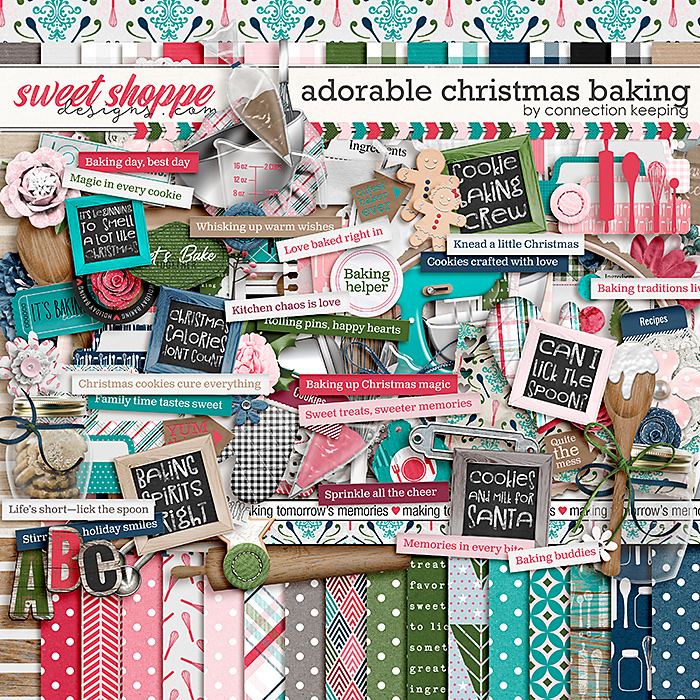
Adorable Christmas Baking - White, Grey, Kraft, Black, DARK deep red, MEDIUM lime green, DARK hunter green, MEDIUM turquoise, DARK navy, LIGHT pink, MEDIUM hot pink, baking, Christmas, cookie, kitchen, wood


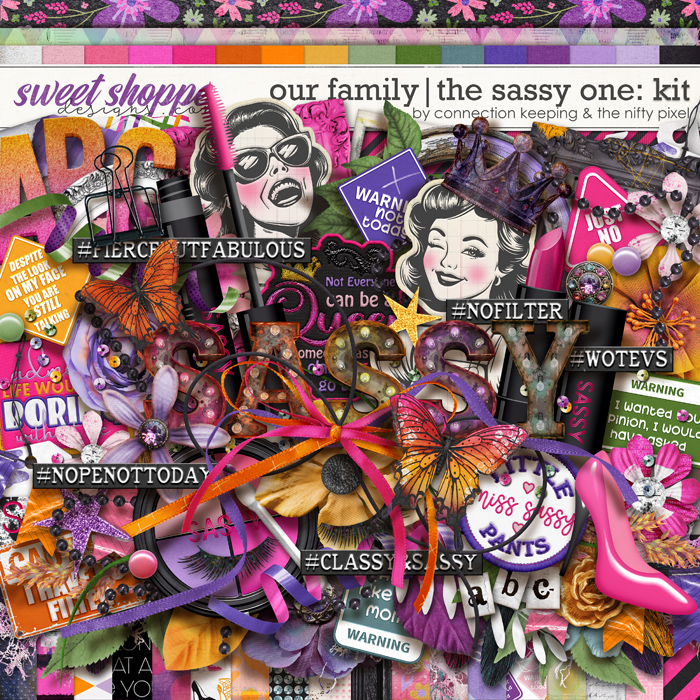
Our Family: The Sassy One - White, Black, MEDIUM orange, LIGHT sage green, Lavender, MEDIUM purple, LIGHT pink, MEDIUM hot pink, butterfly, girl, humor or sarcasm, sassy, shoe, teenager, tween, woman


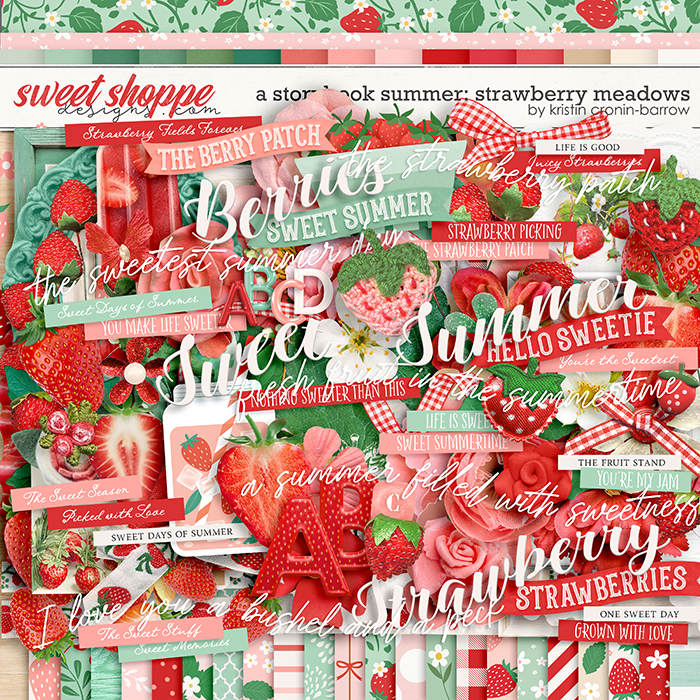
A Storybook Summer: Strawberry Meadows - White, Black, MEDIUM orange red, LIGHT mint green, MEDIUM kelly green, chalk or chalkboard, gingham, strawberry, summer


The colors are really handy for me because as I add each one to narrow down my results, I can get to exactly what I need. For example, if my photos have a blue-red in them, and I need white for my neutrals instead of cream, and I also want a light turquoise, I add them all to my search and get results like this - they may also include other colors, but I can quickly narrow it down to the ones I want.
search-results.jpg

I don't think you have to get so detailed as to list out every single element that's in a kit (though that doesn't hurt, especially if someone is looking for a specific singular element). I think, instead, if you can get keywords added in a basic set of categories, you'd improve the usability of the search tool significantly. Here's what I use in my own personal system - I've found that as I've developed these categories and keywords over the years, it becomes quicker and quicker to keyword my previews. Perhaps if you developed a list for the shoppe, the designers could copy and paste quickly and come up with their description keywords - or have the Babes do it for them as they post each week. (And of course I wouldn't make the suggestion if I wasn't willing to help!)

Color
  • basic neutrals (white, grey, black)
  • neutral browns (cream, kraft, brown)
  • reds (orange red, blue red, deep red, maroon)
  • oranges (coral, peach, orange, dark orange)
  • yellows (light yellow, yellow gold, deep yellow, mustard yellow, yellow-green)
  • greens (mint green, sage green, lime green, kelly green, moss green, grass green, hunter green, army olive green)
  • aquas (light aqua, turquoise, teal)
  • blues (light blue, royal blue, navy, deep blue)
  • purples (lavender, purple, dark purple, periwinkle)
  • pinks (light pink, hot pink, dark pink, magenta)
  • metallics (clear, gold, silver, copper, rose gold)

Themes
  • animals (bat, bear, bee, bird, bugs, bunny, butterfly, etc.)
  • country or continent (america, australia, bahamas, canada, caribbean, china, etc.)
  • day of week
  • edibles (apple, baking, banana, beer, blueberry, breakfast, etc.)
  • emotional or mental (activism, adulting, adversity, affirrmations, aging, anger, anxiety, etc.)
  • faith (baptism, believe or belief, bible, blessing, christian, jewish, muslim, buddhist, cross, nativity, pray or prayer, worship)
  • growing things (acorn, bluebonnets, cactus, cherry blossoms, clover, daffodil, daisy, etc.)
  • health (allergy or allergies, autism, brain, cancer, COVID, diabetes, etc.)
  • hobby (art, books or reading, drama theatre or plays, games and gaming, music or rock, scrapbooking, sewing, etc)
  • holiday event or celebration (4th of july, advent, anniversary, birthday, celebrate, Chinese New Year, Christmas, Cinco de Mayo, etc.)
  • month
  • movie book or tv show (aladdin, alice in wonderland, avengers, barbie, batman, beauty and the beast, etc.)
  • people (adult, air force, alien, angel, army, baby, boy, brother, child or kid, clown, cowboy or cowgirl, dad or father, etc.)
  • places (amusement park or disney, backyard, beach or tropical, carnival, castle, circus or fair, college, etc)
  • season (autumn or fall, spring, summer, winter)
  • shape (abc, ampersand, arrows, candle, chevron or zigzag, circle, diamond, fleurs de lis, hearts, etc)
  • sports (archery, axe throwing, band or marching band, baseball, basketball, bowling, competition, cornhole, etc.)
  • state (alabama, alaska, arizona, etc.)
  • tech (camera film, cassette tape, computer or laptop, disc or cd, electronic game, emoticon or emoji, instagram, etc)
  • texture or pattern (animal print, antique, bandanna, bokeh, brick, burnt, camoflauge, canvas or burlap, cardboard or chipboard, etc)
  • things (anchor, award or ribbon, backpack, ball pit, balloon, basket, beads, beard, bell, bomb, bounce house, etc.)
  • transportation (airplane, auto car or driving, bike or bicycle, boat or ship, boating or canoeing, camper or rv, etc)
  • travel (camping, cruise, explore, hotel, map, passport, road trip, etc)
  • weather (aurora borealis, cloud, cold, heat or hot, moonlight, nights or nighttime, rain, rainbow, etc)
  • years or eras (1940s, 1950s, 1960s, 1970s, 1980s, 2023, 2024, 2025, 2026)
  • projects (all about me, day in the life, month in review, year in review, project 365, etc)
I can provide my full list of keywords if it would be a good starting point. (This is probably way more detail than you wanted in a reply here ... sorry! LOL)

 
@angiekey that is a great list for categorizing! This is a project I've wanted to do for ages. I rename everything when I download and that helps, but I really need to start using keywords.
 
The great thing about keywords is that they don't need to be in the description; there's a section to add them in X-Cart when you add the product.

I loved your list, @angiekey, I'm going to apply it to my next releases.
 
Back
Top
