

You are using an out of date browser. It may not display this or other websites correctly.
You should upgrade or use an alternative browser.
You should upgrade or use an alternative browser.
Blending a photo
- Thread starter ajf9597
- Start date


ColleenSwerb
Brodo gettin her Swerb on
Yea, just mess with your blending options and the opacity of the photo layer.


SeattleSheri
Sweet Shoppe SugarBabe
Here is the tutorial I wrote for a challenge:
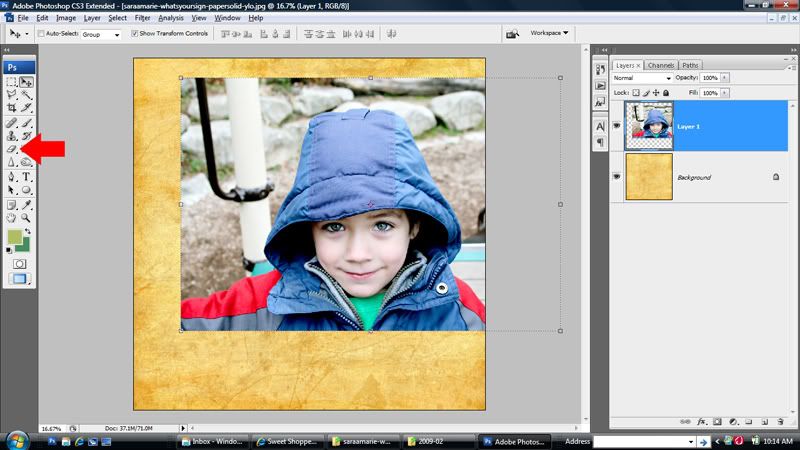
Choose a background paper and add your photo to your canvas. Select the eraser tool from your tool bar.
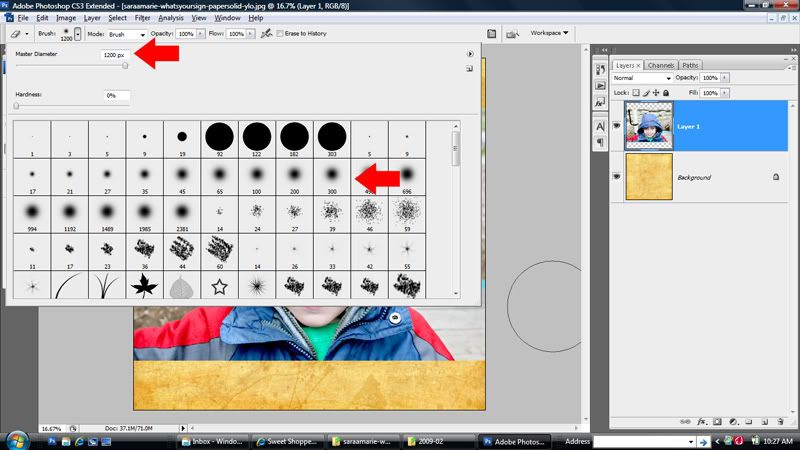
Bring up your options and select the largest soft edge brush and increase the size of it to your liking. I used 1200 pixels for a large blend.
This is step is optional. I like to add a layer mask to make editing easier and more flexible.
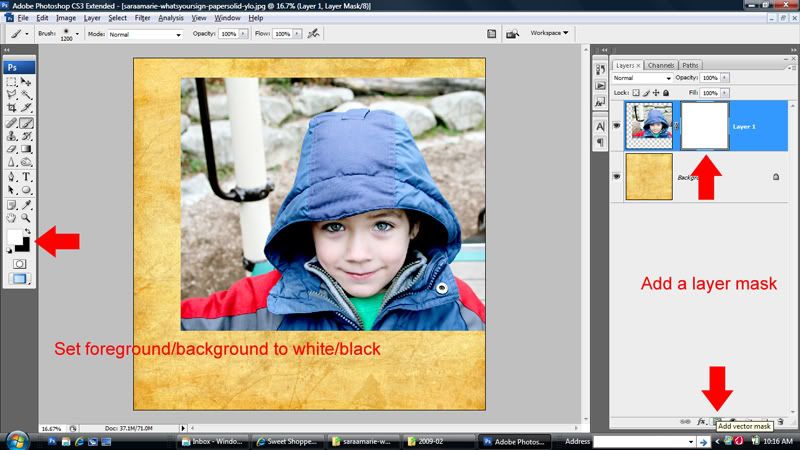
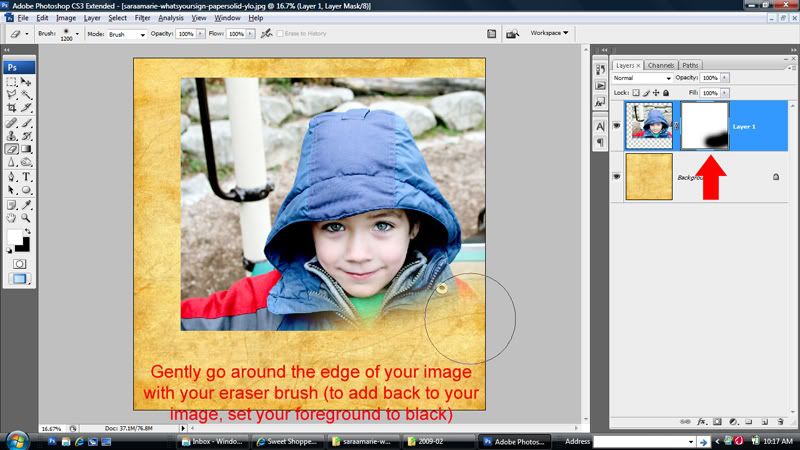
If you decide to use a layer mask, have your foreground set to white and gently go around the edge of the image. If you make a mistake, you can reset your foreground to black to add back. Make sure that the mask (and not the photo) is selected on your layer palette.
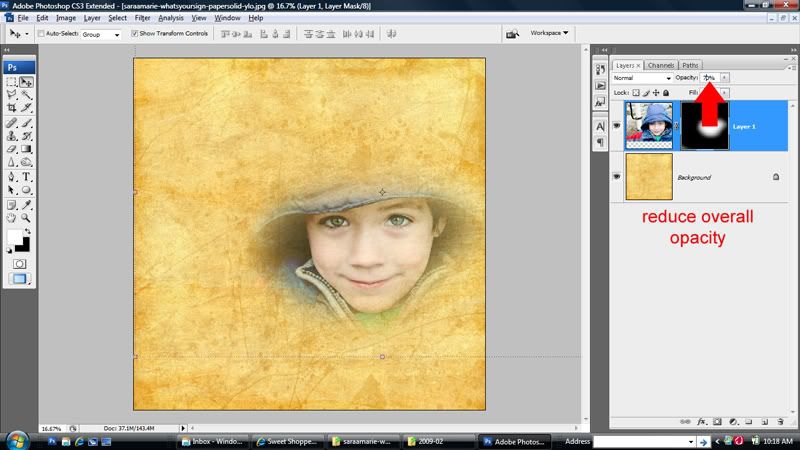
Reduce the overall opacity and/or change the blending mode to your liking (optional).
and here is my finished page using some blending ...

Choose a background paper and add your photo to your canvas. Select the eraser tool from your tool bar.
Bring up your options and select the largest soft edge brush and increase the size of it to your liking. I used 1200 pixels for a large blend.
This is step is optional. I like to add a layer mask to make editing easier and more flexible.
If you decide to use a layer mask, have your foreground set to white and gently go around the edge of the image. If you make a mistake, you can reset your foreground to black to add back. Make sure that the mask (and not the photo) is selected on your layer palette.
Reduce the overall opacity and/or change the blending mode to your liking (optional).
and here is my finished page using some blending ...

4noisyboys
New member
I hadn't tried it like that Sheri...using a layer mask. thanks from me too...I'm going to give that one a try!
SeattleSheri
Sweet Shoppe SugarBabe
You are very welcome ladies! There are several ways to do it, but I definitely prefer the flexibility of a layer mask (I use them for everything). Some people make a selection and feather rather than erasing, but again, there is less flexibility with that method. I can't wait to see your blending pages, I love blending!!!