Bingo Challenge G-11 - Cut Alpha

mariewilcox

New member
Okay, I have no idea how to cut an alpha from my papers! What the heck do you use? I don't have an alphabet clipping mask... I use PSE so I don't know what my options are :confused:
 
I actually just type my text..say the title since it's bigger than journal and then just clip a paper to it and add shadow. Done!

Sent from my SM-N920V using Tapatalk
 
Let's see...If you don't want/can't use clipping masks, you could cut your letters/words from any paper you'd like by having a layer with your letter/word. Then select that text layer (ctril+mouse click on the layer). With the selection active, go to your paper layer and then do the copy->paste thing. Does that make sense?
This tutorial in METHOD 1 basically shows the same thing but you'd want to copy-paste, instead of cut.
 
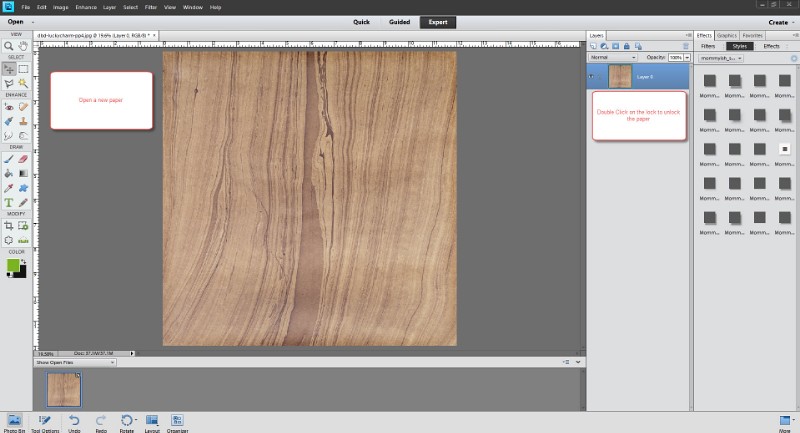
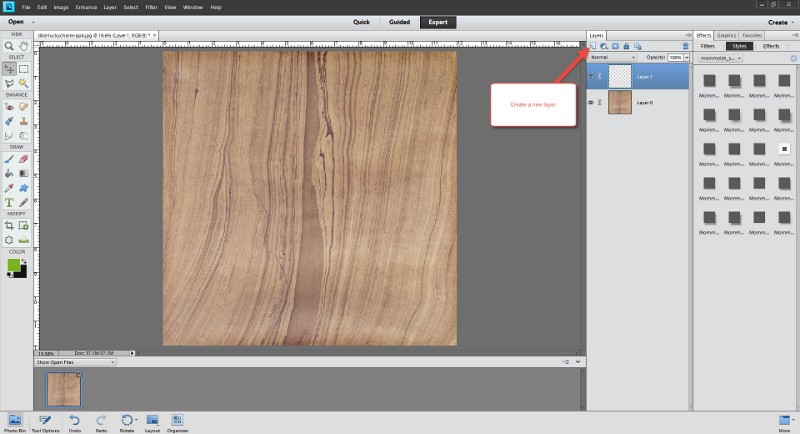
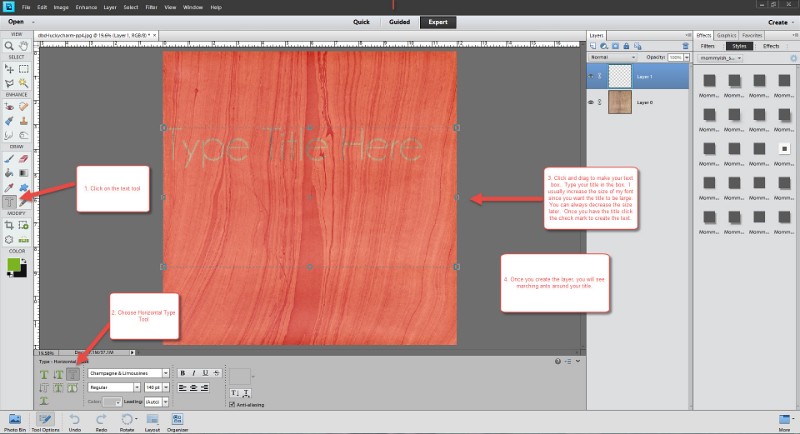
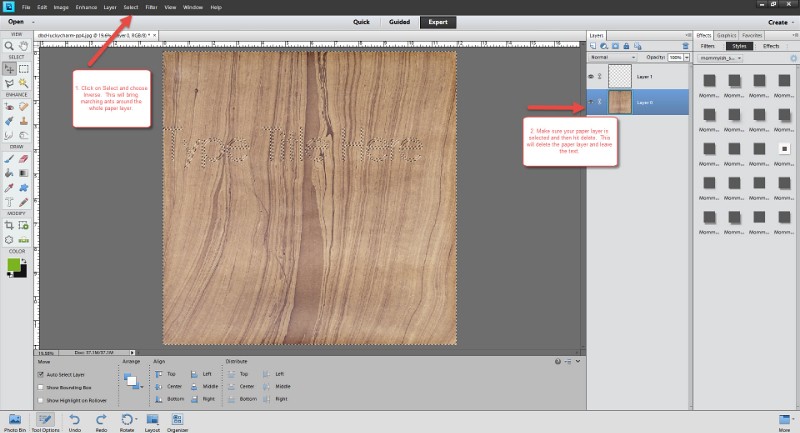
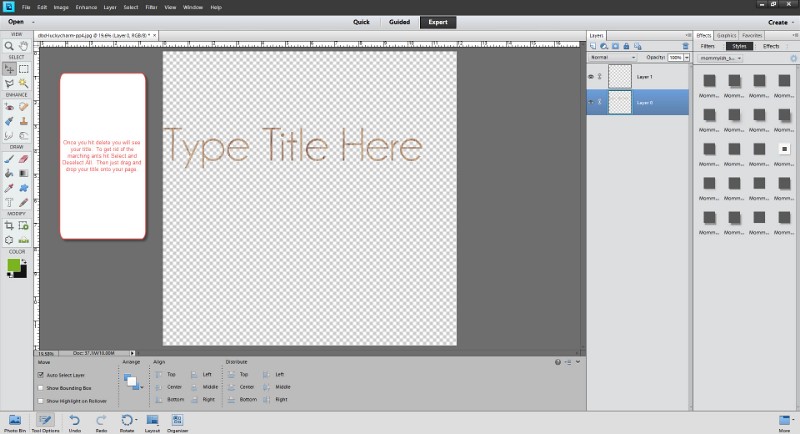
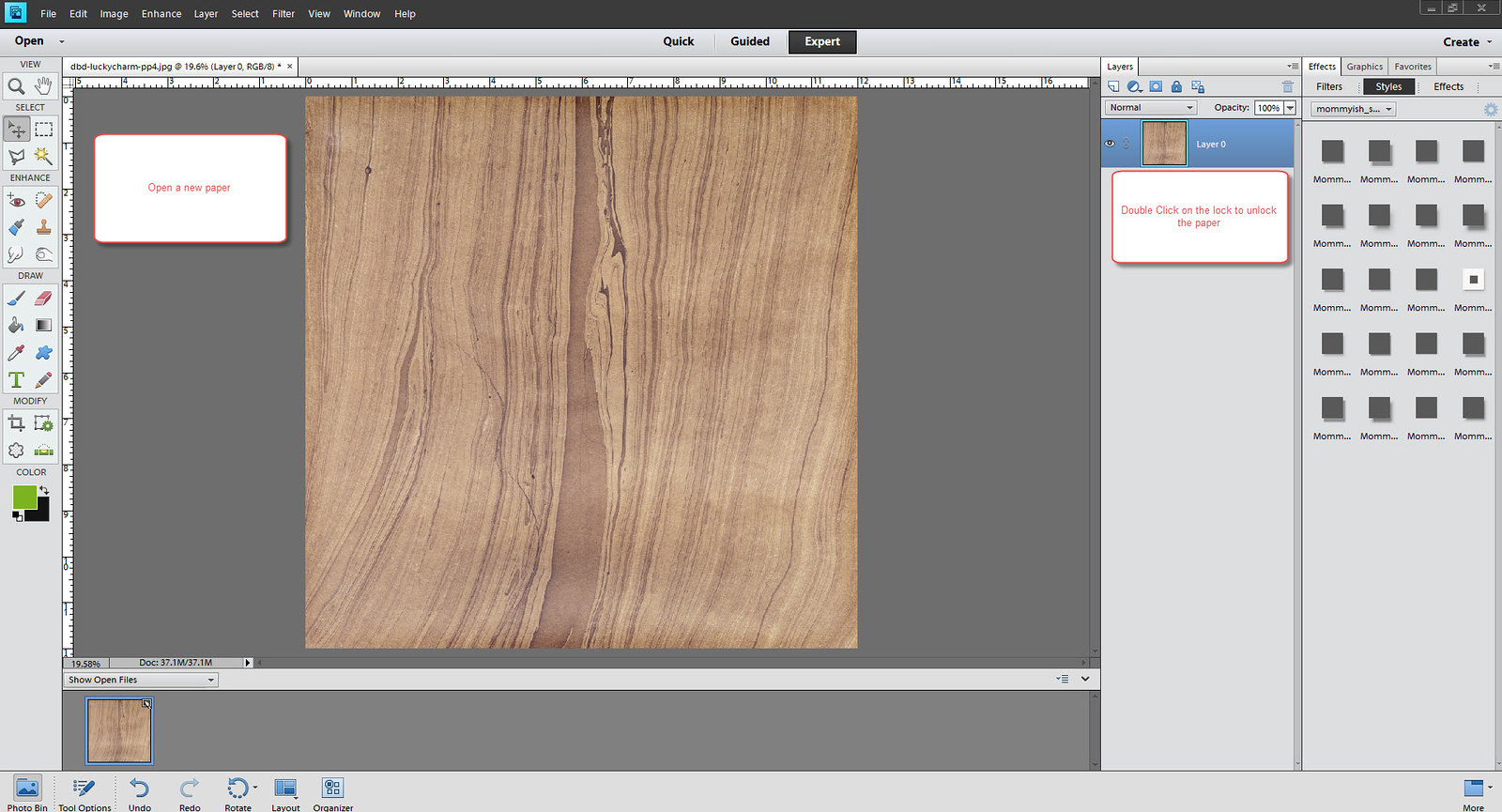
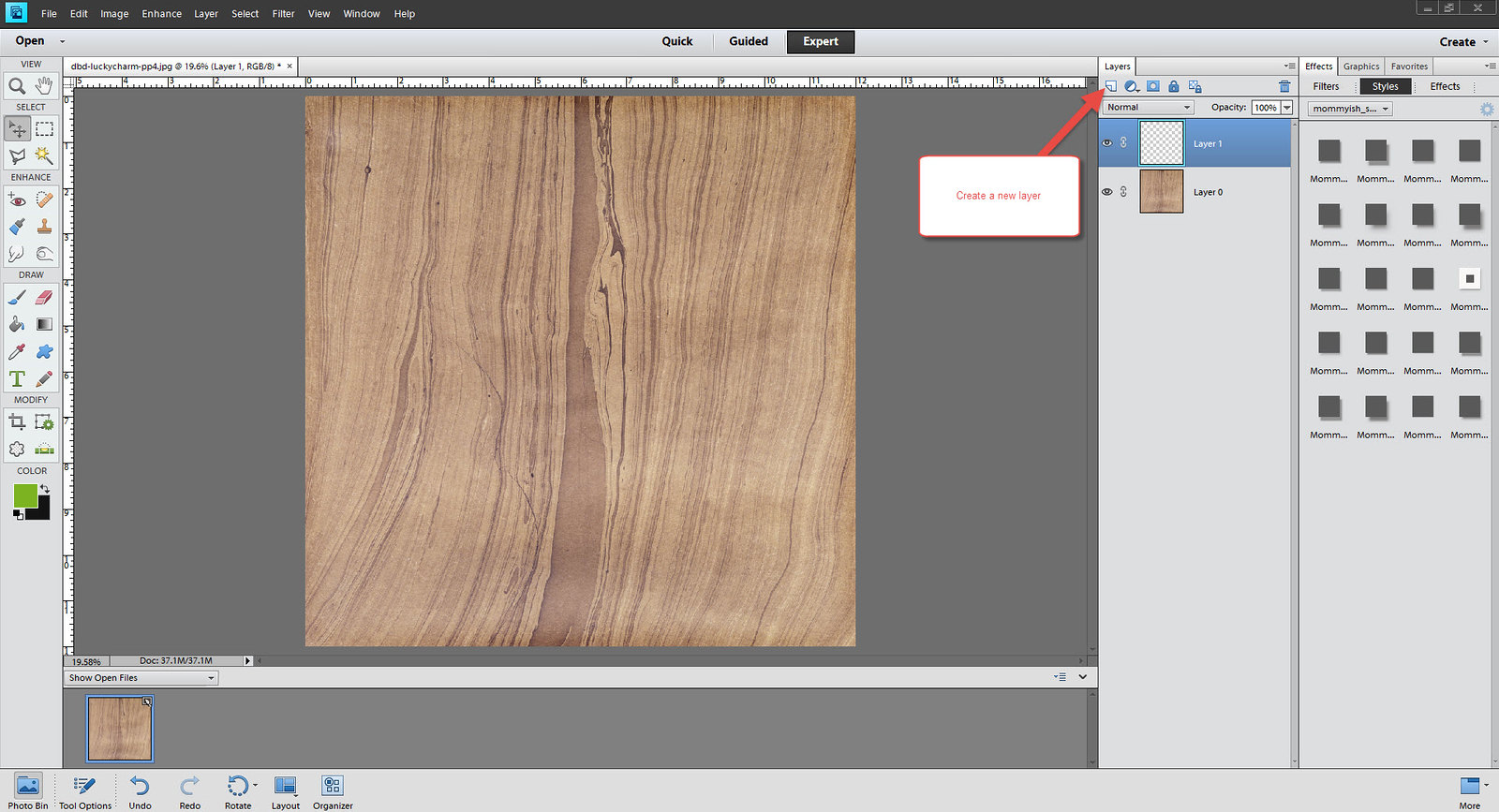
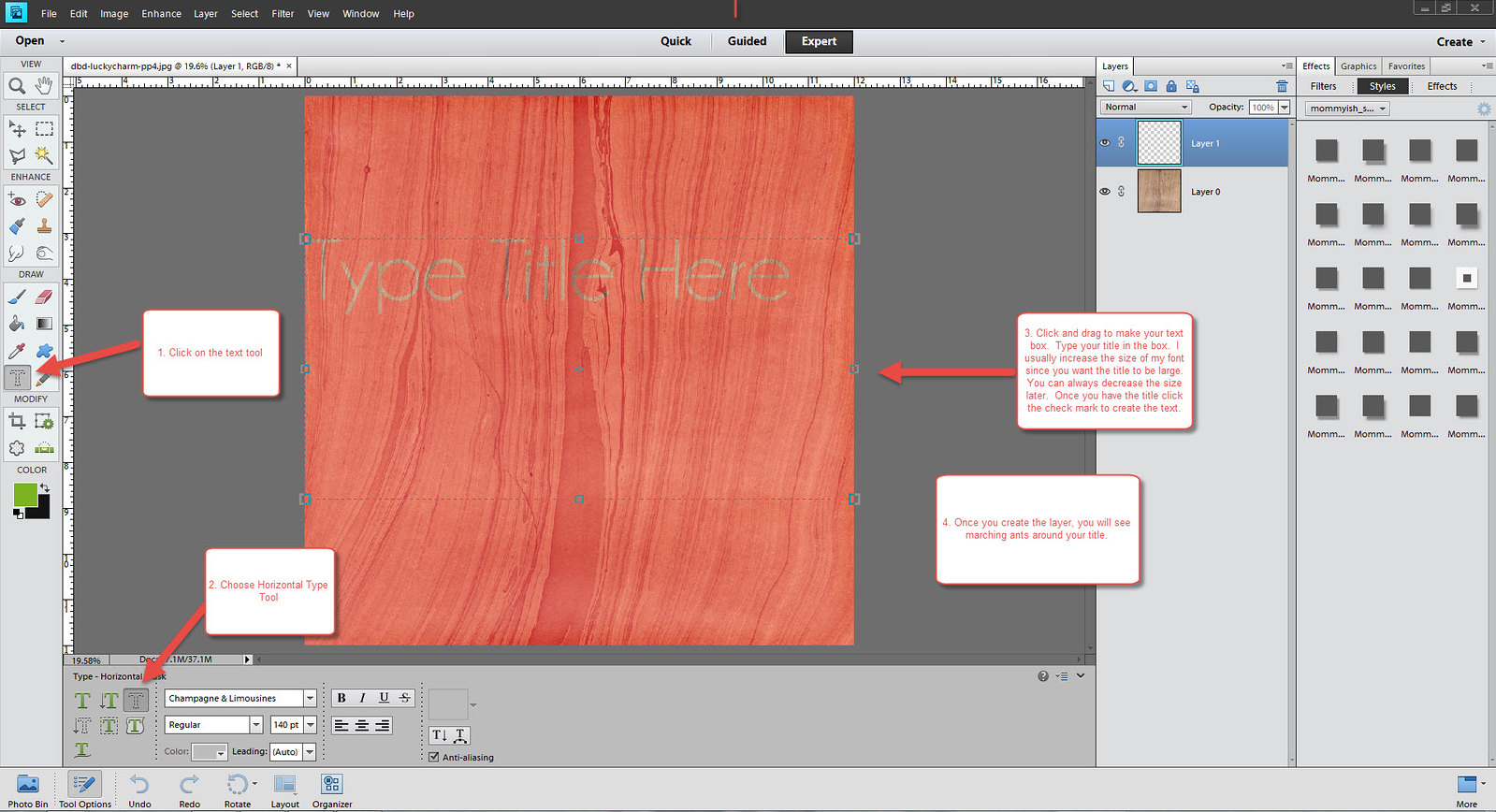
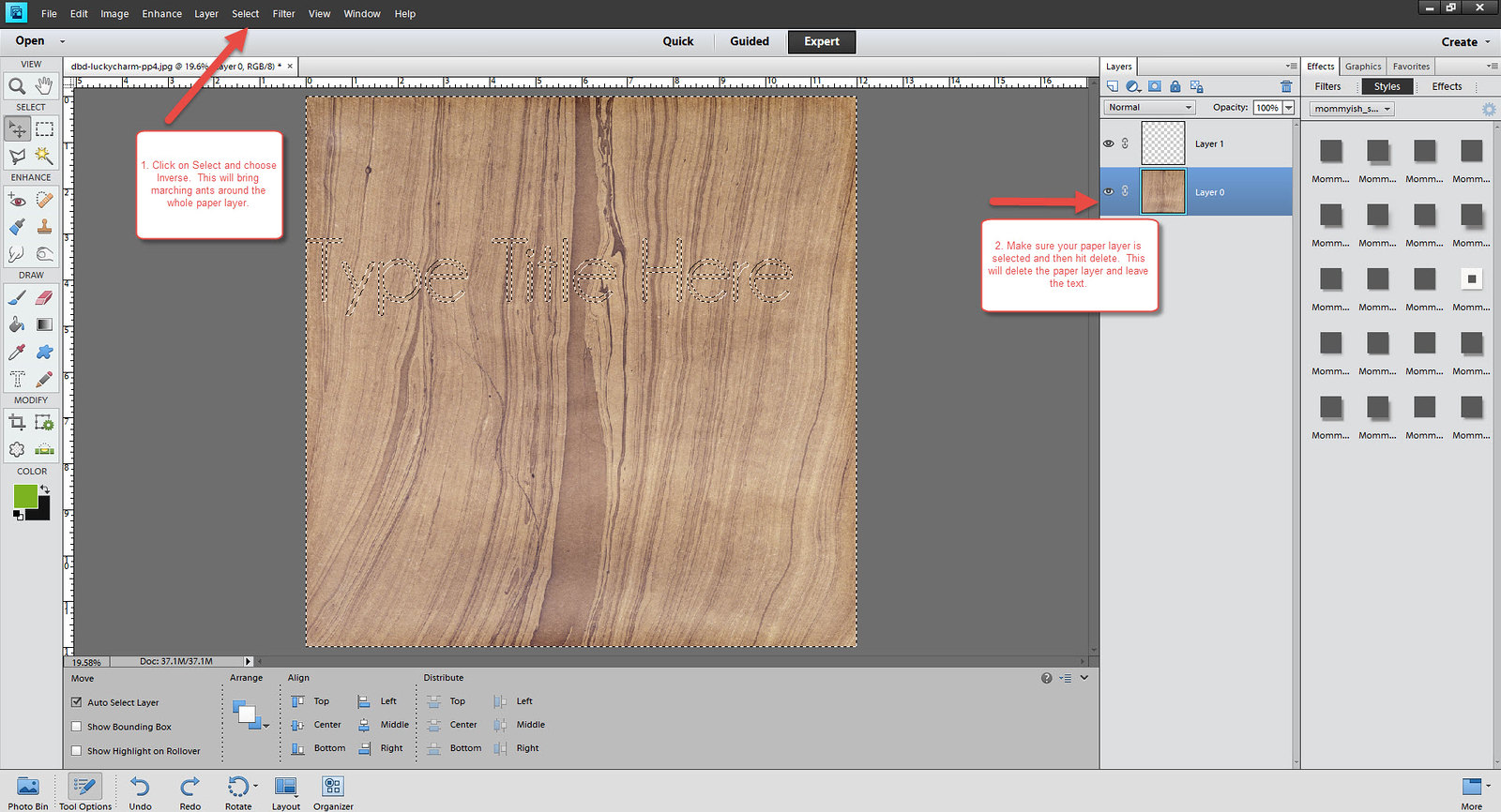
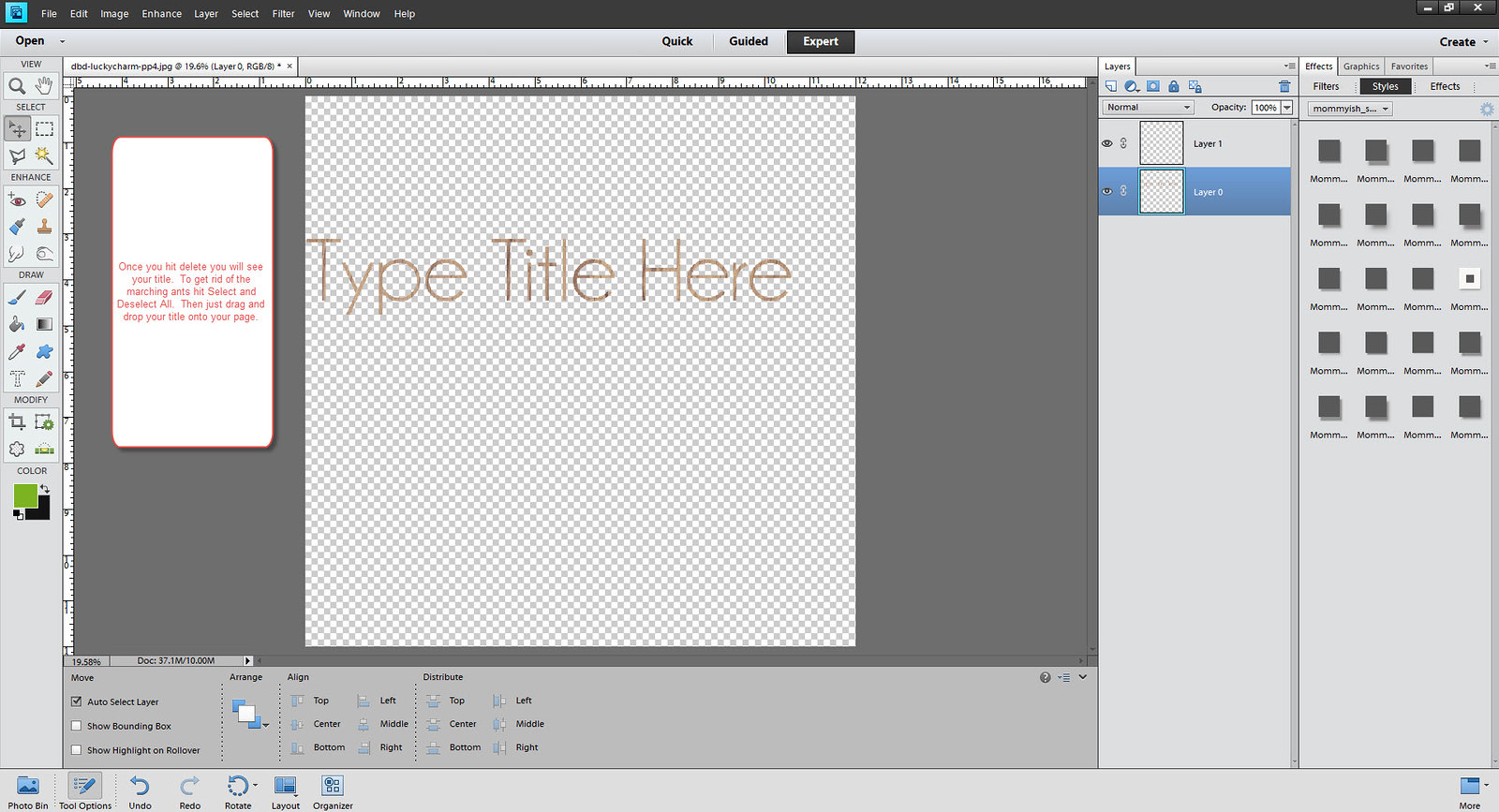
I will show you how I do it in PSE when I get to my laptop. There is a way to do it with your text tool options. :)
 
OK...let's see if you can read these screenshots...lol
25862921975_bac71e6874_b.jpg

25836945836_b821522537_b.jpg

25742059122_0d81f2e797_b.jpg

25232455394_73e5231757_b.jpg

25742058872_44f67c6495_b.jpg
 
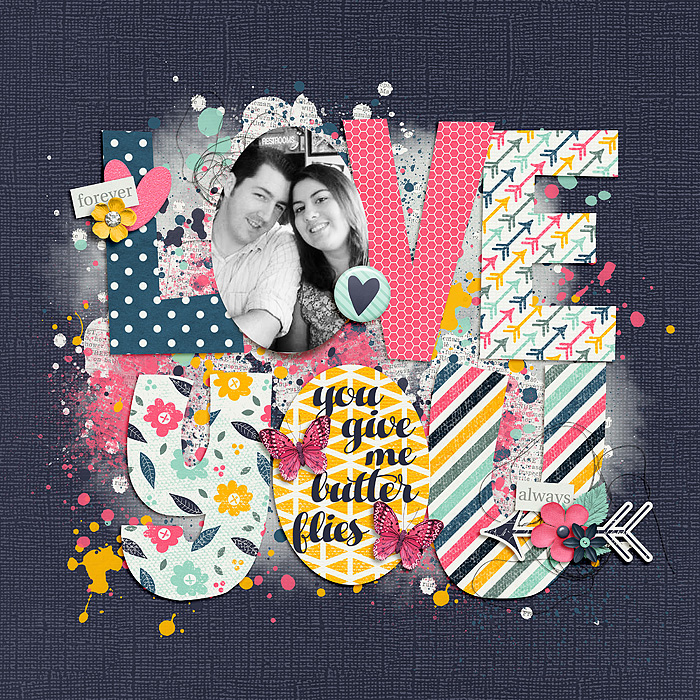
For this layout for this challenge, I used my lasso tool to "cut" out letters from my paper. It was a lot of fun.
 
I do it like Carrie too! And look at that....lots of people learned a new trick. Oh, how I love this place!
 
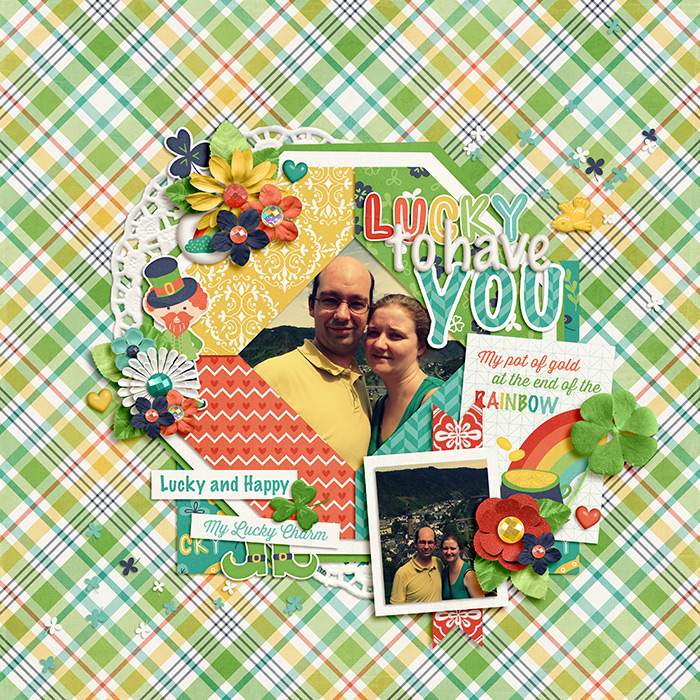
Here's what I did for the challenge.
I cut out the 'you'. I used the alpha from the kit to cut it out and then added a stroke to it.

 
Back
Top