2 Questions - Clustering & Creative ways of using alphas

littlekiwi

Active member
After spending a great deal of time in the gallery leaving love I realise that I need to learn from the best here at SSD as to how to cluster as I love the look but just haven't figured out how to pull it off.

I am also really struggling to make good use of my alphas in a creative way - any tips on that are also appreciated.

I use Photoshop CS4 Extended if that helps
 
Last edited:
Im starting to concentrate at getting better at this myself, and the way I do it is to go slow, and to keep coming back and adding more.

Id love to hear how the pro's do it though.
 
I would say: just do it. Practise makes perfect you know.
I am not a cluster or alpha expert, but I am getting better. I see how others do it and try to copy....then I see how clusters are build. For alpha same thing.

Good luck! :thumbup:
 
I'm no expert but i'd say like Leontine, practice makes it all ! The more you look at the pages you love in the galleries, the more you will learn from them ! Scraplifts or templates can be great helps as well ! My faves are Cindy's temps, should i have to mention ?! Everybody knows that Cindy has the best designs !
 
I love Cindy's templates and do use them but tend to simplfy them which is what I would like to get away from. I'd love to learn even half of what people like Lynette, Jacinda, Aaron etc do. I'm really wanting to improve what layouts I do so that when I do go for CT spots or even to print my layouts in a bound book I like what I am producing - right now I feel I could improve and change my style a bit more
 
practice really does help... I learned by doing scraplifts and using templates with lots of clustering...

what I do is just put all the ellies I like in the kit on my page and then move them around and resize them until I like how it looks
 
what I do is just put all the ellies I like in the kit on my page and then move them around and resize them until I like how it looks

THIS. put a bunch of stuff on your page and move them around and play with them. I think good clustering also has texture - meaning, you can't "cluster" a bunch of flat paper embellies - so be sure to put textured items like ribbons, strings, dimensional flowers, etc. You need items like this to create depth away from the paper for your cluster.

As for alphas, I think a great technique is to use two different fonts or alphas for your title. You can turn a font into a title by making your own wordart:
  • type up the words you want in the font and color you like
  • right click on the text in the layers palette and select "rasterize"
  • then go to "edit", then "stroke".
  • pick a neutral color (I usually pick the cream or white taht is in the background of the paper design)
  • and set it to "outside" and distance to something like 5.
  • if you don't like the results, hit Ctrl-Z and try again!

anyhow, I like to use text/font words for the "subtitle" and the real alpha for the main portion of my title.

hope these suggestions help :)
 
Just about everything in this hobby is about practice, trial and error, and finding your OWN style. And I think in this hobby especially, you really learn by DOING.

You said you tend to simplify Cindy's templates. Why don't you try doing a page like you normally would, and then when you would normally be "done", add 3 more elements back into the page. Once you get comfortable with that, try adding in 5 more elements, etc, etc, etc.

Draw inspiration from the gallery. There are tons of amazing cluster-ers here. Pick a page that you just absolutely LOVE the clustering on, and then try and copy it.

There are no RULES in this hobby. You just have to try it and feel it and see where it takes you. Personally, as much as I ADORE cluster work, I suck at it, and I hate the pages that I make when I do it. So I don't do it anymore! It's not *my* style, and that's ok. you have to find your own style :)
 
Last edited:
Clustering is one of my biggest challenges, too. I struggle with balancing enough elements to keep it interesting vs. not so many that it gets distracting. Here's a tutorial that NeeNee wrote for The Daily Digi last year. She shows you how she builds clusters step by step using lots of screen shots.

Another suggestion is to start with simple clusters. Instead of starting with everything open (which I find hard to work with), you might pick 3 or 4 items to cluster. So you could use a flower, some foliage, and a word or date strip tucked underneath as one cluster.

anyhow, I like to use text/font words for the "subtitle" and the real alpha for the main portion of my title.

That's my favorite way of doing titles, too. As a bonus, it's a lot faster than working with alphas for every word!
 
Last edited:
I totally love to cluster. For clustering, it just took me practice. Don't be afraid to pile it on. I was a lot like you - clean and simple, but I just started piling it on and now a page doesn't look right to me without some clusters.

For titling, I tend to use different alphas as well as fonts. If I use a font, then I'll make it look like a sticker.
 
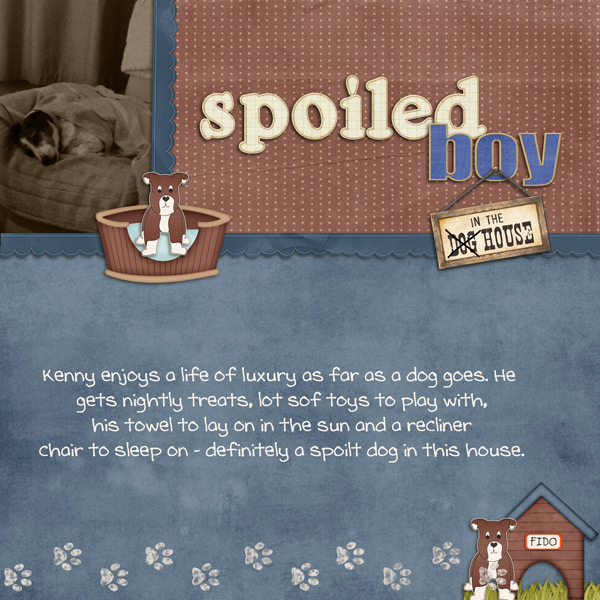
well I love your title! but I think you can add more to that cluster! do you have any ribbons or strings? try putting something behind the doghouse, point out and to the left. This is exactly how the process works - start with something, look at it, come back to it, and add more!
 
Hehe your title is adorable! I love the sign hanging down. I agree with Beckie, you should add more to your cluster. Load it up! :)
 
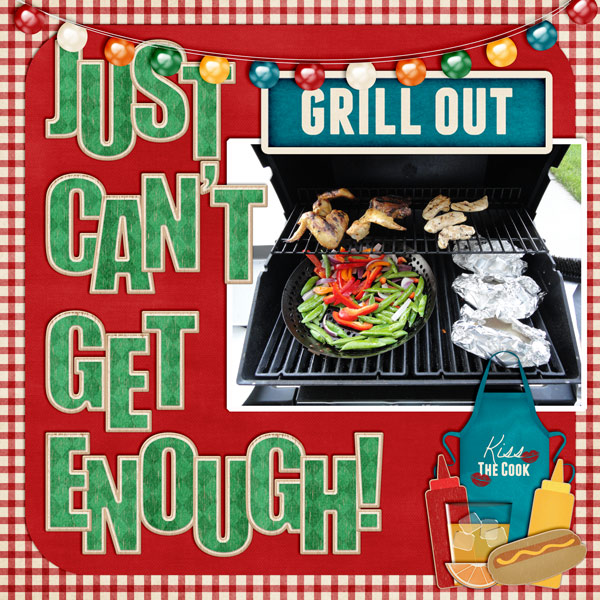
I am just learning how to digitally scrap and to cluster elements. This is a layout I just did last week. Usually when I think of clustering, I think of flowers, but like you, I decided that there's no reason I couldn't cluster other things. I know I'm just beginning and have a lot to learn, but I am really happy with it. It's not the world's greatest layout, but like how I clustered the elements.

Justcantgetenough600-copy.jpg


On your layout, I think you've got a great start. Try clustering at least three elements, maybe more. Experiment with resizing them and angling them. I think I limited myself to basically three colors here. I tried to use triangles to get some balance and draw the eye in. I am starting to use shadow styles more and I used some free shadow styles here, but I just bought Jenn Barrette's and plan to use hers in the future. I spend a lot of time looking at other people's layouts here and learning from them.
 
Well, I'm not the queen of clusters, but I got considerably better after I forced myself to use more elements on a page. I find that Cindy's templates are excellent for learning both, clusters and titles. While I do change them, I sometimes tell myself: Trust the template! They are usually VERY well balanced, so even if in between you doubt the look, stick to it til the end. Really do replace the placeholders with elements.

An important thing for me is to plan ahead. When I start with my page, I carefully pick my template/design style and kit. Usually I start with the pictures. Then I consider templates and kits matching them. When I look at a template, I also check the kit if it will work for the page, I have in mind. If I need lots of paper blocks, I will quickly check whether I have enough options. What type of elements the kit holds and if they will work for the clusters. Do I need wordstrips, journal mats, ribbons, scatter ect? When I look at the kit and the template, do ideas form in my mind what to put where?

For me looking at my options I need a general idea of the page forming in my mind. I find it very hard to scrap without that feeling of: This will work! I can see it coming together!
If I don't get that impression, I either consider other kits, templates or even completely different styles.

For the titles it's the same. A sure way to hate your titles is when you scrap first and then put a title somewhere in the end. A title is not addition, it's a design element. Just like a cluster or embellishment. So when I pick my template or make a mental sketch, I know before I start: Where do I put my title? Again, Cindy's templates rock at this. I think of how many words I want, which word I want to emphasize (i.e. use the biggest alpha for), where I want subtitles to go. Sometimes I adapt templates there, but I check if that's possible before I start.

Not always, but mostly I also know what type of alphas I want. Bold and bulky? Crafty? Metal? Brads? Then I scan my collection for good options, sometimes stumbling on something that makes me re-think, but more often sticking with my original plan.

 
For the titles it's the same. A sure way to hate your titles is when you scrap first and then put a title somewhere in the end. A title is not addition, it's a design element. Just like a cluster or embellishment. So when I pick my template or make a mental sketch, I know before I start: Where do I put my title? Again, Cindy's templates rock at this. I think of how many words I want, which word I want to emphasize (i.e. use the biggest alpha for), where I want subtitles to go. Sometimes I adapt templates there, but I check if that's possible before I start.

I totally agree with this!
 
Oh, and if you scrap with the determination of trying new things or to improve in a certain style, take your time. Play around. Change things. Walk away. Come back and tweak some more. Don't take the "one scrap session = one finished layout" approach.

I know, it can be important to us to get the page finshed and posted. And yes, don't we all somtimes concentrate on comments/reations too much? But when scrapping and wanting creative growth, it can be counterproductive. The goal is to get the page done as visualised in your head. Or to be surprised in the process. That needs time and a "save place" where you allow yourself to experiment and maybe not produce anything worthy in hours.
 
Last edited:
this is what I do too usually. Also using templates with lots of elements helps. I have mostly been using templates lately. It cuts my scrapping time in half when everything is already placed for me. I used to not like templates but feel they have come so far and since alot of people who I LOVED their layouts not make templates as well it makes it really easy for me to make layouts I love!!

what I do is just put all the ellies I like in the kit on my page and then move them around and resize them until I like how it looks
 
I'm certainly not the queen of cluster or creative title work, but I'm just going to say I ditto what's been said.

I would choose a layout in the gallery that you love. If it's from a template...great! Use that same template. If it's a kit you have...then use it too. Really try to make it exactly like they did. Look at the details. Did they use a paint splatter behind the photos, or some kind of scribbling? Some of the kits here have those in them...I know a lot of Jenn's do! I know Penny has some too. Then, look at the elements that are placed behind the photos, Don't be afraid to put them on top of the photos. If you are doing an exact copy, really try to place everything the way they did, so you can get a feel for the layering and how to cluster.

I also love the look of a really clean page, and sometimes I think it's harder to do an amazing "clean" page, than a clustered page. There are some of those artists that just blow my mind how they can do that! I copy some of theirs just so I can figure it out.

Just don't be afraid to try things I guess. Sometimes I add and delete things so many times, that my original page looks so different than when I first started! I may even change the photos!!

and most importantly, have fun! If you love it, that's all that matters!

(just going to edit to add that Nikki was one of the artists that I LOVED back when I first started! I would copy many of her pages. I didn't post them because they were exact copies, but I just did it to try to figure out how she made her pages so gorgeous! I still love her pages btw!!)
 
I'm going to just post this layout to show you what I mean.

Lauren Grier has a lot of stitches, or doodles that look like stitches, or even just doodles in her kits.

SweetDreams_web4.jpg


I kept the clusters simple here because that's what I wanted to do, but I added those stitched circles behind and gave them a little stitching shadow (from Jenn) to make them look like real stitches. I think it just gives it a bit more interest than if I didn't have anything there.

That might not be a style you're interested in, but for me...it helps add to my pages!

also....borders!! I love borders and use them all the time, and I love Lauren's Border-line 2!!
 
I never really did clustering, until I started using Cindy's templates! She has so many little bits on the page, that I just started adding little bits to 'copy' her template. Took me awhile, but now I LOVE the look! Just keep practicing!!
 
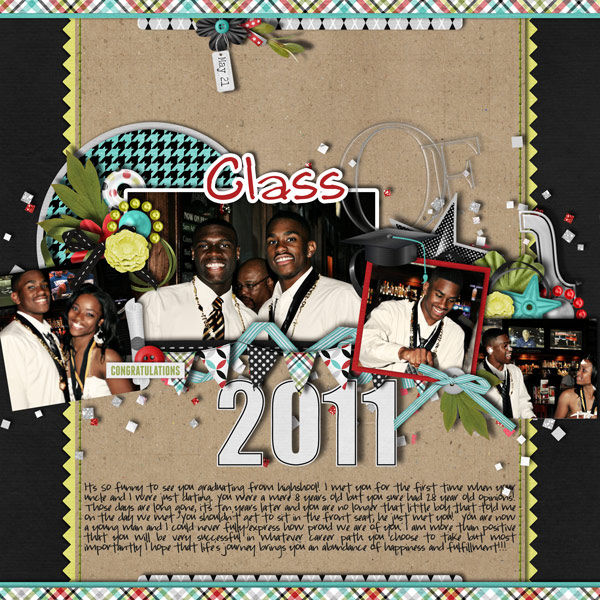
Well, by no means am I an expert at either of the topics. I am still trying to improve on these techniques but I do enjoy doing them. As for clustering it just takes practice. Most of the time I just open elements that I like and start tucking stuffing corners and behind photos, I don't really have a "system". As for titles, I almost always use at least two different alphas in my layouts, it just creates nice contrast. I also love turning fonts into part of my title. Here is an example of a layout I did yesterday with clustering and what I hope is a creative way to use alphas. The word "class" is actually a font that I added a stroke to. I use this technique ALOT in my layouts.

 
What I learned is the smaller the elements, the easier to create a big cluster. I tend to do better with flowers and such when creating those huge, big clusters. I add an element to my LO, shadow it, and then just duplicate and rotate and resize if I want it even smaller. When I first start to cluster, it may not look like I want it to as I add more stuff to it, but in the end I make sure it looks good, and twist and turn and add or delete.

Here's a LO where I just added and added and added elements, and ended up with this:
doneLOMarch10600-1.jpg


Here's a LO where the elements were added inbetween layers and more structured:
USAsept08600.jpg


It's basically, for me, just practice. Add much more elements than you think you'll use and just force them together.
 
Back
Top