

You are using an out of date browser. It may not display this or other websites correctly.
You should upgrade or use an alternative browser.
You should upgrade or use an alternative browser.
ISO: Help on Dodge/Burn tool
- Thread starter aly321
- Start date


Megan Turnidge
New member
Like, what exactly do you want to know?
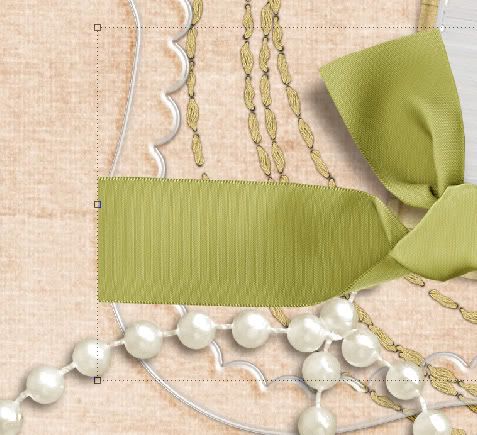
I use the dodge/burn a lot in my designing.... but you can do fun things like "wrapping" a ribbon around a frame by taking the burn tool (set the intensity to LOW... like 5%) and burning the very edge of the ribbon. THen I take the dodge tool and make a slight shine to make it look more curved. I took screenshots of this a long time ago... let me go dig them up.
I use the dodge/burn a lot in my designing.... but you can do fun things like "wrapping" a ribbon around a frame by taking the burn tool (set the intensity to LOW... like 5%) and burning the very edge of the ribbon. THen I take the dodge tool and make a slight shine to make it look more curved. I took screenshots of this a long time ago... let me go dig them up.
Megan Turnidge
New member
Here's the ribbon before:
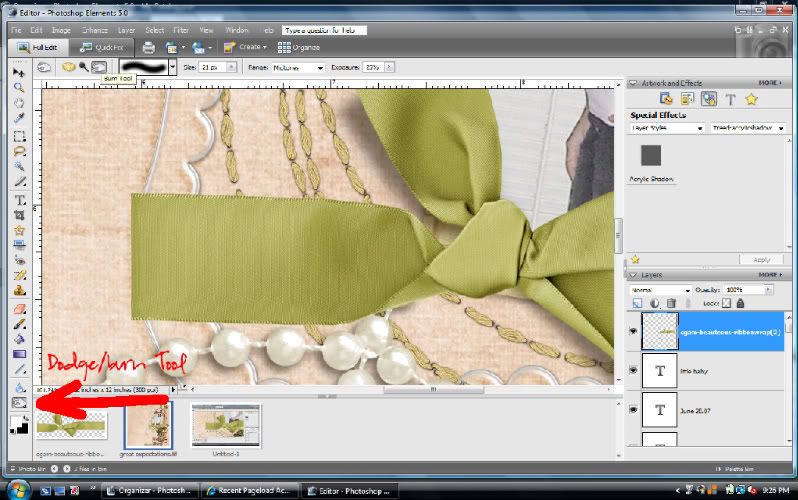
Find the dodge/burn tool here:
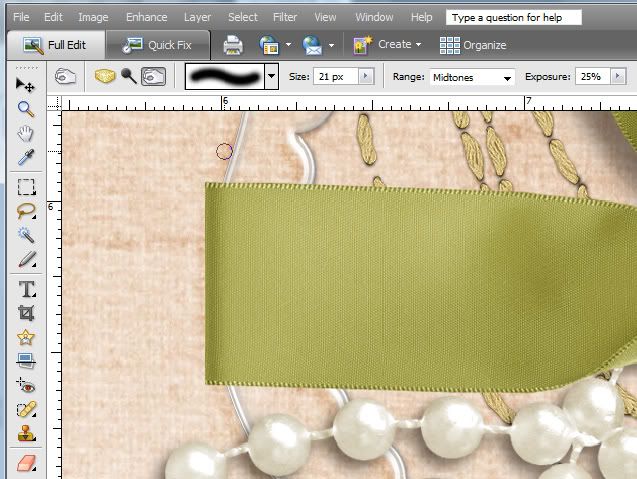
Here's where I burned the edge... looks like my exposure was set to 25%... this will depend on the color of the element/paper you're burning. Most of the time I set this really low and just brush multiple times to build up the burn.
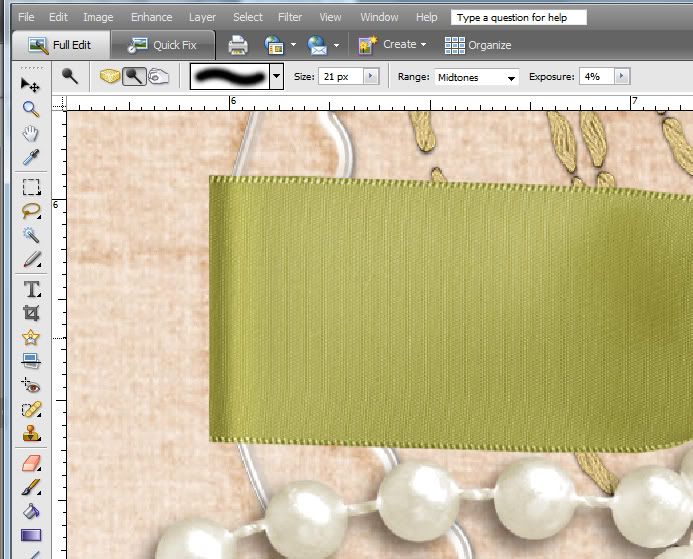
Dodge to make a slight curved shine... lol... I would have worked this a little more now... this was like my first time playing with the tools:
I also use this tool to fold a corner of paper.
Find the dodge/burn tool here:
Here's where I burned the edge... looks like my exposure was set to 25%... this will depend on the color of the element/paper you're burning. Most of the time I set this really low and just brush multiple times to build up the burn.
Dodge to make a slight curved shine... lol... I would have worked this a little more now... this was like my first time playing with the tools:
I also use this tool to fold a corner of paper.
jessica31876
New member
I use the burn tool for when I put a safety pin "through" a paper. Where the pierce would be I use the burn tool.

Megan Turnidge
New member
Oh, you guys are so smart!!!! I'm in awe! Ok Megan, where are your screen shots for folding paper corners????
I don't have any, but I'll whip some up real quick if you'd like me to!
Megan Turnidge
New member
Okay, I'm done! I just gotta upload the screenshots to Photobucket! BRB!
Megan Turnidge
New member
Okay, get your paper and use the Polygonal Lasso Tool to select the corner you'll want.
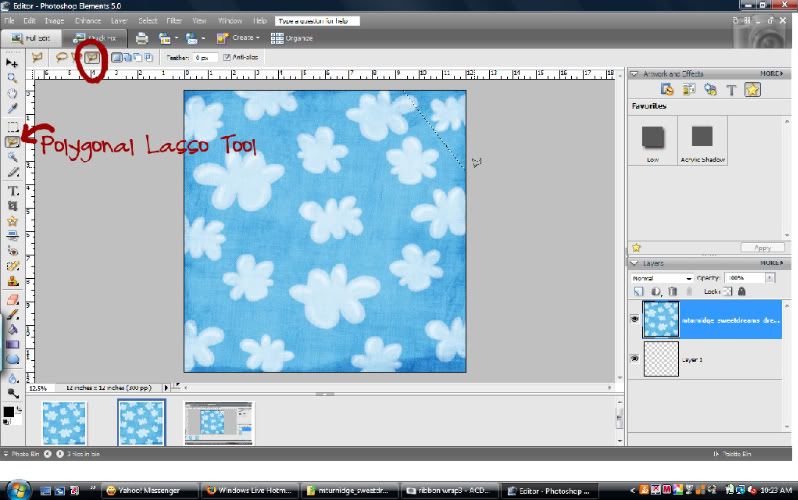
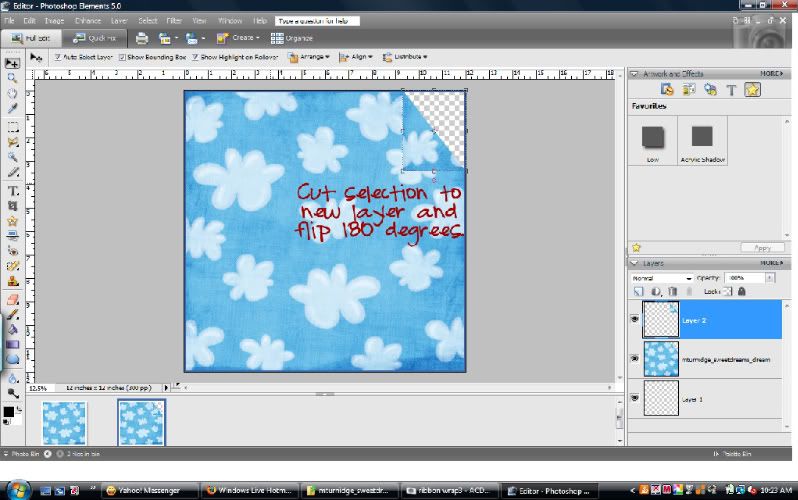
Then I hit SHFT+CTRL+J and this cut the selection to a new layer. Then I rotated the layer 180 degrees.
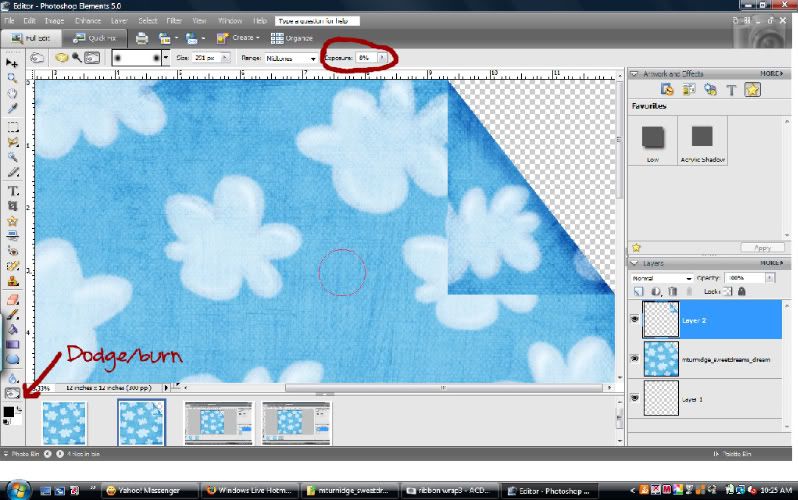
Then I grabbed the Dodge/burn tool as shown in the screenshot. Select the hand for burn. Then I set it to midtones (you'll change this depending on your paper... like if you were using a dark navy blue paper, you'd set it to shadows.... well, I would...lol) and put the exposure at 8%. I used a large brush and brushed over the edge until I liked how it looked.
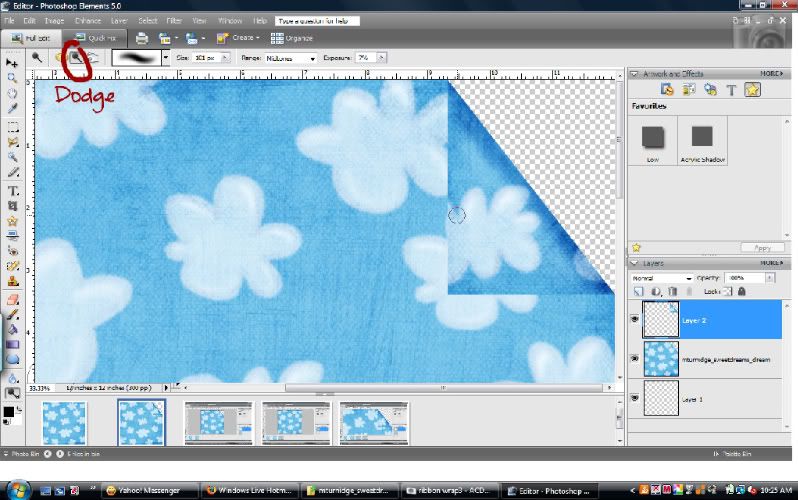
Then I switched to dodge and set it to midtones and about the same exposure and brushed slightly farther from the edge to create a curved look.
And then I put a drop shadow on the corner!
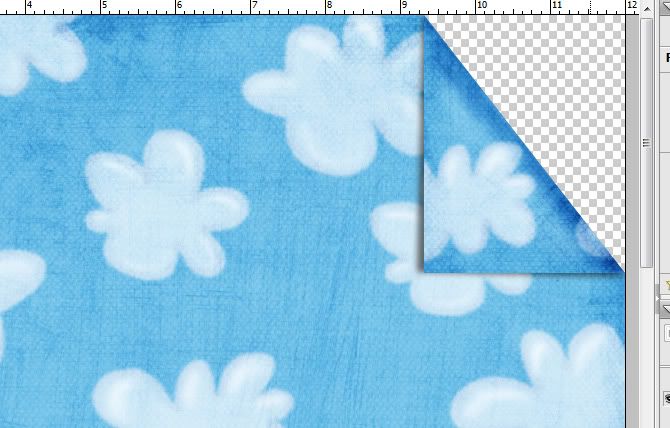
And that's it!
Then I hit SHFT+CTRL+J and this cut the selection to a new layer. Then I rotated the layer 180 degrees.
Then I grabbed the Dodge/burn tool as shown in the screenshot. Select the hand for burn. Then I set it to midtones (you'll change this depending on your paper... like if you were using a dark navy blue paper, you'd set it to shadows.... well, I would...lol) and put the exposure at 8%. I used a large brush and brushed over the edge until I liked how it looked.
Then I switched to dodge and set it to midtones and about the same exposure and brushed slightly farther from the edge to create a curved look.
And then I put a drop shadow on the corner!
And that's it!


Tracie Stroud
Active member
Awesome tuts Megan! Thanks!
jessica31876
New member
wow Megan I learned something new today. I never could figure out the corner flip thing. Im gonna have to try it now. Of course I use PSP so Im wondering if itll be the same for that.
Megan Turnidge
New member
No prob!!
jessica31876
New member

jessica31876
New member
It was pretty much the same as the directions above for PSP. Only thing different is I promoted the selection to a new layer and then had to delete the selection on the paper.

Denise Umlauf
New member
Thanks for the tut Megan ! Love it !

lizzyfizzy
New member
megan! you really are the best!! i swear...so helpful!!!

crystalbird
New member
Some of Misty's tutorials use the dodge/burn tools. I love them because it just gives you an idea of what the tools can do. Here's a few:
Threading a ribbon through a buckle
Pin Tutorial
Burning edges
Threading a ribbon through a buckle
Pin Tutorial
Burning edges