PSE 2026 help!?

KingsQueen82

Sweet Shoppe SugarBabe
Ya'll, I'm going to rip my hair out! I updated my OS to Tahoe yesterday and that was a big mistake! I hate it. And now my PSE 2020 doesn't work either. Okay fine, it's old so I upgraded to PSE 2026. After getting it all set up to my liking, figuring out the differences etc I absolutely cannot figure out how to drag and drop layer(s) between documents. I CAN drag an item into PSE itself and it will open. I just can't drag between two templates - if that makes sense?

For example, I will often drag and drop clusters/photos/etc from one template into a different template or I'll make my title work in a blank document and then drag it into my layout.

I've searched for tutorials/Youtube, etc and the few suggestions I've found I still don't understand. (either their interface doesn't match mine so I can't follow their video or it's more like permissions/administrator stuff I'm afraid to do and make worse!)

Have any of you had this problem and found a work around?! I would love you forever if you'd share! I'm so frustrated right now!
 
Last edited:
I'm sorry I wish I could help!

if you can't do that, can you at least
select all the layers you need from one>right click>duplicate layers> and then choose your other destination from that pop up window?
 
So my PSE crashed and didn't save any of the styles/actions/custom panels etc that I had set up. I'm fried with it and don't want to look at it any more today! I'll try your suggestion tomorrow when I have gathered my patience and courage to face it again! Lol...
 
I'm sorry I wish I could help!

if you can't do that, can you at least
select all the layers you need from one>right click>duplicate layers> and then choose your other destination from that pop up window?

Okay I'm back! Still want to rip my hair out but wanted to update that your option does work Lea! It's more steps than what I'm used to but at least it's something until I can figure out how to drag and drop. I also need to figure out how to save my custom workspace as apparently there is no workspace option from the windows tab anymore. :thumbdown:
 
Annnnnd... this is one more reminder I need to continue refusing to update to Tahoe. Yikes!

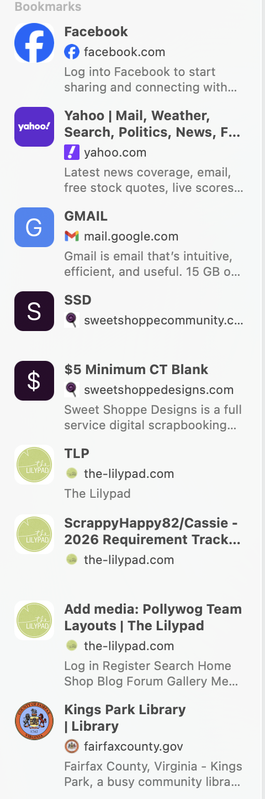
Don't do it! I don't know what possessed me to do it. I guess I was housekeeping on my desktop, putting away files etc and figured why not? Well, this is why not! I don't even know all the ways I hate it yet but I do! The most obvious right now is my bookmarks bar is all kinds of cluttered! I have ADHD. My brain already does this! I don't need to know what the website is all about. I already know because I use it often enough to PUT IT THERE! :glare:

Screenshot-2026-02-13-at-1-57-55-PM.png
 
I'm glad Lea's method worked for you! I was going to tell you exactly what Lea said - I've never even thought about dragging and dropping between two templates. I should try it. I've got PSE 2022.
 
Update: I can drag and drop layers from a file if it's a floating window but NOT if it's in a tab. I prefer tabs but in this case I guess I'll just toggle floating windows off and on when I absolutely need to use them!

Regarding saving a workspace, everything I can find seems to point that it's no longer an option to save a personalized workspace in PSE so I guess I'll be rebuilding it each time. At least my styles and actions are still there so I just have to arrange my panels how I like!
 
I'm so sorry you're having a hard time with it. But if it helps, you're not alone. I'm SO not happy with PSE26! That drag from a template to something in the photo bin is a huge thing for me. It's so frustrating.

My workspace saves, but I can't tell you why. I think I'd throw my computer out the window if I had to reset it every time I reopened PSE. One thing I have noticed, and it might just be a fluke, but I make sure to close out anything I have open and working on before I close PSE. The times I haven't done that, I've had to reset my workspace.

I tried the wonderful AI edit to take a person out of a photo - what a waste!! It made such a mess, I ended up doing it manually.
 
I'm sorry that you have having issues with PSE 2026. I updated last year to 2025 but have not updated to 2026. I hope you get everything worked out where your work will go as smoothly as it did before you updated.
 
I'm glad Lea's method worked for you! I was going to tell you exactly what Lea said - I've never even thought about dragging and dropping between two templates. I should try it. I've got PSE 2022.

It does work in versions before PSE 2026.
 
Back
Top