A -NEW- Tutorial about Shadowing

Kiana and Jennifer, wow Thank you so much! You both are so lovely to take time to read (and translate) and help me with your great advices and ideas!
I'm really grateful!
Kiana, I'm going to try the color part and Jennifer, glad to know I'm not the only one with another software. This is really nice to you to take time to compare with yours, I'm going to try what you suggest. Normally I can do all you told me, the thing is to find the right way to apply it.
So again Thank you, I was really looking for other tips from another scrappers because I try a lot of things but turn around! lol!
Someone is going to give some try with shadow tonight!:D
It's really great to share with another scrappers and again Kiana your tutorial is really great, can't wait to see the next!
One thing I also enjoy is you open it without closed rules!:)
thank-you-cute-wolf.gif


So glad that this has helped you so much!!!!!:wub:
 
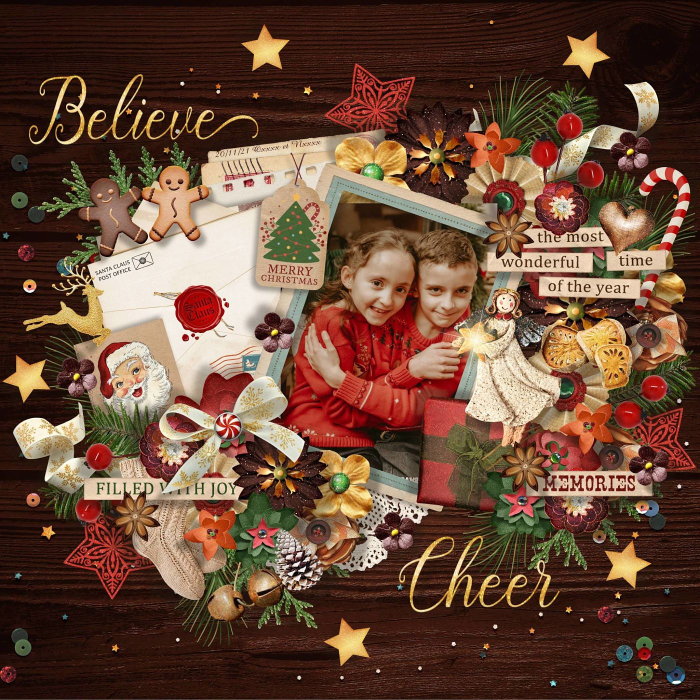
Ladies, I give a try, I manage to use your brown color Kiana and I try to use some tips especially the decalage setting I usually keep at 3 and use 10 or more for this layout. I decrease for some elements and increase for other like I do usually.
I love the relief it gives but wonder if the shadows are not too sharpen? What do you think?
Sorry to ask again but it's great to have other opinion!:)
 
Ladies, I give a try, I manage to use your brown color Kiana and I try to use some tips especially the decalage setting I usually keep at 3 and use 10 or more for this layout. I decrease for some elements and increase for other like I do usually.
I love the relief it gives but wonder if the shadows are not too sharpen? What do you think?
Sorry to ask again but it's great to have other opinion!:)

I really like this!!! you did really well!!! I would to have liked to see them all at 10 and then at your 3 for comparison :thumbup:
 
Ladies, I give a try, I manage to use your brown color Kiana and I try to use some tips especially the decalage setting I usually keep at 3 and use 10 or more for this layout. I decrease for some elements and increase for other like I do usually.
I love the relief it gives but wonder if the shadows are not too sharpen? What do you think?
Sorry to ask again but it's great to have other opinion!:)

I agree it looks great! Ultimately, it will come down to your personal preference. If you're not sure if you like the new settings, maybe try something in between, let the 2 pages sit a few days and come back to them and see what you like better.
 
Again Thank you so much Kiana and Jennifer for your help!
I did a new layout and used the same shadows mixing 10 more and less and increase transparency.
So this time I try to show you the one with all at 10 and all at 3 (but with the same angle because I had to take it one by one elements lol) and I add a clear background for a better view.
I think I have to find what are my personal preferences as you said Jennifer but I'm truly grateful for sharing your helps and tips with me ladies and the time you took to see, I truly appreciate it and I'm so grateful!:wub:

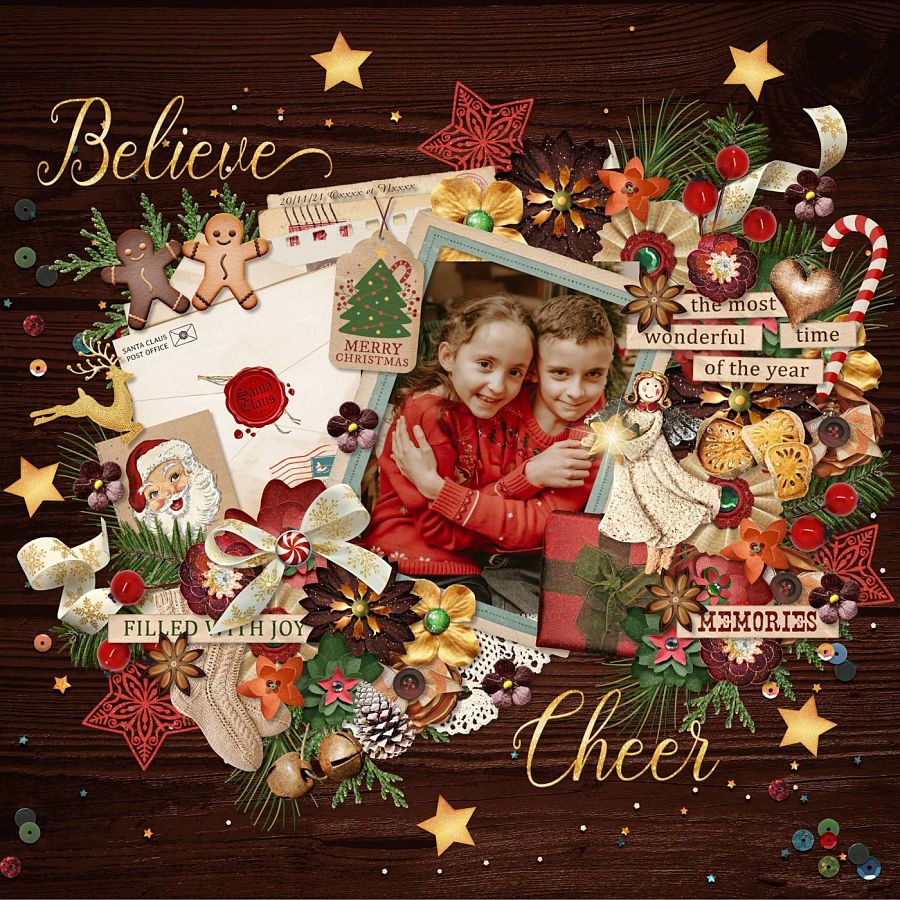
So here's my latest layout with the same shadows you help me to find:


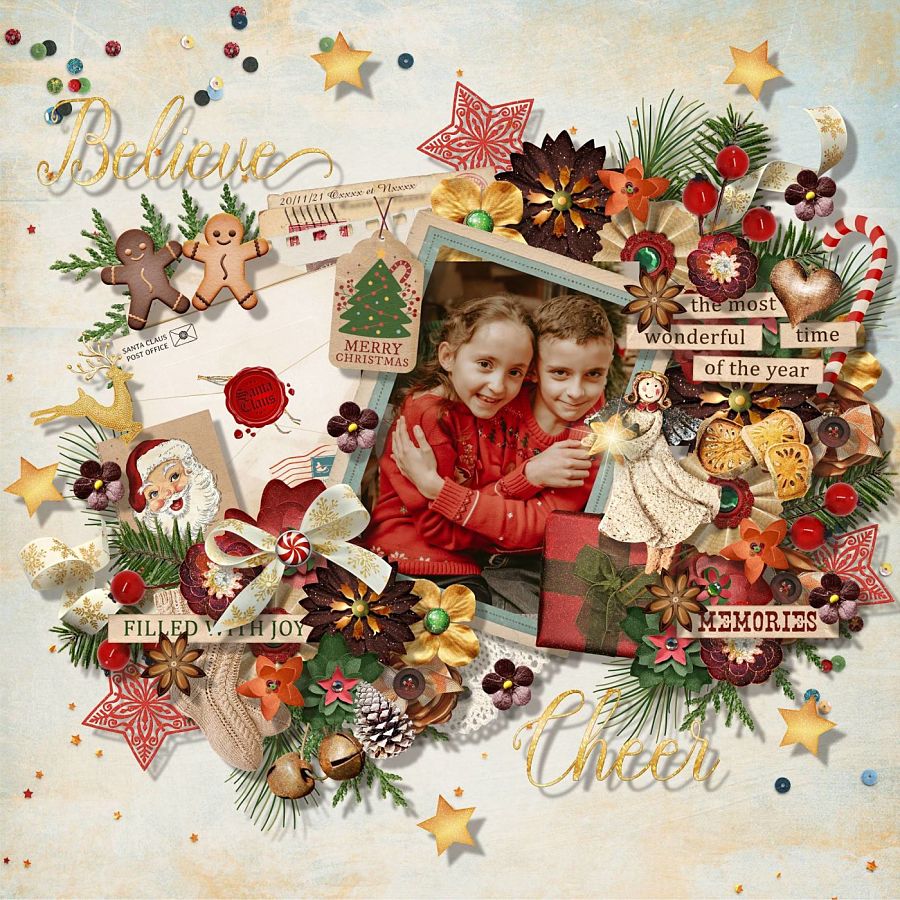
One with 10 and clear background
21123002502624803017729297.jpg


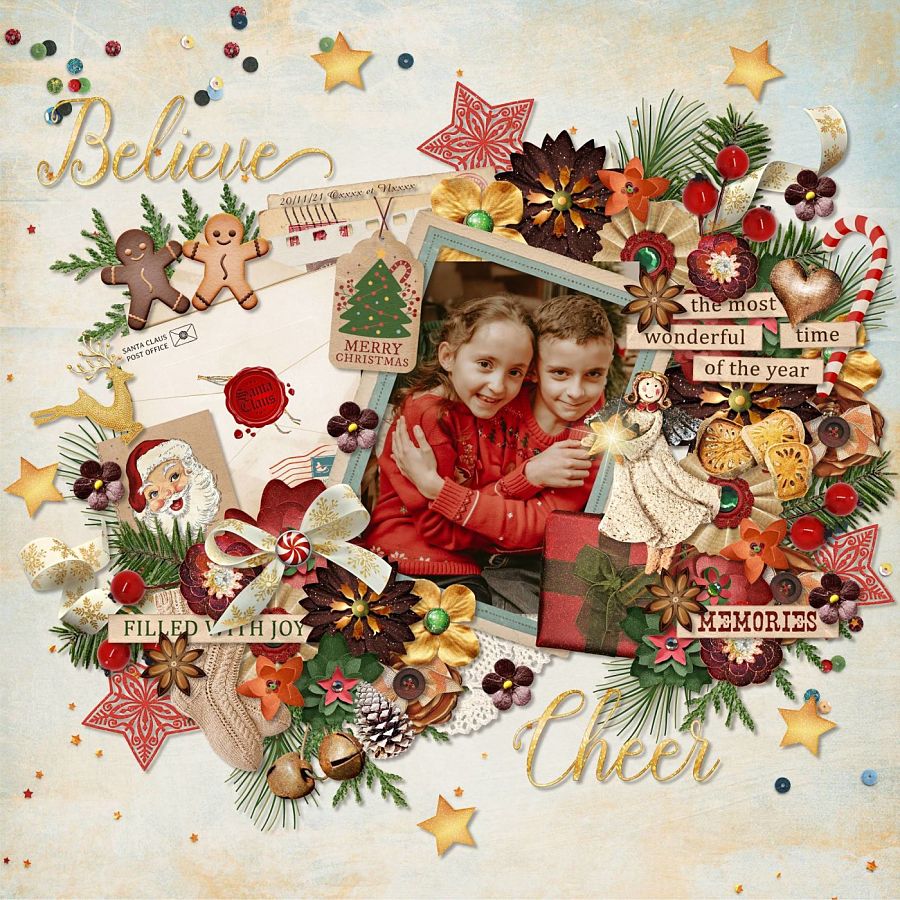
One with 3 and clear background:
21123002502624803017729298.jpg


And finally the same with wood background but 3:
21123002502724803017729299.jpg


What do you think?
 
Again Thank you so much Kiana and Jennifer for your help!
I did a new layout and used the same shadows mixing 10 more and less and increase transparency.
So this time I try to show you the one with all at 10 and all at 3 (but with the same angle because I had to take it one by one elements lol) and I add a clear background for a better view.
I think I have to find what are my personal preferences as you said Jennifer but I'm truly grateful for sharing your helps and tips with me ladies and the time you took to see, I truly appreciate it and I'm so grateful!:wub:

And finally the same with wood background but 3:
21123002502724803017729299.jpg


What do you think?

I like parts of both pages but lean more towards the page tha you used the 3 setting. The elements closer to the page look great at 3. Maybe try increasing that number a bit for the more stacked elements - maybe to a 5 or 6? The 10 might have ended up being a bit high but it will depend again on your preference and how it looks as you're doing it. We're so lucky to be able to make adjustments like this but sometimes it's hard to get that final result just the way we like it. I think you're definitely on the right track and will get the results you want really soon if you haven't already!!!
 
Can anyone tell me if there's a way to save a shadowing style so that we can re-use them in another layout without having to start from scratch or do you have to have a special program for that?
 
Can anyone tell me if there's a way to save a shadowing style so that we can re-use them in another layout without having to start from scratch or do you have to have a special program for that?
What program do you use? In any version of Photoshop, double click on the layer style of the layer that has the shadow/style you want to duplicate, and on the right side of the pop up there is an option to save a "New Style". That adds it to your Styles palette. HTH! (option 10 from my really old tutorial)
 
Last edited:
I like parts of both pages but lean more towards the page tha you used the 3 setting. The elements closer to the page look great at 3. Maybe try increasing that number a bit for the more stacked elements - maybe to a 5 or 6? The 10 might have ended up being a bit high but it will depend again on your preference and how it looks as you're doing it. We're so lucky to be able to make adjustments like this but sometimes it's hard to get that final result just the way we like it. I think you're definitely on the right track and will get the results you want really soon if you haven't already!!!

Thank you so much Jennifer! I tend to prefer the 3 setting too but it was great to try the 10 settings too because finally it could be interesting for some elements. I try to adjust with the 3 settings and increasing some elements, you're right! Thank you so much for your help! I totally agree with you, we are lucky to be able to make adjustment but sometimes it's just so frustrating to not reach the result we want!:)
Thank you again so much for your great help and your kind words and taking time to look and share with me your ideas! I'm truly grateful Jennifer!:wub:
 
I have Photoshop Elements which doesn't give me the option to save a style however I did purchase Elements+ and found that I could do it from there following your instructions in the tutorial. It took a bit of searching where to find the style after saving it but I eventually did find it. I have to activate the custom shape tool and in the style picker drop down menu choose styles and there it was! Yes!!! I'm on my way to customizing my drop shadows :) Thank you for your help Sheri, it's much appreciated!
What program do you use? In any version of Photoshop, double click on the layer style of the layer that has the shadow/style you want to duplicate, and on the right side of the pop up there is an option to save a "New Style". That adds it to your Styles palette. HTH! (option 10 from my really old tutorial)
 
Wow! That tutorial was fantastic. You did such a great job with your instructions, screen shots, and comparisons. I'll be back to review again when I am doing a layout.
 
Wow! That tutorial was fantastic. You did such a great job with your instructions, screen shots, and comparisons. I'll be back to review again when I am doing a layout.

So glad you liked it and I truly hope it helps!
 
Again Thank you so much Kiana and Jennifer for your help!
I did a new layout and used the same shadows mixing 10 more and less and increase transparency.
So this time I try to show you the one with all at 10 and all at 3 (but with the same angle because I had to take it one by one elements lol) and I add a clear background for a better view.
I think I have to find what are my personal preferences as you said Jennifer but I'm truly grateful for sharing your helps and tips with me ladies and the time you took to see, I truly appreciate it and I'm so grateful!:wub:

So here's my latest layout with the same shadows you help me to find:


One with 10 and clear background
21123002502624803017729297.jpg


One with 3 and clear background:
21123002502624803017729298.jpg


And finally the same with wood background but 3:
21123002502724803017729299.jpg


What do you think?


On the light background I love #3 but I think maybe on the dark background 10 or somewhere inbetween 3-10?

All of them are lovely though!
 
On the light background I love #3 but I think maybe on the dark background 10 or somewhere inbetween 3-10?

All of them are lovely though!

I agree with you Kiana, thank you so much for you help, I'm so grateful and it really helps me a lot, have your tuto in my fave links and used it nearly each time I scrap!:)
You are really nice and it touched me a lot!:wub:
 
I agree with you Kiana, thank you so much for you help, I'm so grateful and it really helps me a lot, have your tuto in my fave links and used it nearly each time I scrap!:)
You are really nice and it touched me a lot!:wub:

:hugs::wub: awww that makes me happy to hear. I am so glad it is helpful!!! And thank you, I try to be nice. We've got enough going on in our lives and the world. Funny: I write quotes on my email signatures at work and the current one for this month is: “KINDNESS is a gift everyone can afford to give.” —Unknown
 
Oh! Just saw this post - FABULOUS tutorial! I love shadowing, and I learn something new every time I see a new tutorial. Thanks so much for this!!
 
:hugs::wub: awww that makes me happy to hear. I am so glad it is helpful!!! And thank you, I try to be nice. We've got enough going on in our lives and the world. Funny: I write quotes on my email signatures at work and the current one for this month is: “KINDNESS is a gift everyone can afford to give.” —Unknown

Oh for me you're not trying, you ARE nice that's all!:D
But I totally get what you mean and feel the same, your quote is just so true and went perfectly with this mood!:wub:
The World needs more people like you!;)
 
Back
Top