Link me up please...

mariewilcox

New member
To your layouts using paper clips - I'm trying to figure out how to make them look realistic and I can't find any examples :blink:

TIA!
 
I can't think of any layout off hand that has them, but thing that I have done, is break one down into a couple of layers after I place it where I want it... that way I can erase parts that would normally be underneath, and/or pull other parts up a layer or two to have them on top.... I'm sure there is a much much MUCH easier way, but I haven't figured it out, so I actually try to avoid them. lol
 
I can't think of any layout off hand that has them, but thing that I have done, is break one down into a couple of layers after I place it where I want it... that way I can erase parts that would normally be underneath, and/or pull other parts up a layer or two to have them on top.... I'm sure there is a much much MUCH easier way, but I haven't figured it out, so I actually try to avoid them. lol

LOL - I have always avoided them too... I might try the way you do it and see what happens! I figured someone here has a layout that they have used a paper clip on but I'm not about to search the whole gallery - that would be like searching for a needle in a hay stack! :D
 
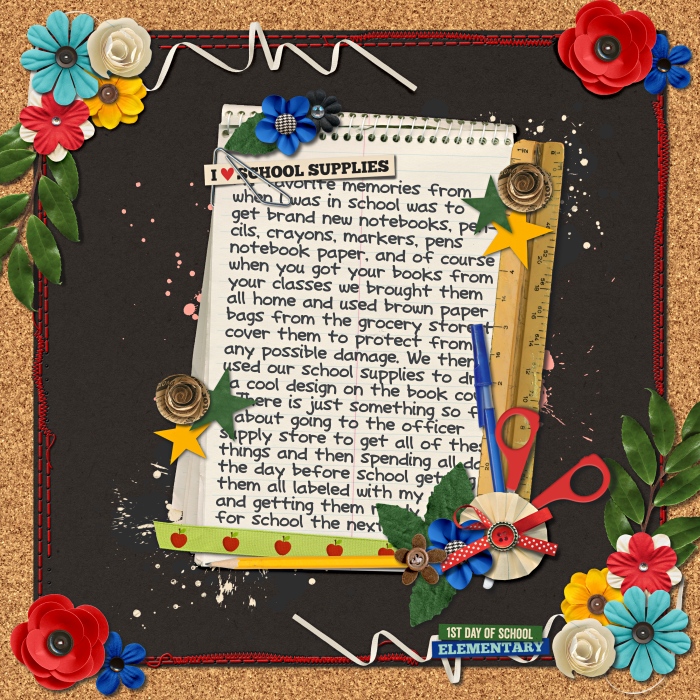
Not sure if this looks super realistic or not but here is the last layout I did and it has a paperclip

best_of_first_day_of_school.jpg
 
i usually just erase with a soft brush the parts I believe go under the photo/paper you want to clip it to. hope that helps.
 
I use a mask to "hide" part of it under a paper and if I have time / feel like it I also use dodge and burn to add some volume to the paper, it adds realism. Let's see if I can find an SSD LO with one...

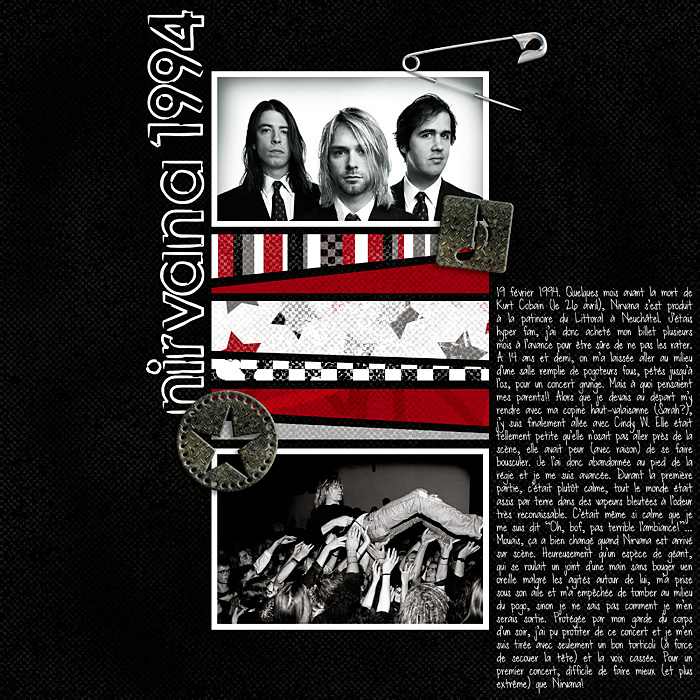
Okay, I couldn't find a paper clip but I did a similar effect on this safety pin:
 
Back
Top