Hello! I have never been good at being able to keep up with these big scrapping challenges and all of the deadlines. I recently completed the Summer Scrap-A-Thon warm up challenges. I want to do the summer double feature challenge.
So how are you able to stay on top of all the different deadlines and challenges? Do you have a system? Have the deadlines and challenge themes written down?
Any suggestions would be great.
Thank you!
First of all, Laura, we're so glad you're here at the Sweet Shoppe and participating in our community!
The only times I've been successful with keeping up with challenges and getting them done on a deadline are when I've used a home-grown organization system to break it into little chunks.
First, I pull up a word-processing or page layout application - it changes from year to year, which ones I'm using, but right now I live and breathe in Evernote ... you could also use OneNote if you're a Microsoft girl or Word or Pages or Google Docs works as well.
Then I set up a table - nothing fancy - just start with 3 rows and 4 columns. For the July Summer Scrap-A-Thon, it looks something like this:
| Date | Challenge | Layout/Notes | Deadline |
| | | |
Then I fill it in as the month progresses and the challenges are released.
| Date | Challenge | Layout/Notes | Deadline |
| July 2nd | Clueless (July 1995) – As if! Create a page with “yeah right,” “no chance,” “in your dreams,” and “absolutely not” vibes. Bonus points if you include classic Clueless yellow plaid. | | July 31st |
| July 4th | Independence Day (July 1996) - Alien Invasion! Add at least 3 elements that feel like they've landed on your page from another creative universe. | | July 31st |
| July 6th | The Devil Wears Prada (June 2006) - Make a graphic design / magazine inspired page with a focus on stylish typography and trends. | | July 31st |
You get the idea.
As I complete layouts, I drag-and-drop the completed layout into the Layout/Notes column. I like being able to see that I'm making progress ... it makes my brain happy and helps me stay motivated.
Then what I'll do is when I'm feeling creative, even if I'm not ready to scrap yet, I'll brainstorm up specifics about each layout. What will my topic be? What photos do I need? What kit(s) or template do I want to use? Those notes go in the Layout/Notes column, and when the page is done, I delete them and put the page thumbnail in instead.
| Date | Challenge | Layout/Notes | Deadline |
| July 2nd | Clueless (July 1995) – As if! Create a page with “yeah right,” “no chance,” “in your dreams,” and “absolutely not” vibes. Bonus points if you include classic Clueless yellow plaid. | 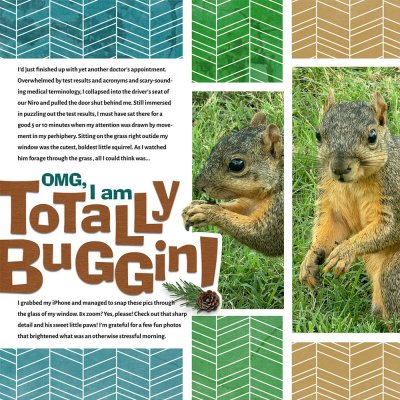 | July 31st |
| July 4th | Independence Day (July 1996) - Alien Invasion! Add at least 3 elements that feel like they've landed on your page from another creative universe. |  | July 31st |
| July 6th | The Devil Wears Prada (June 2006) - Make a graphic design / magazine inspired page with a focus on stylish typography and trends. | 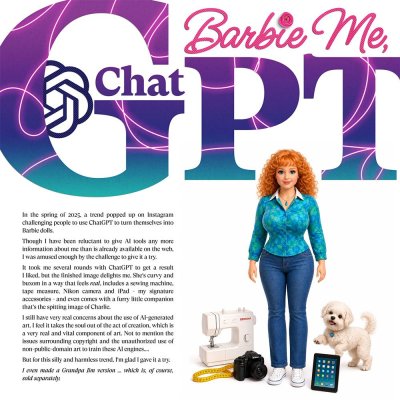 | July 31st |
| July 8th | Dirty Dancing (August 1987) - “Nobody puts baby in a corner…” but we’re asking you to keep your entire page design concentrated in one corner. | Photos of Eleanor's hilarious "Surprised" reaction
Quirky Kit by Soco & Allison Pennington | |
That's it - just a table where I can see what I need to create and what I've already created at a glance. If you want to get fancy, you can include links to the URLs where each challenge is posted so you can quickly go back to the post to add your finished layout, or link to your layout in the gallery. Just depends on how much time you want to spend on your table.

The other thing that really helps me a lot is to put together a running list of layouts I want/need to create. My biggest struggle tends to be "what am I going to scrap?" when I get a challenge. Sometimes the challenge has a topic that guides me, but a lot of times I feel overwhelmed by the two decades of photos sitting on my drive that are only, like, 15% scrapbooked.
Anyway, I hope that helps you a bit. I love reading about the tools and systems other scrapbookers use! It's helped me to refine what I've done over the years, little tweaks at a time, until I've landed on something that works for me.
Good luck, and once again, we're so glad you're here at SSD!




 If I find myself fiddling a lot and moving things around and never being satisfied, I have to just call it "good enough" and move on. Nor sure if that's what you were thinking, but I can't be the only one that spends sooo much time like that.


 Also when you have a bunch that you can tackle, I try to do the easiest first- either easy as in challenge itself easy, or easily inspired. That way the scrapping juices get flowing & I then tackle the harder challenges.


 Very primitivaly, it's an app meant for putting text on photos. It's got its positive and negative. I'm not happy with my current phone's quality even though this one is supposed to be better than the one I used to scrap on- it really affects my mojo knowing that my shadows won't look as nice and the final upload wont be as sharp as it should be. I am limited in some ways :using templates can be tedious (adding each layer via png) and I can't have too many layers but I am a template junky anyway, my shadows aren't as realistic and I don't have a lot of the features that I would with a laptop/iPad set up and seeing details can be a challenge (staples are almost not worth using lol) I want to eventually move up to an iPad or laptop when I can afford to do so. But then I get overwhelmed at the idea of learning Photoshop, like I'm brand new again and really just want a phone that has better graphics. I love being able to scrap literally anywhere at anytime I want - Dr's office, in the car, etc