

Can you help?

KimGeling

Member
I may be having a serious blonde moment but for the life of me I can't do what I want to do.
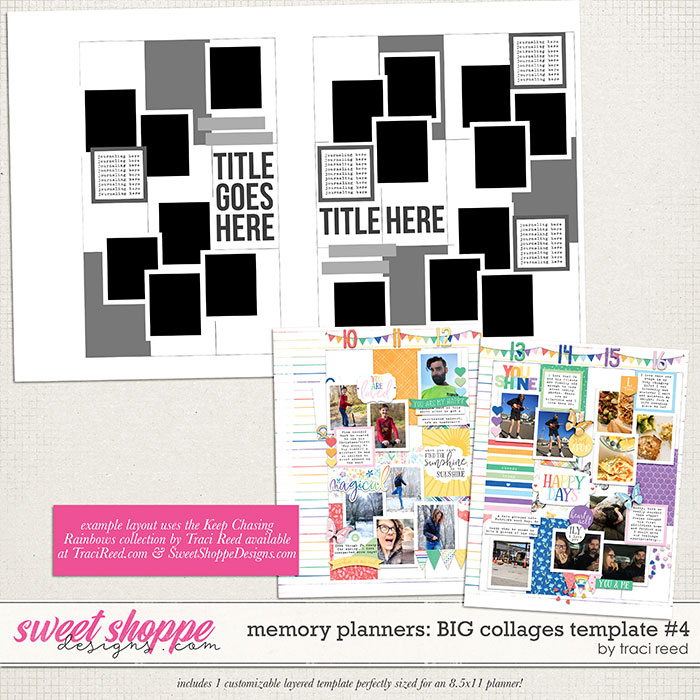


I'm trying to use Traci's Memory planner page templates but I really want to split them and add each to a 12x12" page on a paper background. I'm using PSE 2018 and I've figured out how to split the page down the middle but I can't work out how to add a background layer in 12x12". Everything I've tried either doesn't show up, is too small or loses the layers in the template. Does anyone know how I can do this to make the pages work for my albums?
 
I wish I could help but I use CC and I have no idea how PSE works. I know there are a lot of other scrappers here who do use PSE so I know someone will be able to help you out :)
 
I wish I could help but I use CC and I have no idea how PSE works. I know there are a lot of other scrappers here who do use PSE so I know someone will be able to help you out :)

How would you do it in CC (I have full PS too) but prefer PSE for most things...
 
This may not be the most efficient way, but here's what I do-- (I think mine may also be PSE 2018)
Open a new/blank file. Save & name it if you want to
Open the template/layered file.
Select all layers on the layered file in the layers palette.
Right click & select Duplicate layers
There's a drop-down in the pop-up and when you open that up, select your blank file (by name...or, I never name mine, so it's there as "untitled"--not "new"!) as the destination
Then click okay.
When you go back to your other page, everything will be there in layers :)
 
If the file is smaller than 12x12 and you just want to put it on a 12x12 background paper, you can do this.

Open the layered file.
Make sure the bottom layer is not locked. I think just double clicking it in the layers pallet unlocks it.
Go to image - resize - canvas size.
Make it 12 x 12
Then add the new paper to the bottom layer.
 
If the file is smaller than 12x12 and you just want to put it on a 12x12 background paper, you can do this.

Open the layered file.
Make sure the bottom layer is not locked. I think just double clicking it in the layers pallet unlocks it.
Go to image - resize - canvas size.
Make it 12 x 12
Then add the new paper to the bottom layer.

Thanks Christy, I might try that next time. That is what I was trying to do but it just wasn't working... thinking now that maybe the layer was locked which would explain a lot :o
 
This may not be the most efficient way, but here's what I do-- (I think mine may also be PSE 2018)

Open a new/blank file. Save & name it if you want to

Open the template/layered file.

Select all layers on the layered file in the layers palette.

Right click & select Duplicate layers

There's a drop-down in the pop-up and when you open that up, select your blank file (by name...or, I never name mine, so it's there as "untitled"--not "new"!) as the destination

Then click okay.

When you go back to your other page, everything will be there in layers :)
Oh I'm going to try this. I have pse 2020. Hoping that it works. Can you do it after you made the page? Just select all the layers? Thanks

Sent from my SM-N975U using Tapatalk
 
Oh I'm going to try this. I have pse 2020. Hoping that it works. Can you do it after you made the page? Just select all the layers? Thanks

Sent from my SM-N975U using Tapatalk

You should be able to do that. I've done it in the past with two page spreads, drag/drop what I want on to a single page canvas
 
Back
Top